 Installation guide
 Owner’s manual



What is the average lifespan of a GE microwave?
A GE microwave typically lasts about 8 years. Most units fall in the 5 to 10 year range depending on daily use, ventilation (especially for over-the-range models like GE JVM3160DF5BB), and basic care such as keeping the cavity and grease filters clean. See the JVM3160DF5BB owner’s manual for model-specific care and operating guidance.
- Light use (a few minutes per day): 9 to 12 years
- Average use (10 to 20 minutes per day): about 7 to 10 years
- Heavy use (multiple long cycles daily): about 5 to 8 years
- Over-the-range installs: lifespan depends heavily on keeping airflow paths clear
- Running the microwave empty
- Repeated overheating from blocked vents or heavy grease buildup
- Slamming the door or operating with a misaligned latch
- Power surges (especially in older homes)
- Ignoring early symptoms like arcing, burning smells, or intermittent heating
- Wipe the cavity weekly; steam-clean with a bowl of water and lemon, then wipe dry.
- Keep the vent area and filters clean so heat can escape.
- Close the door gently; the door switches and latch system are safety-critical.
- Use microwave-safe containers and avoid metal trim.
- If the unit goes dead or resets, stop using it and troubleshoot the power and internal protection devices.
| Symptom | Common cause area | Example part for JVM3160DF5BB |
|---|---|---|
| Runs but does not heat | High-voltage circuit | Magnetron, capacitor, diode |
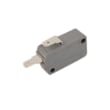
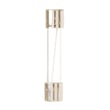
| Completely dead (no display) | Fuse, noise filter, wiring | Microwave fuse WB27X11138 |
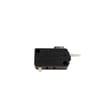
| Starts then stops when door moves | Door switch/latch system | Interlock/monitor switches |
Microwaves can appear to “work” even when a safety device is failing. Catching issues early (especially door-switch problems or overheating) helps prevent repeat failures and protects the control system and high-voltage components.
Last updated: February 2026
What are common problems with GE profile microwaves?
Common problems we see on GE over-the-range microwaves like model JVM3160DF5BB include the oven not starting, not heating, the turntable not rotating, door-latch or door-switch issues, vent fan behavior that seems unusual, and occasional sparking or arcing. Many “won’t start” complaints trace back to power, door closure, or a safety interlock circuit.
- Confirm the outlet has power; reset the home breaker or replace a blown house fuse.
- Unplug the microwave for 60 seconds, then plug it back in to clear a control glitch.
- Close the door firmly; a slightly open door can prevent starting.
- Press Start/Pause after entering a cook selection.
- If the vent fan turns on by itself, that is a normal heat-protection feature when the cooktop below is hot.
For model-specific operating and troubleshooting steps, use the JVM3160DF5BB owner’s manual.
| Symptom | What it usually points to | Parts often involved on JVM3160DF5BB |
|---|---|---|
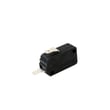
| Won’t start (no run) | Power issue, door not fully latched, interlock circuit problem | Microwave fuse WB27X11138, microwave door interlock switch WB24X10146 |
| Runs but does not heat | High-voltage circuit problem | Magnetron, high-voltage diode, capacitor, transformer |
| Turntable not spinning | Drive issue under the tray | Turntable motor, coupler, tray support |
| Door won’t close or feels loose | Latch/lever wear or misalignment | Door latch, switch lever, door switches |
| Sparking/arcing | Food splatter, damaged waveguide cover, metal in cavity | Cleaning and cavity inspection (parts vary) |
Microwaves use door interlocks and thermal protection to prevent unsafe operation. If the door switches or fuse are failing, the unit may not start, may stop mid-cycle, or may blow the fuse again until the root cause is fixed.
High-voltage components (magnetron, capacitor, transformer, diode) can store dangerous energy even when unplugged. If your JVM3160DF5BB runs but will not heat, or if a fuse keeps blowing after replacement, we recommend professional service.
Last updated: February 2026
How can I tell what size my microwave is?
For your GE JVM3160DF5BB microwave/hood combo, “size” usually means two things: the outside fit (width, height, depth) and the inside cooking capacity (cubic feet). Measure the exterior to confirm it fits your cabinet space; use the specs in the JVM3160DF5BB owner’s manual for the exact capacity and dimensions.
- Overall width: confirms it fits between cabinets (over-the-range units are commonly 30 inches wide).
- Overall height: confirms clearance to upper cabinets and proper mounting height.
- Overall depth: confirms it will not stick out too far past cabinet faces.
- Interior cavity: indicates how large a dish you can heat.
- Mounting space requirements: ensures safe clearances over the cooktop.
The installation requirements matter as much as the microwave’s exterior dimensions.
- Plan for 30-inch wide space between cabinets.
- Install over ranges up to 36 inches wide.
- Keep the bottom of the cabinet 30 inches or more above the cooking surface.
- The top of the microwave should be 66 inches or more above the floor.
- Standard cabinet depth is typically 13 inches max; deeper cabinets may need an additional kit.
| Term | What it means | What you use it for |
|---|---|---|
| Exterior dimensions | Outside width, height, depth | Fit in the cabinet opening |
| Interior capacity (cu ft) | Usable cooking volume | Choosing dish size and cooking needs |
| Mounting clearances | Required spacing to cabinets and cooktop | Safe installation and ventilation |
Getting the size right prevents installation problems (cabinet interference, improper clearances) and helps you choose a microwave capacity that matches your cooking needs.
Use the dimension and capacity specifications listed in the JVM3160DF5BB installation guide.
Last updated: February 2026
Is the JVM3160DF5BB easy to use?
Yes. The GE JVM3160DF5BB microwave/hood combo is designed for simple everyday use with dedicated pads for common tasks (Popcorn, Beverage, Reheat, Potato), Express Cook, Add 30 Sec, and straightforward Cook Time and Weight/Time Defrost controls; the display and keypad layout are covered in the JVM3160DF5BB owner’s manual.
These are the controls most customers use daily on the JVM3160DF5BB:
- Express Cook for quick-start cooking (no extra Start/Pause press needed for Express Cook)
- Add 30 Sec to extend cook time in simple increments
- Cook Time for manual time entry
- Power Level (1-10) to fine-tune heating for softer foods
- Weight/Time Defrost for frozen foods
- Vent fan and surface light controls for cooktop ventilation and lighting
| Task | Typical buttons to use | Why it’s simple |
|---|---|---|
| Reheating leftovers | Reheat or Cook Time | One-touch option or manual time |
| Fast warm-up | Express Cook or Add 30 Sec | Minimal steps |
| Defrosting | Weight/Time Defrost | Guided defrost mode |
| Lower power heating | Cook Time + Power Level | Helps prevent overcooking |
- Keep a small note of your most-used power levels (for example, lower power for butter or chocolate).
- Use Add 30 Sec instead of restarting a full cook cycle.
- If the keypad is hard to read in your kitchen lighting, turn on the surface light while selecting settings.
- If the microwave stops when you close the door or will not start, check the door latch and switches; the microwave door interlock switch WB24X10146 is a common door-safety component on this model family.
An over-the-range microwave like the GE JVM3160DF5BB gets used multiple times a day. Simple one-touch pads and quick time adds reduce mis-keys, shorten setup time, and make reheating and venting more convenient during cooking.
Last updated: February 2026
How to fix power failure on a microwave?
For a GE JVM3160DF5BB microwave/hood combo, a “power failure” is usually a temporary control reset issue or a loss of incoming power. We recommend doing a hard reset first, then checking the outlet and breaker; if the unit stays dead, the internal fuse or door switches are the next most common causes.
- Unplug the microwave (or switch off the breaker) for 5 minutes, then restore power.
- Confirm the outlet has power by plugging in a lamp or small appliance.
- Check the kitchen circuit breaker or GFCI outlet and reset if tripped.
- If the display returns, set the clock and test heating with a cup of water.
- If the display is blank or it dies again, stop using it and move to internal checks.
If the outlet and breaker are good, these parts commonly stop the microwave from powering up:
| Symptom | Most likely area | Example model-matched part |
|---|---|---|
| Completely dead, no display | Line fuse | Microwave fuse WB27X11138 |
| Runs only with door held a certain way | Door latch or switch mount | Microwave door latch WB10X32782 |
| Blows fuse when door closes or Start is pressed | Door interlock/monitor circuit | Microwave door interlock switch WB24X10146 or microwave door monitor switch WB24X10205 |
Your microwave has multiple door safety switches. If a switch is misaligned, sticking, or electrically failed, the control can act like it has “power failure” symptoms (intermittent power, dead display, or a blown fuse) because the unit cannot safely energize.
Microwaves contain high-voltage components that can store a dangerous charge even when unplugged.
- Unplug the microwave before removing any panels.
- Do not touch high-voltage wiring or components.
- If you are not comfortable using a meter and following safe procedures, use a qualified technician.
Use the JVM3160DF5BB installation guide for handling and mounting cautions (for example, avoiding pinched power cords and not lifting by the handle). For operating and control reset guidance, use the JVM3160DF5BB owner’s manual.
Last updated: February 2026


