 Owner’s manual



How to know if a microwave will fit?
To know if a microwave will fit, we match the opening size and clearances to the microwave’s required cutout and mounting requirements. For your Samsung built-in microwave model SMH9207ST, measure the cabinet opening carefully and confirm the required clearances in the SMH9207ST owner's manual.
What to measure before you buy
Measure in inches, and measure twice (front and back of the opening) because cabinets can be out of square.
- Opening width: inside left to inside right of the cabinet cutout
- Opening height: inside bottom to inside top of the cutout
- Opening depth: front edge of cabinet to back wall (watch for outlets and ducting)
- Door swing clearance: space in front so the door opens fully without hitting a wall or cabinet
- Ventilation clearance: space around the unit for airflow (top, sides, rear as specified)
Quick fit checklist (what must match)
Use this as a simple go/no-go check.
| Item to match | What you compare | What happens if it’s off |
|---|---|---|
| Cutout size | Your opening W x H x D vs. required cutout | Unit will not slide in or will sit proud |
| Electrical | Outlet location and circuit vs. requirements | Cord will not reach or power issues |
| Mounting | Brackets, screws, support points | Unsafe install, vibration, poor alignment |
| Clearance | Door swing and airflow space | Door interference, overheating risk |
Common fit problems we see (and how to avoid them)
- Measuring the old microwave, not the cabinet opening: always measure the cutout itself.
- Ignoring the back wall: outlets, junction boxes, and trim can steal depth.
- Not accounting for trim kits or frames: decorative frames can change the needed opening.
- Assuming “built-in” equals universal: built-in microwaves vary widely by cutout spec.
Why it matters
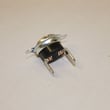
A correct fit prevents installation delays, cabinet damage, and airflow problems that can shorten the life of components like the cooling fan motor and thermostats.
Last updated: January 2026
How to hard reset a Samsung microwave?
For the Samsung SMH9207ST built-in microwave, the most reliable hard reset is a full power reset: end the cook cycle, remove power for 2 minutes, then restore power and set the clock. This clears most control glitches without changing normal cooking performance.
Hard reset steps (power reset)
- Press Stop/Clear to cancel any active cycle.
- Unplug the microwave; if you cannot access the plug, switch the microwave circuit breaker OFF.
- Wait 2 minutes.
- Restore power.
- Set the clock and run a 30-second test heat with a cup of water.
If the keypad is unresponsive
Use these checks before repeating the power reset:
- Make sure the door is fully closed and latched; reopen and close it firmly.
- Press Stop/Clear once, then try a basic cook command.
- If the display indicates a lock feature is enabled, turn off the control lock using the exact key sequence shown in the SMH9207ST owner's manual.
What resets do (and do not do)
| Reset method | What it fixes | What you may need to set again |
|---|---|---|
| Stop/Clear (cancel) | Stuck program, minor input errors | Usually nothing |
| Power reset (2 minutes) | Frozen display, odd behavior after a power flicker | Clock, sometimes vent or light defaults |
Why it matters
Microwave control boards can latch into an error state after a power interruption or a door-sensing issue. A power reset is the fastest safe first step before deeper troubleshooting.
If problems return after resetting
These issues commonly cause repeat lockups or no-start symptoms:
- Door not closing firmly (latch alignment)
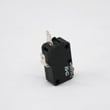
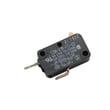
- Failed door interlock switch such as microwave door interlock switch 3405-001034
- Overheating from blocked airflow or a weak cooling fan motor
- Loose wiring connections behind the control panel
Last updated: January 2026
What is the life of a Samsung microwave oven?
Most Samsung microwave ovens, including the Samsung SMH9207ST built-in microwave, typically last 7 to 10 years with normal household use. Regular cleaning, good airflow around the unit, and fixing small problems early (like a noisy fan or weak heating) help you reach the high end of that range.
Typical lifespan and what affects it
A microwave’s life is mostly driven by heat stress, door use, and how hard the high-voltage system works.
- Normal use: 7 to 10 years
- Heavy use (multiple long heat cycles daily): closer to 5 to 7 years
- Light use with good care: 10 years or more
Signs your microwave is nearing end of life
If you see these symptoms repeatedly, it often points to wear in the heating circuit, door safety circuit, or cooling system.
- Food takes much longer to heat than it used to
- Loud humming or buzzing during heating
- Burning smell, arcing, or visible sparks (stop using immediately)
- Fan runs but heating is inconsistent
- Door does not close firmly or the unit only runs when the door is pushed
Quick care steps that extend lifespan
These habits reduce strain on the magnetron, cooling fan, and door interlock switches.
- Keep the cavity clean; wipe spills before they carbonize
- Never run the microwave empty
- Use microwave-safe containers only (no metal, foil, twist ties)
- Avoid slamming the door; it protects the interlock system
- Make sure vents are not blocked and the fan can move air
Repair vs. replace: a simple rule of thumb
Use age plus symptom severity to decide your next step.
| Microwave age | Common approach | Why |
|---|---|---|
| Under 5 years | Repair is often worthwhile | More remaining service life |
| 5 to 8 years | Depends on part cost and symptom | Mid-life decision point |
| Over 8 to 10 years | Replace is often practical | Higher chance of multiple wear items |
Why it matters
A microwave that is struggling to heat or has door-interlock issues can become unreliable quickly. Checking operating guidance and maintenance steps in the SMH9207ST owner’s manual helps prevent avoidable failures and keeps performance consistent.
Last updated: January 2026


