


Is the ProForm PFTL21460 a good treadmill?
Yes, the Proform PFTL21460 is a good treadmill for basic home walking and light jogging when it’s in good condition and properly maintained. As an older Proform Crosswalk CSI-style model, it’s best judged by belt condition, motor performance, and safety features rather than modern app features.
We look at reliability and usability factors that matter most on the PFTL21460:
- Stable walking surface: the deck feels solid and the belt tracks centered
- Consistent speed: no surging, hesitation, or unexpected slowdowns
- Incline function (if equipped): raises and lowers smoothly without binding
- Safety stop works every time: the key stops the belt immediately
- Reasonable noise: normal motor hum, not grinding or squealing
Before investing in repairs or upgrades, we recommend these checks:
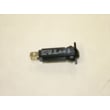
- Confirm the treadmill stops instantly with the treadmill safety key 119038
- Walk at a slow speed and watch for belt drift; minor drift is usually correctable
- Inspect the walking belt for glazing, fraying edges, or slipping underfoot
- Listen for front roller or motor noise (squeal often points to friction or alignment)
- Check power stability; nuisance trips can point to a weak breaker or wiring issue
| What you notice | What it usually means | Typical next step |
|---|---|---|
| Belt slips during push-off | Belt/deck friction or belt wear | Inspect belt; consider replacing the walk belt 173063 |
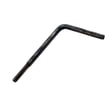
| Belt drifts left/right | Alignment needs adjustment | Use the treadmill walking belt alignment tool 128457 |
| Unit shuts off mid-workout | Overload or electrical protection | Check the treadmill circuit breaker, 15-amp 109382 |
| Clicking or rattling | Loose hardware | Tighten fasteners; replace worn nuts/washers if needed |
A treadmill can feel “bad” simply because the walking belt is worn or misaligned. On the Proform PFTL21460, correcting belt tracking and confirming the safety key and breaker are working often makes the biggest difference in day-to-day performance.
Last updated: February 2026
What are common problems with ProForm treadmills?
Common problems on the Proform PFTL21460 treadmill include no power, a slipping or off-center walking belt, unexpected stops, console issues, and incline or speed problems. Most are caused by a missing safety key, a tripped breaker, belt alignment/tension drift, or loose wiring.
- Won’t start or powers off: safety key not fully seated, tripped treadmill breaker, bad outlet, or damaged power cord
- Belt slips, hesitates, or feels jerky: belt tension too loose, worn walking belt, or dry deck
- Belt drifts left or right: rear roller adjustment needed
- Console lights up but belt won’t move: speed sensor gap issue, loose harness, or motor control problem
- Incline won’t move or is noisy: loose hardware, binding lift mechanism, or failing incline motor
- Confirm the safety key is installed and the clip is secure; replace it if it is cracked or intermittent using the treadmill safety key 119038.
- Reset the treadmill breaker if your unit has one; if it will not reset or trips repeatedly, the treadmill circuit breaker, 15-amp 109382 is a common fix.
- Center the walking belt using small, equal rear-roller adjustments; a simple helper tool like the treadmill walking belt alignment tool 128457 can make this easier.
- Inspect wiring at the lower motor area for pinched or loose connectors before running the treadmill again.
| Symptom | Most likely cause | First action |
|---|---|---|
| No power | Safety key missing or breaker tripped | Install key; reset breaker |
| Belt slips | Loose belt tension or worn belt | Adjust tension; inspect belt |
| Belt off-center | Alignment drift | Adjust rear roller |
| Stops under load | Belt/deck friction or electrical issue | Check belt condition; check breaker |
A slipping or misaligned belt can overwork the drive motor and electronics, and repeated breaker trips can signal an electrical load problem. Fixing the simple items first helps prevent bigger, more expensive failures.
Last updated: February 2026
What is the life expectancy of a ProForm treadmill?
A Proform treadmill typically lasts 7 to 10 years with normal home use and basic upkeep. For the Proform PFTL21460 (Crosswalk CSI treadmill), lifespan depends most on walking belt condition, deck friction, and keeping the motor area clean; wear parts often need attention sooner than the frame.
- Light use (1 to 3 times/week, walking): often 8 to 12 years
- Moderate use (3 to 5 times/week): often 7 to 10 years
- Heavy use (daily, multiple users): often 5 to 8 years
- Wear items (belt, deck, fasteners): commonly 2 to 6 years depending on friction and alignment
- Running a dry or misaligned belt (extra load on the motor and front roller)
- Dust buildup around the motor controller and drive motor
- Loose hardware that lets the deck shift or vibrate
- Using the wrong outlet or frequent power interruptions (can stress electronics)
- Ignoring early symptoms like slipping, surging, or burning smell
| Symptom | What to check first | Helpful part for this model |
|---|---|---|
| Belt drifts left/right | Rear roller alignment | Treadmill walking belt alignment tool 128457 |
| Belt slips or feels “sticky” | Belt wear and deck friction | Walk belt 173063 |
| Treadmill stops suddenly | Reset and power protection | Treadmill circuit breaker, 15-amp 109382 |
| Won’t start without key | Safety interlock | Treadmill safety key 119038 |
A treadmill’s motor and control board last much longer when the walking belt runs smoothly and centered. Lower friction means lower amperage draw, cooler electronics, and fewer shutdowns.
- Keep the belt centered and tracking correctly
- Vacuum dust from the motor area regularly (unplug first)
- Re-tighten loose nuts and screws to reduce vibration
- Inspect the walking belt for glazing, cracks, or frayed edges
- Use a surge protector rated for treadmill loads
Last updated: February 2026
Where can I find my ProForm treadmill model number?
On a Proform treadmill like model PFTL21460, the model number is typically printed on a rating label located on the rear of the frame, often near the base behind the walking deck or just below the motor hood area.
- Back of the treadmill frame, low near the floor (rear stabilizer area)
- Underside or rear edge of the walking deck
- Side rail frame near the rear roller area
- Near the power cord entry point or on the lower upright
- Under or near the motor hood (front of the deck)
Most Proform labels include a mix of identifiers. Use the model number for parts lookup.
| Label item | What it means | Use it for parts? |
|---|---|---|
| Model number (example: PFTL21460) | Exact treadmill model | Yes |
| Serial number | Unique unit identifier | Sometimes |
| Electrical rating (volts/amps) | Power information | No |
- Tilt the treadmill up (if it folds) and inspect the underside of the deck with a flashlight.
- Wipe dust off the frame label; the print can be faint.
- If the label is missing or unreadable, match parts by comparing key items you can identify, such as the treadmill safety key 119038 style and connector.
The model number ensures you get the correct Proform parts for your frame and console version; even similar Crosswalk CSI treadmills can use different walking belts, hardware, or electrical components.
Last updated: February 2026
Where is the circuit breaker on a ProForm treadmill?
On the Proform PFTL21460 treadmill, the circuit breaker is typically a small reset button located close to where the power cord plugs into the treadmill, most often on the frame near the power switch or low on the front of the motor hood area.
- A small push-button labeled reset or circuit breaker
- A button near the power cord inlet or ON/OFF switch
- A recessed button you press with a fingertip (not a toggle switch)
- A location low on the frame, near the front roller or motor cover edge
- Turn the treadmill OFF.
- Unplug the power cord for 60 seconds.
- Press the breaker reset button once (firmly).
- Plug the treadmill back in and turn it ON.
Repeated trips usually mean the treadmill is drawing too much current or the walking system is binding.
Common causes to check:
- Walking belt is too tight or misaligned (use a treadmill walking belt alignment tool 128457)
- Walking belt or deck friction is high (belt may be worn or dry)
- Household outlet or power strip issue (plug directly into a wall outlet)
- Breaker itself is weak or failing (consider replacing the treadmill circuit breaker, 15-amp 109382)
| What you see | What it usually points to | What to do next |
|---|---|---|
| No power at all | Tripped breaker or bad outlet | Reset breaker; test outlet |
| Powers on, then shuts off when you step on | High belt/deck friction or belt too tight | Check belt tension and alignment |
| Trips immediately when turned on | Electrical short or failing breaker | Inspect wiring; replace breaker |
The circuit breaker protects the motor control and wiring from overload. Resetting it is a fast first step, but frequent trips are a sign the walking belt system or electrical supply needs attention.
Last updated: February 2026