


How to reset a Frigidaire oven control board?
For Frigidaire model GCWM3067AFB (an electric oven/microwave combo), the most reliable “reset” for the electronic controls is a power reset: turn the unit off at the breaker for 5 to 10 minutes, then restore power. This clears many temporary lockups and false errors.
- Turn OFF the dedicated circuit breaker for the unit.
- Wait 10 minutes (we recommend the full 10).
- Turn the breaker ON.
- Wait 30 to 60 seconds for the display to reinitialize.
- Reset the clock, then test a simple function (oven light, timer, microwave light).
If symptoms return right away, the issue is usually not a “memory glitch”; it is often a failed component or a connection problem.
- If the display is completely dead, check the wall oven microwave fuse and holder 318647300.
- If the unit powers up but the keypad is erratic or errors return quickly, the wall oven microwave electronic control board A18493801 is a common suspect.
- If the problem changes when you open or close the door, focus on the door latch and switch area; for this model, one listed switch component is interlock l A23242801.
- If the issue started after cleaning or moving the unit, inspect wiring connectors and harness plugs for looseness or heat damage.
| What you see | Best first step | What it often points to |
|---|---|---|
| Frozen display, random beeping | Power reset | Temporary control glitch or failing control |
| Completely dead, no display | Reset, then check fuse | Blown fuse, wiring issue, or control failure |
| Works sometimes, then fails | Reset, then inspect connections | Loose harness/connector or failing board |
A breaker reset is the safest way to reboot the control without disassembly. If the problem comes back quickly, testing the fuse and control components helps you avoid repeated resets that do not address the root cause.
Helpful DIY reference: how to tell if a fuse is blown
Last updated: January 2026
What are the disadvantages of a microwave oven combo?
For the Frigidaire GCWM3067AFB, we treat it as an electric oven and microwave combo; model labeling can sometimes be grouped under different categories for parts lookup. The main disadvantages are higher repair complexity, a single point of failure for two cooking functions, and more cleaning and usability tradeoffs than separate appliances.
- Single point of failure: if a key control or safety circuit fails, you can lose microwave cooking, oven cooking, or both.
- More complex repairs: more electronics, sensors, and door safety interlocks increase diagnostic time.
- Higher repair cost potential: combo units often use specialized boards and high-voltage microwave parts.
- More cleaning effort: splatter and grease can build up around vents, racks, and door edges.
- Less flexibility: you cannot replace or upgrade the microwave or oven independently.
If you are troubleshooting a symptom (no heat, dead display, door error), these are examples of parts that can be involved on this model:
- Door safety circuit components like interlock l A23242801.
- Microwave high-voltage heating components like magnetron 555030400.
- Main control and logic components like wall oven microwave electronic control board A18493801.
| Topic | Combo unit | Separate wall oven + microwave |
|---|---|---|
| Downtime risk | One failure can affect two functions | One appliance can still work |
| Repair complexity | Typically higher | Often simpler per unit |
| Upgrade flexibility | Limited | High |
| Cleaning | More shared surfaces | Split surfaces |
If you cook daily or rely on consistent uptime for meal prep, the biggest drawback is that one repair can interrupt both baking and microwave use, and the troubleshooting path is usually more involved.
Last updated: January 2026
What are the most common issues with GCWM3067AFB?
For the Frigidaire GCWM3067AFB, the most common problems we see are power or display issues, weak or noisy ventilation, and heating or sensing faults. These symptoms often trace back to a blown fuse, a failing motor, a dirty filter, or a control-related problem.
- Unit is dead or intermittently loses power: fuse, wiring connection, or terminal block issue
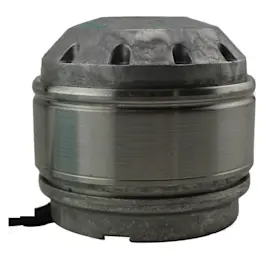
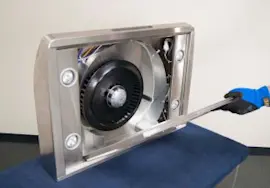
- Fan runs weak, rattles, or squeals: grease buildup, worn motor, or damaged blade
- Poor smoke and odor removal: clogged filter, restricted ducting, or weak motor
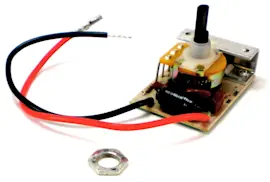
- Erratic operation or unresponsive controls: controller or circuit board problem
- Heating or temperature-related complaints: sensor or element issue
- Turn off power at the breaker; confirm the outlet or junction box has power.
- Inspect and clean the grease filter; replace it if it is bent, saturated, or won’t come clean.
- Listen for motor noise (grinding, buzzing) and check for a loose or damaged fan blade.
- If the unit is completely dead, check the fuse and holder for continuity.
- Look for overheated or loose wire connections at the terminal block.
| Symptom | Likely part to check | Example part on this model page |
|---|---|---|
| Dead/no power | Fuse and holder | Wall oven microwave fuse and holder 318647300 |
| Weak airflow/extra noise | Filter, motor, blade | Filter A20022801, motor 5304526375, blade 5304525455 |
| Control problems | Controller or circuit board | Controller 5304536547, circuit boar 5304536546 |
Ventilation and control issues can escalate quickly; a clogged filter strains the motor, and loose electrical connections can cause repeated shutdowns. Addressing the root cause restores performance and helps prevent repeat failures.
Last updated: March 2026