



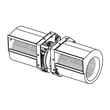
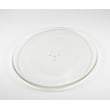
How to remove Whirlpool microwave vent cover?
To remove the vent cover (top grille) on your Whirlpool WMH31017HZ4 microwave/hood combo, we shut off power first, then remove the screws holding the grille and slide the grille to release its tabs. This exposes the vent area and top-access components.
Safety first (do this before touching screws)
- Unplug the microwave, or switch off the circuit breaker.
- Confirm the display and cooktop light are off.
- Use a stable step stool; do not pull down on the door for support.
- Avoid reaching into the unit; internal high-voltage parts can retain a charge.
Steps to remove the vent cover (top grille)
- Open the microwave door.
- Locate the grille screws along the top edge (typically Phillips-head).
- Remove the screws and keep them in a cup.
- Slide the grille sideways (usually to the left) to disengage the tabs.
- Pull the grille straight out toward you.
If the grille will not come off
- Check for a hidden screw near the control panel side.
- Push the grille back in slightly, then slide again to free stuck tabs.
- Look for grease buildup; clean the seam and try again.
- If the grille is warped or cracked, replace the damaged piece instead of forcing it.
What you can service after the cover is off
| Area exposed | Common reason you are there | Typical next step |
|---|---|---|
| Vent path and filters | Poor venting, odors | Clean or replace the grease filter |
| Top-access fasteners | Control panel access | Remove the next retaining screw(s) carefully |
Why it matters
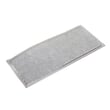
Removing the vent cover the right way prevents broken plastic tabs, stripped screw holes, and misalignment that can cause rattles or poor airflow. If you are troubleshooting venting, start by checking the filter W10208631A.
Last updated: February 2026
Can a Whirlpool microwave door be replaced?
Yes. On the Whirlpool WMH31017HZ4 microwave/hood combo, the microwave door assembly can be replaced as a complete unit when the door is bent, the handle is loose, the hinges sag, or the door will not close and latch consistently. Door replacement is a mechanical repair, but it must be done carefully so the door aligns and seals correctly.
Before you replace the door
- Unplug the microwave or switch off the breaker.
- Support the door while removing hardware so it does not drop and twist.
- Inspect the latch area and hinges for cracks, looseness, or binding.
- Check that the door closes flush and the interlock switches click consistently.
- If the door is damaged from impact, also inspect the front frame for distortion.
Basic replacement overview (what the job usually involves)
Most Whirlpool over-the-range microwaves use a top grille and an upper hinge pin or hinge screw to retain the door. In many cases you remove the grille, remove the upper hinge fastener, lift the door up and off the lower hinge, then reverse the steps to install the new door.
Alignment checklist after installation
- Door closes smoothly without rubbing.
- Door sits level and even with the control panel side.
- Latch engages fully; you hear consistent switch clicks.
- No gaps around the perimeter when closed.
Parts that are commonly involved
If you need the complete stainless door for this model, use the exact door assembly listed for WMH31017HZ4: microwave door assembly (stainless) W11173823.
| Symptom | Most likely fix | Notes |
|---|---|---|
| Door is dented or warped | Replace door assembly | Best option when metal is bent |
| Door will not latch reliably | Inspect/replace interlock parts | Door alignment and latch system both matter |
| Microwave runs only when pushing on door | Check door alignment and interlock | Stop using until corrected |
Why it matters
A properly aligned door is critical for safe operation and reliable heating. If the door does not close and latch correctly, the interlock system can prevent the microwave from running or cause intermittent operation.
Last updated: February 2026
Who makes Whirlpool microwaves?
Whirlpool microwaves, including the Whirlpool WMH31017HZ4 microwave/hood combo, are made by Whirlpool Corporation (the Whirlpool brand’s parent manufacturer).
What that means for parts and repairs
When you’re shopping parts for a Whirlpool microwave/hood combo, the manufacturer matters because it determines the correct part design, electrical ratings, and fit.
- Use the full model number WMH31017HZ4 when matching parts.
- Expect Whirlpool-specific components such as the control board, door/interlock system, and high-voltage heating circuit.
- Choose parts by exact ID to avoid look-alike substitutions.
- If the microwave runs but does not heat, focus on the high-voltage circuit parts.
Common Whirlpool microwave parts you might see on this model
| System | Example part on WMH31017HZ4 | What it does |
|---|---|---|
| Door safety | Interlock WPW10156813 | Helps prevent operation with the door open |
| Heating (high voltage) | Microwave magnetron W10754299 | Generates microwave energy for heating |
| Protection | Microwave fuse W11707984 | Opens the circuit if there’s an overload |
| Venting | Filter W10208631A | Captures grease from cooking vapors |
Why it matters
Knowing Whirlpool Corporation makes Whirlpool microwaves helps you troubleshoot and buy parts with confidence; Whirlpool designs the safety interlocks, electronic control, and high-voltage components as a matched system.
Last updated: February 2026
Is the WMH31017HZ4 easy to use?
Yes. The Whirlpool WMH31017HZ4 microwave/hood combo is designed for straightforward daily use with simple touchpad cooking controls, quick time adds, and basic hood fan and light functions. Most owners find it easy to learn in a single day of normal cooking and reheating.
What feels “easy” on this model
- One-touch style cooking options reduce guesswork for common foods.
- The hood fan and cooktop light controls are separate from cooking controls.
- The turntable system is simple: tray in, door closed, press start.
- Routine upkeep is basic: wipe the cavity, clean filters, replace bulbs as needed.
Quick setup checklist (best first steps)
| Task | What to do | How often |
|---|---|---|
| Set clock | Set the time so timed cooking is easier to track | Once (or after power loss) |
| Test heat | Heat 1 cup of water for 1 minute | First day |
| Check venting | Confirm fan is moving air (recirculating or vented) | First day |
| Clean grease filter | Wash and fully dry before reinstalling | Monthly (typical) |
When it stops feeling easy (common pain points)
If the microwave is confusing or inconsistent, the issue is usually maintenance or a small part problem, not “user error.” Check these first:
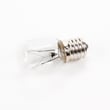
- Dim or no cooktop light: replace the lamp assembly 8206232A.
- Greasy airflow or weak venting: clean or replace the filter W10208631A.
- No power or dead display after a surge: a blown fuse is common; see how to replace a microwave fuse.
- Runs but does not heat: heating-circuit parts such as the diode, capacitor, or magnetron can be involved; use why is my microwave not heating to narrow it down.
Why it matters
An “easy to use” microwave stays easy when the venting and lighting are maintained. Clean airflow helps the hood work better over the range, and good lighting and consistent heating reduce re-cooks and frustration.
Last updated: February 2026
What are common problems with Whirlpool microwaves?
Common problems we see with Whirlpool microwaves like model WMH31017HZ4 include no heat, no power, won’t start, sparking/arcing, loud buzzing, turntable issues, and vent or light problems. Many are caused by door-switch, power, or airflow issues; heating failures often involve high-voltage parts.
Most common symptoms and what they usually point to
- Microwave runs but doesn’t heat: magnetron, high-voltage diode, capacitor, or transformer issues
- Dead (no display, no response): blown fuse, power supply problem, or control board failure
- Won’t start (counts down, then stops): door interlock/switch problem or control issue
- Sparking/arcing inside cavity: damaged waveguide cover area, metal in the cavity, or food splatter buildup
- Turntable not rotating: turntable motor or drive coupling issue
- Fan/vent problems: blocked filters, stuck damper/louver mechanism, or motor/cam issues
Quick checks we recommend before replacing parts
- Confirm power: try a different outlet; reset the breaker.
- Check the door: close firmly; look for a loose latch feel (common with interlock problems).
- Control lock/demo mode: make sure controls are not locked and the unit is in normal cooking mode.
- Inspect for arcing causes: remove any metal racks/foil; clean splatter and grease.
- Airflow basics: clean the grease filter and make sure vents are not blocked.
Parts that commonly solve these problems on WMH31017HZ4
| Symptom | Common part involved | Example part for this model |
|---|---|---|
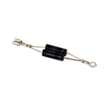
| No heat | High-voltage diode or magnetron | Gaoxin-hvd c W11256462, microwave magnetron W10754299 |
| No power | Fuse | Microwave fuse W11707984 |
| Won’t start | Door interlock/switch | Interlock WPW10156813 |
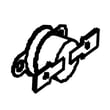
| Vent door stuck/noisy | Louver cam mechanism | Microwave vent louver motor cam plate W10562613 |
Why it matters
Microwave heating circuits store dangerous electrical energy even when unplugged. For “no heat,” burning smells, or repeated fuse blowing, we recommend using a qualified technician for diagnosis and repair.
For deeper troubleshooting steps, use our guides: why is my microwave not heating and how to replace a microwave fuse.
Last updated: February 2026
Is there a reset button on my Whirlpool microwave?
Most Whirlpool microwaves, including model WMH31017HZ4, do not have a single dedicated “reset button.” A reset is usually done by cycling power (unplugging or switching the breaker off briefly) or by using a Settings-based reset option on the control panel, if your keypad includes it.
Quick ways to reset WMH31017HZ4
- Power reset: Unplug the microwave (or turn the circuit breaker off), wait about 1 minute, then restore power.
- Control reset (if available): Press Settings and look for a “Reset” or “Factory reset” option; confirm the selection.
- Clock re-entry: After power is restored, set the clock again if the display prompts you.
- Clear a stuck cook cycle: Press Cancel/Off once, then try a simple 30-second cook test.
What a reset fixes (and what it does not)
A reset is best for display glitches, keypad confusion, or a control “freeze.” If the microwave runs but does not heat, or it goes dead repeatedly, that points to a component issue instead of a settings problem.
| Symptom | Reset worth trying? | Common next step |
|---|---|---|
| Display frozen or wrong time | Yes | Power reset, then set clock |
| Keypad not responding | Yes | Power reset; check for stuck keys |
| Runs but does not heat | No (usually) | Use why is my microwave not heating troubleshooting |
| Completely dead (no display) | Sometimes | Check house power; then inspect fuse |
When parts are likely involved
If WMH31017HZ4 loses power, goes dead after closing the door, or repeatedly blows power, the internal fuse or door interlock circuit is often involved.
- For a no-power condition, the microwave fuse W11707984 is a common starting point.
- For door-related power loss or odd behavior, the interlock WPW10156813 is commonly checked.
Why it matters
Resetting is a safe first step because it can clear control logic issues without replacing parts. If symptoms return quickly, focusing on the fuse, interlock switches, or heating circuit saves time and prevents repeat failures.
Last updated: February 2026
What is the average lifespan of a Whirlpool microwave?
Most Whirlpool microwaves, including over-the-range microwave/hood combo models like WMH31017HZ4, typically last 7 to 10 years with normal household use. Heavy daily cooking, poor ventilation, and skipped cleaning shorten life; consistent cleaning and proper airflow extend it.
What affects lifespan the most
- Heat and steam exposure from cooktop use (common for microwave/hood combos)
- Grease buildup in filters and vents that traps heat
- Door slamming or a door that does not close squarely (stresses interlocks)
- Power surges that damage the electronic control
- Running empty or using metal, which can cause arcing
Common “end of life” symptoms (and what they usually point to)
| Symptom | What it often means | Typical next step |
|---|---|---|
| Runs but does not heat | High-voltage circuit issue | Pro diagnosis; consider replacement if major parts are involved |
| Dead display or random resets | Control or power supply problem | Check outlet/breaker; then control diagnosis |
| Blows fuse when starting | Shorted component or door switch issue | Stop using; test interlocks and fuse |
| Loud buzzing/humming while heating | Magnetron or high-voltage component | Pro diagnosis; repair vs replace decision |
Parts that commonly fail first on this model
These are frequent wear or failure points we see on over-the-range Whirlpool units:
- Microwave fuse W11707984 (no power, intermittent power, blows during start)
- Interlock WPW10156813 (door-related starting issues, fuse blowing)
- Electronic control W11552018 (dead display, keypad issues, erratic behavior)
- Lamp assembly 8206232A (cooktop light out)
Why it matters
A microwave that is near the end of its service life can become unreliable (uneven heating, nuisance fuse blowing, or door-safety switch problems). Catching symptoms early helps you decide whether a simple repair (like a lamp or interlock) makes sense versus investing in high-voltage repairs.
Last updated: February 2026


