Owner’s manual
 Error Codes



Can Samsung fridge height be adjusted?
Yes. On the Samsung RF29BB820012 refrigerator, we adjust the height by turning the front leveling screws (levelers) on the left and right front legs with a flat-head screwdriver; clockwise raises that side and counterclockwise lowers it. See the RF29BB820012 owner's manual for the leveling procedure.
- Empty the refrigerator before leveling.
- Open the doors and locate the front levelers (one on each front leg).
- Insert a flat-head screwdriver into the leveler.
- Turn the leveler:
- Clockwise to raise that side
- Counterclockwise to lower that side
- Recheck door alignment and that the cabinet feels stable.
- Use a flat, solid floor surface.
- Adjust the front slightly higher than the rear for proper door closing.
- Make small turns, then recheck the level.
- Confirm the doors close smoothly without popping the other door open.
- Keep shelves, drawers, and baskets in their original positions for best airflow and efficiency.
| What you notice | What it usually means | What to do |
|---|---|---|
| One door sits higher than the other | One front corner is low | Raise the low side front leveler |
| Doors do not seal consistently | Cabinet is twisted or leaning | Level side-to-side, then fine-tune front height |
| Refrigerator rocks | One foot is not firmly on the floor | Lower the high side until stable |
Proper leveling helps the doors seal correctly, reduces vibration and noise, and prevents the doors from swinging open or misaligning over time.
Last updated: January 2026
How to get the bottom shelf out of a Samsung French door refrigerator?
To remove the bottom shelf in your Samsung refrigerator model RF29BB820012, fully open both French doors, lift the rear of the glass shelf to clear the stops, then pull the shelf forward and tilt it upright to guide it out safely. Use care because the tempered glass is heavy.
- Unload the shelf completely (food and glass containers can scratch the surface).
- Fully open the corresponding door(s) for clearance.
- With one hand supporting the glass, lift the rear edge of the shelf.
- Pull the shelf straight out until the front clears the rails/stops.
- Tilt the shelf vertically and carefully angle it out through the door opening.
- Set the shelf down on a protected surface for cleaning.
For the model-specific shelf removal illustrations and cautions, use the RF29BB820012 owner's manual.
Samsung notes several shelf-handling issues that matter on this model family:
- Tempered glass shelves are heavy; use two hands and keep a firm grip.
- Do not force the shelf upward excessively; the rear wall can be dented.
- Do not reinstall a shelf upside down; the shelf stopper will not work and the shelf can fall.
- Keep fingers clear of pinch points around doors and shelf edges.
| What you notice | Most common cause | What to do |
|---|---|---|
| Shelf hits the door frame | Doors not opened wide enough | Open both doors fully and remove tall door-bin items if needed |
| Shelf feels “stuck” at the back | Rear hooks/stops still engaged | Lift the rear edge higher, then pull forward |
| Shelf binds halfway out | Shelf not level while pulling | Keep the front level, then tilt only after it clears |
Removing the shelf the right way prevents cracked glass, dented liner walls, and misinstalled shelves that can slip out later. It also makes cleaning spills and odors much easier.
Last updated: January 2026
What is the most common problem with Samsung refrigerators?
The most common problems we see on Samsung refrigerators like model RF29BB820012 are ice maker failures (no ice, freezing up, leaking) and cooling complaints (fresh food warm, frost buildup). These symptoms usually trace back to airflow restrictions, frost/defrost issues, or a fan or sensor problem; use the RF29BB820012 manual to match symptoms to the recommended checks.
- Ice maker stops producing ice or freezes up
- Small, hollow, or clumped ice
- Refrigerator section warms while freezer seems OK
- Frost or ice buildup on the back wall or around vents
- Fan noise or buzzing (often ice contacting a fan)
- Water puddles from defrost meltwater not draining
- Set temperatures to about 37°F (refrigerator) and 0°F (freezer)
- Keep packages from blocking interior air vents (blocked vents can cause overcooling or poor cooling)
- Confirm doors close fully and gaskets seal all the way around
- Make sure the cabinet has clearance for airflow around the refrigerator
- If unplugged, wait at least 5 minutes before plugging back in
| Symptom | What to inspect first | Example part for RF29BB820012 |
|---|---|---|
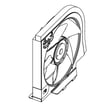
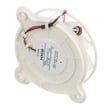
| Warm fridge, freezer OK | Evaporator fan, frost buildup | Refrigerator fan motor DA97-20025A |
| Erratic temperatures | Temperature sensing | Refrigerator temperature sensor DA32-00070A |
| No ice or poor ice | Ice maker, ice room freezing | Refrigerator ice maker DA97-22160A |
Airflow drives both stable cooling and ice production. When vents are blocked or frost builds up, the refrigerator runs longer, temperatures swing, and the ice maker performance drops.
Last updated: January 2026