Installation guide
 Owner’s manual
 Error Codes



How do I unlock my Jenn-Air cooktop?
To unlock your Jenn-Air JGD8345ADB22 gas downdraft cooktop, touch and hold the LOCK keypad for about 3 seconds until the lock indicator turns off and the controls respond again. This restores normal operation of the keypads.
- Make sure the cooktop has power (the lock feature only responds when the control has power).
- Touch and hold LOCK continuously; do not tap it repeatedly.
- Wipe the control area dry and clean; moisture or residue can make a keypad seem unresponsive.
- Turn all burner knobs to OFF and try again.
- If the controls seem dead, check the home breaker or fuse, then retry the unlock.
Control lock is designed to prevent accidental operation. When it is active, most keypads do not respond until you unlock.
| Symptom | What it usually means | What to do |
|---|---|---|
| Lock light is on, buttons do not respond | Control lock is enabled | Hold LOCK for 3 seconds |
| No lights or response at all | Power issue or control not receiving power | Check breaker/fuse, then retry |
| Some functions work but burners will not ignite | Possible ignition or burner issue (separate from lock) | Check igniter and burner ports; see manual |
Unlocking the controls is the first step before troubleshooting ignition, downdraft fan operation, or burner performance. It prevents unnecessary part replacement when the cooktop is simply locked.
For the exact keypad layout and indicator behavior on this model, use the JGD8345ADB22 owner's manual.
Last updated: February 2026
Can Jenn-Air cooktops be repaired?
Yes. We repair Jenn-Air cooktops like the Jenn-Air JGD8345ADB22 by troubleshooting the symptom, confirming gas and electrical supply, and replacing the failed component (common fixes include ignition parts, burner valves, or downdraft blower components). Use the owner's manual for model-specific checks and safety steps.
Most problems on a 30" gas built-in downdraft cooktop are caused by a serviceable part, not the cooktop itself. Typical repair categories include:
- Ignition issues (clicking, no spark, weak spark)
- Burner problems (won’t light, uneven flame, low flame)
- Gas control issues (sticking or leaking valve, hard-to-turn knob)
- Downdraft vent problems (poor smoke capture, weak airflow)
- Electrical issues (loose connections, failed switch)
If your symptom matches one of these, a part replacement is often the correct repair.
| Symptom | Likely area to check | Example part for this model |
|---|---|---|
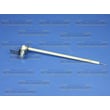
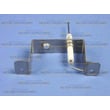
| Burner won’t ignite but gas is present | Surface igniter and ignition circuit | Igntr-surf WP74006072 |
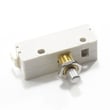
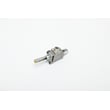
| Spark happens but burner lights inconsistently | Igniter switch and wiring | Igniter switch WP74006955 |
| Burner flame is erratic or won’t adjust | Burner valve and venturi | Burner valve WPY04100188 |
| Downdraft fan won’t run or is weak | Blower motor and speed control | Cooktop blower motor WPW10241953 |
Because this is a gas appliance with an electric ignition system, we recommend this workflow:
- Turn off power to the cooktop before accessing wiring or switches
- Shut off the gas supply before servicing valves, manifold, or supply tubes
- Clean burner ports and dry the burner head and cap after boilovers
- Verify the downdraft filter and ducting are installed correctly (poor venting can look like a “fan failure”)
- Use the diagnostic and “before you call for service” guidance in the owner's manual
Repairing a single failed part restores safe ignition, stable flame control, and proper downdraft ventilation. The manual also highlights that installation and ducting issues can cause performance complaints, so checking setup can prevent repeat problems.
Last updated: February 2026
Why is my Jenn-Air cooktop element not working?
On the Jenn-Air JGD8345ADB22 gas downdraft cooktop, a “burner not working” problem is usually caused by a power issue (no spark), clogged burner/ignition ports, or a wet/dirty/damaged igniter. Start with power and cleaning checks, then move to ignition and valve-related parts.
- Confirm the cooktop is connected to power; the igniters need electricity to spark.
- Check for a tripped breaker or blown fuse supplying the cooktop circuit.
- Make sure burner ports and ignition ports are not clogged (food spillovers are common).
- Verify the igniter is dry and clicking when you turn the knob.
- If the igniter does not click, turn the knob to OFF and inspect the switch/ignition circuit.
| What you notice | Most likely cause | What to do next |
|---|---|---|
| No clicking on any burner | No power to cooktop | Reset breaker, check fuse, verify outlet power |
| Clicking but burner will not light | Clogged ports or wet/soiled igniter | Clean and dry burner/ignition area; retry |
| One burner will not click | Bad igniter switch at that valve | Inspect/replace the igniter switch WP74006955 |
| Clicking and lights sometimes | Weak/dirty igniter or loose connection | Clean, check wiring connections, consider replacing igniter |
If your troubleshooting points to a failed ignition component, these model-matched parts are common fixes:
- Igntr-surf WP74006072 (surface igniter)
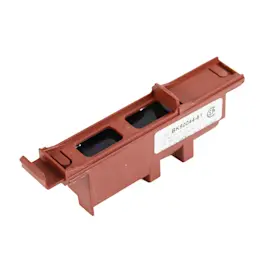
- Igniter switch WP74006955 (switch that triggers spark when the knob is turned)
- Burner valve WPY04100188 (if the valve is sticking or not opening properly)
A gas burner that will not light is often a simple airflow or ignition issue, but repeated clicking without ignition can also mean the burner is not getting the right gas-air mix. Keeping ports clear and ignition parts in good shape helps the cooktop light quickly and burn cleanly.
- If you smell gas, turn all knobs OFF and ventilate the area.
- Never test for gas leaks with an open flame.
- For installation-related flame or air shutter adjustments, follow the installation guide.
Last updated: February 2026
How to clean a Jenn-Air gas cooktop?
For your Jenn-Air JGD8345ADB22 30" gas built-in downdraft cooktop, clean after each use once everything is OFF and fully cool. Use mild soapy water first; for stubborn soil, use a nonabrasive pad and keep water out of burner ports so ignition stays reliable.
- Turn all burner knobs to OFF; let the cooktop, grates, and burner heads cool completely.
- Remove grates and any removable burner pieces; wash with warm soapy water.
- Clean the cooktop surface with soapy water; rinse and dry.
- For stuck-on soil on grates/burner areas, use a plastic scouring pad or a soap-filled nonabrasive pad.
- Clean burner ports with a soft bristle brush or a straight pin; do not enlarge the holes.
- Dry everything thoroughly and reinstall parts correctly before lighting burners.
| Area | Use | Avoid |
|---|---|---|
| Porcelain enamel cooktop | Soapy water; rinse and dry | Abrasive/caustic cleaners; oven cleaner; wiping a hot surface with a damp cloth |
| Sealed burners and grates | Soapy water; plastic scouring pad; careful port cleaning | Getting water into ports; damaging the igniter |
| Stainless steel (if your unit has it) | Soapy water or vinegar/water; wipe with the grain | Cleaners containing chlorine bleach |
Regular cleaning helps prevent discoloration and staining (especially from acidic or sugary spills), protects the porcelain finish, and keeps burner ignition consistent by preventing moisture or residue around the igniter and gas ports.
- Confirm grates are seated properly (mispositioned grates can chip the cooktop).
- Light each burner briefly to confirm steady flame and normal ignition.
- If a burner clicks but will not light, recheck that the igniter area is clean and fully dry.
For model-specific care notes and surfaces, follow the owner's manual.
Last updated: February 2026