Installation guide
 Owner’s manual




How to calibrate a Jenn-Air wall oven?
To calibrate the oven temperature on your Jenn-Air JMW2430DS00 wall oven/microwave combo, use the control’s Tools settings to adjust the temperature offset in Fahrenheit or Celsius. This changes how the oven heats (warmer or cooler) without changing the set temperature shown on the display.
How calibration works on JMW2430DS00
Calibration applies an offset to actual oven temperature:
- A minus offset makes the oven cooler by that amount.
- No minus sign means the oven will be warmer by that amount.
- The display still shows the original set temperature (for example, it can show 350°F even if you set an offset).
- On double-oven models, the upper and lower ovens can be calibrated independently.
For the exact button sequence on your control, follow the steps in the JMW2430DS00 owner's manual.
Before you adjust the offset (best practice)
We recommend confirming the issue first so you do not “chase” normal temperature cycling.
- Preheat fully, then wait 10 to 15 minutes for temperatures to stabilize.
- Use an accurate oven thermometer (or a probe rated for oven use) placed near the center of the rack.
- Check temperature over time; elements cycle on and off and can run slightly hot or cool during cycling.
- Avoid frequent door openings; opening the door affects cycling and temperature.
Quick guide: when to calibrate vs. when to troubleshoot
| Symptom | Most likely cause | Best next step |
|---|---|---|
| Food consistently over-browns | Oven running hot or rack position | Calibrate slightly cooler; verify rack position |
| Food consistently undercooks | Oven running cool or preheat not complete | Calibrate slightly warmer; allow full preheat |
| Results vary a lot batch to batch | Normal cycling or door opened often | Reduce door openings; allow stabilization |
Why it matters
A small calibration offset can correct consistent baking and browning differences, especially if this oven cooks faster or slower than your previous oven. It is the right fix when the temperature is consistently too high or too low.
Last updated: January 2026
How to reset Jenn-Air wall oven?
To reset the Jenn-Air JMW2430DS00 wall oven/microwave combo, we recommend power-cycling the unit: turn the oven’s circuit breaker(s) OFF for 1 minute, then turn them back ON. After power is restored, start a Bake cycle and watch for 1 minute to confirm normal operation.
Reset steps (recommended)
- Turn OFF the circuit breaker(s) supplying the oven for 60 seconds.
- Turn the breaker(s) ON.
- Set a Bake cycle.
- Monitor the display for about 1 minute to confirm the error does not return.
- If the display is unresponsive, check for Button Lock or Sabbath Mode settings in the controls.
If the oven still will not operate
The manual’s troubleshooting section points to a few common causes that can look like a “needs reset” situation.
- Check whether a household fuse blew or a breaker tripped again.
- Confirm the appliance is wired properly (installation-related).
- Make sure Delay Start is not set.
- Make sure Button Lock is not enabled.
- Make sure Sabbath Mode is not enabled.
| Symptom after reset | Most common cause | What to check next |
|---|---|---|
| Display comes back, then error returns quickly | Control condition not cleared | Cancel/clear the cycle, then retry Bake |
| Nothing powers on | Power supply issue | Breaker, fuse, wiring per installation guide |
| Oven won’t heat but powers on | Mode/setting preventing operation | Delay Start, Button Lock, Sabbath Mode per owner’s manual |
Why it matters
A proper reset clears temporary control glitches and confirms the oven has stable power. If the breaker trips again or the oven stays dead, the issue is usually power supply, wiring, or a control setting, not a simple software reset.
Last updated: January 2026
How long do Jenn-Air wall ovens last?
A Jenn-Air wall oven typically lasts 15 years with normal household use and basic maintenance. For the JMW2430DS00 wall oven/microwave combo, good airflow and avoiding overheating are key habits that help the oven and electronic controls reach that lifespan; see the JMW2430DS00 owner's manual.
Typical lifespan and what to expect
Most built-in wall ovens fall into a predictable lifespan range when they are installed correctly and used normally.
- Typical lifespan: about 15 years
- Common “wear” items over time: heating components, door glass/hinges, control electronics
- Performance changes you may notice first: longer preheat times, uneven baking, intermittent control issues
- Big lifespan drivers: ventilation, heat exposure, cleaning habits, and power quality
What helps a wall oven last longer
The JMW2430DS00 relies on proper cooling airflow. The manual notes that vents should not be blocked because they bring fresh air into the cooling system and exhaust heated air.
- Keep the oven vents and bottom vent clear (do not cover or block them)
- Avoid slamming the door; it stresses hinges and door glass
- Use self-clean only as needed; extreme heat can shorten the life of wiring and controls
- Let the oven cool between high-heat cycles when possible
- If preheat seems unusually long, confirm you are using normal bake settings and not opening the door early
Quick reference: lifespan vs. common symptoms
| What you’re seeing | What it often points to | Example part on this model |
|---|---|---|
| Oven not heating or heats unevenly | Heating circuit issue | Range bake element W11545804 |
| Display or touch controls act erratic | Control or interface problem | Electronic control board WPW10260060 |
| Door glass damage or heat loss | Door glass/door seal area | Wall oven door inner glass WPW10618107 |
Why it matters
A built-in wall oven/microwave combo is surrounded by cabinetry, so cooling airflow and heat management have a bigger impact than with a freestanding range. Keeping vents clear helps protect the control panel, wiring harness, and electronic control board from excess heat.
Last updated: January 2026
What are common problems with Jenn-Air stoves?
Common problems we see with Jenn-Air cooking appliances include a unit that will not power on, an oven that will not start, uneven heating, and touch/control issues. For the JENN-AIR JMW2430DS00 wall oven/microwave combo, the first checks are power supply (fuse or breaker) and settings such as Delay Start, Button Lock, or Sabbath Mode; these can stop operation even when nothing is “broken.” See the JMW2430DS00 owner's manual for the model-specific troubleshooting table.
Quick checks that solve many “won’t run” complaints
- Reset the tripped circuit breaker or replace a blown household fuse.
- Confirm the appliance is wired properly (installation-related power issues can mimic a failure).
- Cancel Delay Start and try a normal bake or microwave cycle.
- Turn off Button Lock (control lock) if the keypad will not respond.
- Turn off Sabbath Mode if the oven will not start.
Common symptoms and the most likely area to inspect
| Symptom | Most common cause category | What to check first |
|---|---|---|
| Nothing will operate | Power supply | Breaker/fuse, wiring, outlet/junction box |
| Oven will not operate | Settings/controls | Delay Start, Button Lock, Sabbath Mode |
| Microwave runs but does not heat | High-voltage heating system | Magnetron/inverter circuit, door interlocks |
| Touch panel acts erratic | User interface/control | Control panel, control board, harness connections |
Parts that are often involved (when a repair is needed)
If basic power and settings checks do not resolve the issue, these parts are commonly involved on combo units like the JMW2430DS00:
- Microwave door switch W10211972 (door interlock problems can prevent starting or heating)
- Electronic control board WPW10260060 (logic/control failures, intermittent operation)
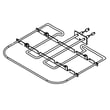
- Range bake element W11545804 (lower oven not heating or heating unevenly)
Why it matters
Many “Jenn-Air stove” complaints are actually caused by a simple power interruption or a control setting that blocks operation. Checking those items first prevents unnecessary parts replacement and helps you pinpoint whether the issue is electrical, settings-related, or a component failure.
Last updated: January 2026