Installation guide
 Owner’s manual


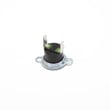
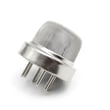
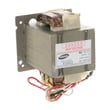
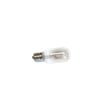
What are common problems with GE JVM6175DF1WW microwaves?
Common problems we see with the GE JVM6175DF1WW microwave/hood combo include not heating, turntable not rotating, door not latching or not starting, unusual noises, and vent light or hood fan issues. Some symptoms are normal (like steam around the door or a dull thump), so we recommend checking the owner's manual troubleshooting and “things that are normal” sections first.
Most common symptoms and what they usually point to
- Runs but does not heat: heating circuit issue (often magnetron-related) or a safety device opening.
- Dead display or no power: blown fuse, thermal cut-off, or power supply problem.
- Starts then stops, or will not start: door interlock switch or latch alignment problem.
- Turntable not turning: failed motor or coupler.
- Arcing, sparks, burn marks: damaged waveguide cover area, metal in cavity, or food splatter causing arcing.
Quick checks you can do safely
- Confirm the outlet has power (try a small lamp) and reset the breaker if it tripped.
- Inspect the door for a solid close and even alignment; a loose latch can prevent operation.
- Clean the cavity and door surfaces; heavy grease and splatter can contribute to arcing.
- If you see sparks, stop the microwave immediately and do not run it again until the cause is corrected.
Parts that commonly fix these issues (when symptoms match)
| Symptom | Common suspect part | Example part for this model |
|---|---|---|
| Won’t start, intermittent start | Door interlock switch | Micro-switch WB24X830 |
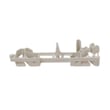
| Door won’t latch correctly | Latch components | Microwave latch body WB06X10676 |
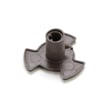
| Turntable not rotating | Turntable drive motor | Microwave turntable motor WB26X10233 |
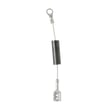
| No heat (advanced repair) | Magnetron circuit | Microwave magnetron WB27X11079 |
Why it matters
Microwaves rely on door safety interlocks and high-voltage heating components. A “won’t start” problem is often a door-switch issue, while “no heat” points to the heating system. Addressing the right area first saves time and prevents repeat failures.
Last updated: February 2026
What is the average lifespan of a GE microwave?
Most GE microwaves, including over-the-range models like GE JVM6175DF1WW, typically last about 8 to 10 years with normal household use and basic care (cleaning, proper ventilation, and avoiding arcing). Heavy daily use and poor airflow can shorten that lifespan.
Typical lifespan and what affects it
A microwave’s life is mostly driven by heat, door safety components, and high-voltage wear.
- Usage frequency: multiple long cook cycles per day wears components faster
- Ventilation and grease (microwave/hood combos): restricted airflow raises internal temperatures
- Door closing habits: slamming can damage the latch and interlock system
- Arcing events: repeated arcing can damage the waveguide cover and internal surfaces
- Power quality: frequent surges can stress the control board and noise filter
Quick “repair vs. replace” guide
If the unit is within the typical lifespan window, common repairs are often practical.
| Symptom | Common area to check | Example part for this model |
|---|---|---|
| Runs but does not heat | High-voltage system (magnetron, capacitor, transformer) | Microwave magnetron WB27X11079 |
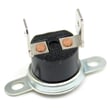
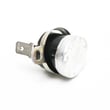
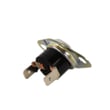
| Dead, no display | Fuse, thermal cut-off, wiring | Microwave thermal cut-off WB21X10162 |
| Starts then stops, door-related | Door latch and interlock switches | Micro-switch WB24X830 |
| Turntable not rotating | Turntable motor or coupler | Microwave turntable motor WB26X10233 |
Why it matters
Microwaves rely on door interlocks and thermal protection to operate safely. As the unit ages, worn switches, heat stress, and grease buildup can cause nuisance shutdowns, no-heat complaints, or intermittent operation. Following the care and operating guidance in the owner's manual helps you get the full expected service life.
Last updated: February 2026
How do I find the model number on my JVM6175DF1WW?
On the GE JVM6175DF1WW microwave/hood combo, the model number is printed on a label inside the oven. Open the door and look around the door opening area for the rating plate label that lists the model and serial numbers; confirm the full model before ordering parts.
Where to look (fast checklist)
- Open the microwave door fully.
- Look for a label inside the oven cavity or around the door frame.
- Check the rating plate area (often near the door latches or door opening edge).
- Write down both the model number and serial number.
- Match every character exactly (letters, numbers, and any suffix).
What the label may be called
| What you might see | What it means | Why you need it |
|---|---|---|
| Model # | Exact unit identifier | Ensures correct parts fit |
| Serial # | Production identifier | Helps confirm version/date |
| Rating plate | The appliance ID label | Common place for model info |
Why it matters for parts and troubleshooting
GE microwave/hood combos can look similar across model families (for example, JVM6175 vs. close variants). Using the exact model number helps us match the correct control panel, door parts, filters, and electrical components for your specific unit.
Next step once you find it
Use the model number to choose parts that match your unit, then verify details in the JVM6175DF1WW owner’s manual.
Last updated: March 2026