Owner’s manual
 Error Codes




What is the price of LG LFXS28596D refrigerator?
We don’t list a single “refrigerator price” for the LG LFXS28596D because pricing varies by retailer, condition (new vs. scratch-and-dent), delivery/installation, and promotions. For this model, we focus on replacement parts and model-specific specs you can confirm in the LFXS28596D owner’s manual.
- Search using the exact model number LFXS28596D (include the slash suffix if your rating plate shows one, such as LFXS28596D/01).
- Compare new, open-box, and refurbished listings; they can differ significantly.
- Check whether the price includes delivery, haul-away, and water line hookup.
- Verify the unit is standard-depth Door-in-Door French door (the manual groups LFXS28596* with related models).
- Use the manual’s dimensions to confirm fit before buying.
These specs help you confirm you are pricing the correct refrigerator configuration.
| Spec (LFXS28596*) | Value |
|---|---|
| Electrical requirements | 115 V, 60 Hz |
| Water pressure range | 20 to 120 psi |
| Net weight | 322 lb |
| Width | 35 3/4 in |
| Height to top of hinge | 69 3/4 in |
Pricing is only part of the cost. Fit, water line requirements, and delivery access can add time and expense. Using the model-specific specs from the manual helps ensure you compare the right LG refrigerator and avoid surprises during installation.
Last updated: February 2026
Why does my LG freezer keep icing up at the bottom?
On the LG LFXS28596D, ice building up on the bottom of the freezer is most often caused by a clogged or frozen defrost drain; defrost water cannot flow to the drain pan, so it refreezes into a sheet of ice. A full manual defrost and drain clearing typically fixes it.
- Move food to a cooler; unplug the refrigerator.
- Open the freezer drawer and let the ice melt (towels help); do not chip ice with sharp tools.
- Find the drain area at the bottom/rear of the freezer compartment and clear slush or debris.
- Flush the drain with hot water using a turkey baster or squeeze bottle until it flows freely.
- Reassemble, restore power, and allow 2 to 3 hours for cooling before reloading food (per the LFXS28596D owner's manual).
| Symptom | Most likely cause | What you’ll notice |
|---|---|---|
| Thick ice sheet on freezer floor | Defrost drain blocked/frozen | Water refreezes after defrost cycles |
| Frost on packages and walls | Door opened often or left open | Warm, humid air causes frost buildup |
| Frost near door edge | Door not sealing | Moisture enters around gasket |
If the drain keeps freezing again soon after you clear it, check these common contributors:
- Door not closing fully (bins or food blocking the drawer)
- Door seal not sealing evenly; warm air leaks in
- Heavy frost load from frequent openings
- Defrost system issue (ice returns quickly and cooling becomes uneven)
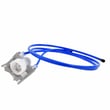
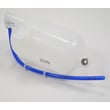
If you also see water leaking or puddling, a damaged drain component can contribute; the refrigerator drain tube 5251JA3003D is one drain-related part used on this model.
A blocked drain forces water to refreeze inside the freezer, which can reduce airflow, increase frost, and lead to temperature swings that affect ice production and food quality.
Last updated: February 2026
What does ifw mean on my LG refrigerator?
On our LG LFXS28596D refrigerator, IFW indicates the unit is in a Wi-Fi related mode (Wi-Fi function/connection status for LG SmartThinQ). If the display is stuck or the controls are acting odd, a quick power reset often clears the condition.
- Unplug the refrigerator or switch the breaker off.
- Wait 5 minutes.
- Restore power.
- Check whether the Wi-Fi icon and display return to normal.
- If needed, press and hold the Wi-Fi button for 3 seconds to toggle Wi-Fi off, then back on.
For the exact button locations and indicator behavior on this model, use the LFXS28596D user manual.
The manual explains that the Wi-Fi button works with the LG SmartThinQ application to connect the refrigerator to your home network, and the Wi-Fi icon shows connection status.
- If you changed your router, internet provider, or password, delete the refrigerator from the app and register it again.
- To re-register (or add another user), hold the Wi-Fi button for 3 seconds to temporarily turn Wi-Fi off, then follow the app instructions.
| Display/message | Most common meaning | Typical fix |
|---|---|---|
| IFW | Wi-Fi function/connection mode | Reset power; toggle Wi-Fi; re-register in app |
| IF / F1 (similar-looking) | Cooling/airflow related alert on some LG models | Check airflow, fans, and error code list |
If you suspect you are actually seeing an IF or F1 style error (not IFW), use the LG bottom freezer refrigerator error codes reference to match the exact code to the symptom.
Wi-Fi status messages are usually harmless, but a stuck display can hide real issues (like temperature alarms). Clearing the message and confirming normal operation helps protect food temperatures and ice maker performance.
Last updated: February 2026
What is the most common problem with LG refrigerators?
Cooling problems are the most common issue we see with LG refrigerators, including the LG LFXS28596D; symptoms include the refrigerator or freezer running warm, inconsistent temperatures, or no cooling at all. Before assuming a major failure, we always recommend checking settings like Demo Mode and basic airflow issues in the LFXS28596D owner’s manual.
- Confirm the unit is not in Demo Mode; Demo Mode can leave lights and the display working while cooling is disabled.
- Give a new install time; it can take up to 24 hours to reach set temperatures.
- Check for blocked air vents; packages pushed against vents can stop cold air circulation.
- Reduce door openings; frequent or long openings raise temperature and moisture.
- Verify the refrigerator is not in a hot location; operation above 110 °F can cause warm temps.
| Symptom | Most common causes | What to do first |
|---|---|---|
| Fresh food section warm, freezer OK | Blocked vents, heavy loading, door openings | Clear vents, reorganize, limit openings |
| Both sections warm | Demo Mode, control set incorrectly, defrost cycle | Disable Demo Mode, recheck settings, wait 30 minutes |
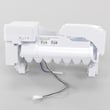
| Ice or water issues along with warm temps | Water supply/filter issues, dispenser/ice maker problems | Check filter and supply; follow dispenser guidance |
If cooling is weak because airflow is not moving, a failed fan motor is a common culprit. If ice and water problems are the main complaint, the water inlet system is a frequent area to inspect.
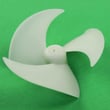
- Refrigerator evaporator fan motor EAU63923603 (moves cold air through the compartments)
- LG refrigerator water inlet valve AJU72992601 (controls water flow to the dispenser and ice maker)
Cooling issues can spoil food quickly and can also trigger secondary complaints like soft ice, slow ice production, or excess moisture. Doing the quick checks first helps you avoid replacing parts when the fix is a setting, airflow blockage, or normal recovery time.
Last updated: February 2026