 Owner’s manual





What are common problems with GE JVM1540DN1BB microwaves?
Common problems on the GE JVM1540DN1BB microwave/hood combo include the unit running but not heating, a dead display or no power, door-latch and interlock issues that prevent operation, turntable problems, and vent or light issues. We use the owner's manual to confirm normal behaviors versus true failures before replacing parts.
Most common symptoms and what they usually point to
- Runs but does not heat: high-voltage circuit issues (magnetron, capacitor, related wiring)
- No power, blank display: power supply interruption (house circuit, internal fuse, thermal cut-off)
- Starts then stops, or will not start: door not fully latched or failed door interlock components
- Turntable not rotating: coupler/support problems, or turntable drive issues
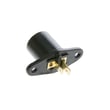
- Cooktop light out: bulb or socket issue
- Vent fan behavior seems odd: fan can run with the microwave and may not shut off until cooking ends (can be normal)
Quick checks we recommend first (safe, no disassembly)
- Confirm the outlet has power; try a different small appliance on the same outlet.
- Plug the microwave into its own electrical outlet when possible to reduce flickering, blown fuses, or breaker trips.
- Make sure the door closes firmly and latches completely; the microwave must be securely latched to operate.
- Verify the turntable and support are installed correctly; the manual notes both must be in place for use.
- If you see sparks (arcing), stop using it and remove common causes like foil, twist ties, or metal touching the cavity wall.
Common parts that match these problems
| Symptom | Common related part | Example part on this model |
|---|---|---|
| Won’t start or acts like the door is open | Door interlock switch | Micro-switch WB24X830 |
| Door won’t latch correctly | Latch body | Microwave latch body WB06X10676 |
| Turntable not turning | Coupler/support | Microwave turntable motor coupler WB06X10420 |
| Cooktop light not working | Light bulb | Microwave light bulb WB36X10003 |
Why it matters
Microwaves rely on door interlocks and thermal protection to prevent unsafe operation. If the door does not latch or an interlock switch is failing, the microwave may not run at all, may stop mid-cycle, or may blow internal protection components.
Last updated: February 2026
What are the disadvantages of a microwave oven combo?
A microwave/hood combo like the GE JVM1540DN1BB saves space, but the tradeoffs are more complicated installation, more parts to maintain (microwave plus vent fan and lights), and higher repair impact because one failure can take out key functions. Review the safety and use limits in the JVM1540DN1BB owner's manual.
Common disadvantages to plan for
- More complex repairs: Door interlock, control, and vent components add failure points.
- One issue can stop the whole unit: A door-switch problem can prevent heating and operation.
- Vent and grease maintenance: Filters and venting need regular cleaning to reduce smoke and grease buildup.
- Installation constraints: Over-the-range units must be mounted correctly and used only as intended (for example, not over a sink).
- Cleaning can be fussier: Some cleaners can damage the finish and control panel; use gentle methods.
What this means for repairs on JVM1540DN1BB
Many “combo” complaints trace back to the door-interlock system or latch hardware. If the microwave won’t start, stops when the door moves, or runs with the door not fully latched, these parts are common suspects:
Quick symptom-to-likely-area table
| Symptom | Common area involved | Example part on this model |
|---|---|---|
| Won’t start, dead when door closes | Door interlock switches | WB24X830, WB24X829 |
| Door won’t latch smoothly | Latch body or lever | WB06X10676, WB06X10128 |
| Loud vent, weak airflow | Vent motor or capacitor | WB26X10191, WB27X10170 |
| No cooktop light | Light bulb or socket | WB36X10003, WB08X10016 |
Why it matters
Because a microwave/hood combo combines cooking, lighting, and ventilation in one appliance, downtime affects more than reheating food. Staying on top of cleaning and addressing door-latch issues early helps prevent nuisance shutdowns and reduces wear on key components.
Last updated: February 2026
What is the average lifespan of a GE microwave?
Most GE microwaves average about 9 years of service life. For an over-the-range microwave/hood combo like GE JVM1540DN1BB, lifespan depends heavily on daily run time, keeping the cavity clean, and avoiding overheating conditions; the JVM1540DN1BB owner's manual also notes that running the microwave empty can shorten magnetron life.
Typical lifespan ranges (what we see most often)
- Light to moderate use (reheating, short cook times): 8 to 10 years
- Heavy use (multiple long cook cycles daily): 6 to 8 years
- High heat and grease exposure (over a busy cooktop): 5 to 8 years
| Usage pattern | Typical lifespan | What usually wears first |
|---|---|---|
| Light | 8 to 10 years | Door switches, light, turntable parts |
| Moderate | 7 to 9 years | Control panel wear, door latch parts |
| Heavy | 6 to 8 years | High-voltage components, magnetron |
What shortens microwave life fastest
- Running the microwave empty (even briefly)
- Blocked airflow or heavy grease buildup around vents and filters
- Slamming the door or forcing it shut (stresses the latch and interlock system)
- Frequent arcing from metal, twist ties, or foil
- Long cook times at full power with poor ventilation
Parts that commonly fail first on over-the-range models
If your JVM1540DN1BB starts acting intermittent (won’t start, stops when the door moves, runs only with the door held), the door interlock system is a common place to check.
- Micro-switch WB24X830 (door interlock switch)
- Switch-micro WB24X829 (interlock-related switch)
- Microwave latch body WB06X10676 (door latch mechanism)
- Microwave door interlock switch lever WB06X10128 (latch lever that actuates switches)
Why it matters
A microwave that is near end-of-life often shows early warning signs (intermittent starting, weak heating, unusual noises). Catching those symptoms early can help you decide whether a small repair (like a door switch) makes sense before a larger heating-system failure.
Last updated: February 2026


