 Owner’s manual
 Error Codes


What is an LRGL5823S?
LRGL5823S is an LG gas range model number. For this model, it refers to a 5.8 cu. ft. smart gas range that includes convection cooking and an Air Fry mode; you select cooking modes (Bake, Broil, Air Fry, etc.) manually rather than having them start automatically. See the LRGL5823S owner’s manual for the full feature list and operating steps.
Based on the LRGL5823S documentation, common built-in features include:
- Sealed gas surface burners (multiple burner sizes)
- Convection cooking (fan-assisted heat circulation)
- Air Fry mode (no preheat required in many cases)
- EasyClean® enamel cleaning option
- Self Clean cycle (available on LRGL5823S models)
- Wi-Fi features through the LG ThinQ app (on supported units)
On LRGL5823S, the model and serial number plate is typically located on the range body (often visible when you open the storage drawer or oven door area, depending on the exact build).
- Look for a label that shows MODEL: LRGL5823S
- Record the full model and serial number before ordering parts
- Match the model number exactly; small suffixes can change part compatibility
| Question | What it means | Quick answer |
|---|---|---|
| Is LRGL5823S the appliance type? | It’s the model number | It’s an LG gas range model |
| Does it start cooking automatically? | Auto-start vs. user-selected modes | You choose modes and press Start |
| Does it have convection and Air Fry? | Feature confirmation | Yes, this model supports both |
Using the exact model number LRGL5823S helps us match the correct LG parts (like an igniter, control board, or temperature sensor) and ensures troubleshooting steps in the manual apply to your specific control panel and features.
Last updated: January 2026
Is LRGL5823S easy to maintain?
Yes. The LG LRGL5823S gas range is designed to be straightforward to maintain because key spill areas (burner grates, burner caps/heads, cooktop surface, and oven cavity) are meant for routine cleaning, and it includes EasyClean® plus a Self Clean cycle for heavier oven soil. For model-specific cleaning steps, use the LRGL5823S owner’s manual.
Regular upkeep is mostly quick wipe-downs and occasional deeper cleaning.
- Remove and wash burner grates regularly; they are dishwasher safe.
- Lift off burner caps and heads for cleaning when flames look uneven.
- Wipe the cooktop after it cools to prevent permanent staining.
- Use EasyClean® (water-only, 10 minutes) for light oven soils.
- Use Self Clean for heavy, baked-on oven soils (ventilate the kitchen).
| Task | How often | What to use |
|---|---|---|
| Wipe cooktop surface | After cooking | Mild soap and water, soft cloth |
| Clean burner grates | Weekly or after spillovers | Hot soapy water or dishwasher |
| Clean burner caps/heads | As needed | Hot soapy water; soft brush |
| EasyClean® cycle | As needed | Water only |
| Self Clean cycle | Occasionally | Built-in cycle (remove racks first) |
- Clean sugary or acidic spills soon after the surface cools.
- Keep burner ports clear; clogged ports can cause uneven flames.
- Avoid abrasive pads and steel wool on stainless and painted surfaces.
- Do not line the oven bottom or racks with aluminum foil (airflow and cleanup issues).
Consistent light cleaning helps the LRGL5823S burners ignite reliably, keeps the cooktop finish looking better, and reduces smoke and odors during high-heat cooking or Self Clean.
Last updated: January 2026
What are the common problems with LRGL5823S?
Common problems we see with the LG LRGL5823S gas range include the oven not heating (or taking too long to heat), uneven baking, an igniter that glows but does not light the burner, and control or display issues that prevent the range from starting. For model-specific operating checks, use the LRGL5823S owner’s manual.
- Little to no heat when baking: often an igniter or gas supply issue
- Igniter glows but burner will not light: weak igniter or gas valve not opening
- Oven not heating evenly: rack placement, airflow restrictions, or temperature sensing issues
- Oven too hot or too cold: thermostat calibration or temperature sensor problems
- Will not start / buttons not working: Lockout enabled, power issue, or control board problem
- Surface burners not lighting evenly: dirty burner ports/caps or ignition components
- Confirm the range has power (the oven ignition system needs electricity).
- Make sure the oven door is fully closed for Broil; this model is designed for closed-door broiling.
- Check for Lockout; press and hold Clear/Off for 3 seconds to toggle it.
- For uneven baking, verify rack position and avoid lining racks or the oven bottom with foil.
- If surface burners click but do not light well, remove and clean burner caps/heads and dry them fully.
When symptoms match, these model-compatible parts are often involved:
| Symptom | Likely part to inspect/replace | Why it matters |
|---|---|---|
| Igniter glows but no flame | LG range oven burner igniter MEE61841401 | A weak igniter may glow but not pull enough current to open the gas valve reliably |
| Oven temperature inaccurate | Range oven temperature sensor EBG61305805 | The sensor reports oven temperature; bad readings can cause overheat or underheat |
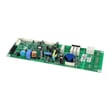
| Dead display or erratic controls | Range control board (model-specific) | The control manages bake/broil logic and user inputs |
Heating and ignition problems can lead to long preheat times, undercooked food, or inconsistent results. Catching an igniter or sensor issue early helps protect cooking performance and can prevent repeated shutdowns.
Last updated: January 2026




