 Owner’s manual





What size is a Kenmore Elite microwave?
For the Kenmore Elite microwave model 72179202010, “size” usually means the oven capacity (cubic feet) and the exterior dimensions (width, height, depth). The exact capacity and measurements for this specific model are listed in the 72179202010 owner's manual.
What “size” can mean (and what to check)
When customers ask about microwave size, we typically see these needs:
- Capacity (cu ft): helps you know what dishes fit inside
- Exterior dimensions: helps you confirm it fits your countertop space
- Interior cavity dimensions: helps with tall mugs, casserole dishes, and turntable clearance
- Turntable diameter: helps you choose plates and microwave-safe covers
- Electrical requirements: helps avoid tripping breakers (outlet and circuit match)
Typical size ranges for countertop microwaves
If you are comparing models, most countertop microwaves fall into these common ranges:
| Size class | Typical capacity | Typical exterior width |
|---|---|---|
| Compact | 0.7 to 1.0 cu ft | ~17 to 20 in |
| Mid-size | 1.1 to 1.6 cu ft | ~20 to 22 in |
| Large | 1.7 to 2.2 cu ft | ~22 to 24 in |
How to measure your microwave correctly
Use a tape measure and record to the nearest 1/8 inch.
- Measure width across the front (left to right)
- Measure height from the counter to the top of the cabinet
- Measure depth front to back (include the door handle if it sticks out)
- Leave ventilation clearance around the sides and back per the 72179202010 owner's manual
Why it matters
Getting the right size prevents fit issues (cabinet clearance, door swing, and airflow) and helps you choose the right capacity for everyday items like dinner plates, microwave covers, and larger containers.
Last updated: January 2026
How many cubic feet is a Kenmore Model 72179202010 microwave?
The Kenmore Elite microwave model 72179202010 has an interior capacity of about 1.7 cubic feet. For the exact capacity listing and any related specs (like cavity dimensions), we recommend confirming in the 72179202010 owner's manual.
Quick specs snapshot
| Item | What to expect |
|---|---|
| Capacity | About 1.7 cu. ft. |
| Type | Countertop microwave |
| Brand | Kenmore Elite |
Why capacity matters
Capacity (cubic feet) helps you judge what will fit comfortably inside the cavity, such as larger dinner plates, casserole dishes, and microwave-safe bowls. It also helps when comparing replacement options or planning countertop space.
Tips for confirming capacity on your unit
- Check the model tag to confirm the model number is 72179202010.
- Look in the specifications section of the 72179202010 owner's manual.
- If you are measuring for fit, measure the cavity (not the outside cabinet).
- Use a standard dinner plate you own as a real-world fit check.
- If heating seems uneven, review operating and placement guidance in the manual before assuming a parts issue.
If you are asking because food is not heating well
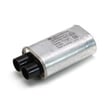
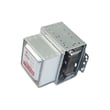
Capacity does not affect heating performance by itself. If your microwave runs but does not heat, common causes include high-voltage component problems or a blown fuse. For safe, step-by-step troubleshooting, use why is my microwave not heating.
Last updated: January 2026
How much clearance for a countertop microwave?
For the Kenmore Elite countertop microwave model 72179202010, plan for open airflow around the cabinet so heat can vent properly and the unit stays stable on the counter. A common countertop guideline is 3 inches on the sides and top, 1 inch at the back, and keep the front edge set back to reduce tipping risk.
Recommended clearance (typical countertop setup)
- Sides: about 3 in. each side
- Top: about 3 in.
- Rear: about 1 in.
- Front: keep the microwave’s front edge at least 3 in. back from the counter edge
- Surface: place on a flat, solid counter or shelf (no overhang)
Quick clearance table
| Area around microwave | Typical minimum clearance | What it helps prevent |
|---|---|---|
| Left and right sides | 3 in. | Overheating, restricted airflow |
| Top | 3 in. | Heat buildup above the cabinet |
| Back | 1 in. | Blocked rear vents, cord pinching |
| Front edge to counter edge | 3 in. | Accidental tipping or sliding |
Why it matters
Countertop microwaves pull in cooling air and exhaust warm air through vents; tight clearances can trap heat, shorten component life (like the cooling fan motor), and cause nuisance shutoffs. Proper setback also reduces the chance of the unit being bumped off the counter.
Before you finalize placement
- Confirm vent locations and any model-specific spacing notes in the 72179202010 owner’s manual.
- Avoid enclosing the microwave in a tight cabinet unless the manual explicitly allows it.
- Keep the power cord free of pinches and away from hot surfaces.
- If the microwave shuts off mid-cycle, improve airflow first before replacing parts.
Last updated: January 2026
How do you reset a Kenmore Elite microwave?
To reset your Kenmore Elite microwave model 72179202010, unplug it for about 1 minute, then plug it back in to restore normal operation. If you need a settings reset (not just power reset), use the reset steps shown in the 72179202010 owner's manual.
Quick reset options (most common)
- Soft reset (power cycle): Unplug for 60 seconds, then plug back in.
- Breaker reset: If it is hardwired to a dedicated circuit, turn the breaker off for 1 minute, then back on.
- Control lock check: If the keypad seems “dead,” turn off Control Lock (varies by model).
- Demo mode check: If the display works but heating does not, confirm demo mode is off (if equipped).
- Clock re-set: After a reset, set the clock again so timed features work correctly.
If the microwave still will not respond
A reset will not fix a failed safety device or power issue. On model 72179202010, these are common causes when the display is blank or the unit is completely dead:
| Symptom | What it usually points to | What to do next |
|---|---|---|
| No display, no interior light | No power, blown fuse, or wiring issue | Verify outlet power; then check the fuse circuit |
| Runs but stops when door moves | Door switch/interlock issue | Inspect door latches and switches |
| Display works but no heat | High-voltage circuit issue | Use a guided diagnostic approach |
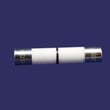
If you suspect a blown fuse, follow How to replace a microwave fuse and match the replacement to your model, such as the Microwave fuse 3B74133Q.
Why it matters
Resetting clears temporary control glitches, but it also helps you separate a simple keypad or power interruption from a real failure like a door interlock switch problem or a blown fuse.
Last updated: January 2026


