


Why is my Frigidaire oven not turning on?
If your Frigidaire GCWM3067AFD oven is completely dead (no display, no lights, no heat), the most common causes are a tripped breaker, a loose power connection, or a failed control component. If it has power but will not start, a door switch or control board issue is likely.
Quick checks we recommend first
- Reset the circuit breaker fully OFF, then back ON (electric ovens often use a 240V double breaker).
- Confirm the outlet or junction box has power and the cord is seated (if applicable).
- If the display is on, try a different cooking mode to rule out a single-mode setting issue.
- Make sure the door is fully closed; a bad door switch can prevent operation.
- If the unit recently had a power surge, control electronics can fail.
What to check based on the symptom
| Symptom | Most likely area | What we do next |
|---|---|---|
| No display, no response | Power supply, wiring, control | Verify breaker and connections; inspect wiring for heat damage |
| Display works, won’t start | Door switch, interlock, control | Test door switch and related interlock circuit |
| Starts then stops or acts erratic | Electronic control | Inspect and test the control board and connectors |
Parts that commonly relate to “won’t turn on”
If power is present but the oven will not operate, these model-listed parts are common suspects during diagnosis:
- Wall oven microwave electronic control board A18493801 (main control logic)
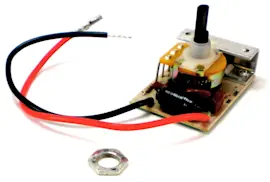
- Range door light switch 808136601 (door sensing circuit on some builds)
- Interlock l A23242801 (interlock function that can prevent operation)
Why it matters
An oven that will not turn on can be a simple power issue, but it can also be a safety interlock or electronic control problem. Correctly matching the symptom (dead vs. powered but not starting) prevents unnecessary parts replacement and gets you back to safe, reliable operation faster.
Last updated: February 2026
How do I know which Frigidaire oven model I have?
For a Frigidaire oven or oven/microwave combo, the model number is printed on the appliance’s model and serial tag. On many units it’s visible when you open the oven door and look along the door frame or side trim; for your setup, confirm the tag shows GCWM3067AFD exactly.
Where to look for the model tag
Check these common locations first (in order):
- Open the oven door and look on the left or right door frame (front frame/side trim)
- Look along the lower front frame area near the door opening
- If your unit has a storage drawer, check the front frame behind the drawer area
- For a built-in oven/microwave combo, check the frame visible when the door is open (upper or lower cavity)
- If the unit is installed in a cabinet, the tag is still typically on the front frame, not the back
What the model number should look like
Frigidaire model numbers are usually a mix of letters and numbers. For this model page, the exact model number format is:
| Item | What to match | Example for this page |
|---|---|---|
| Model number | Letters and numbers, no extra spaces | GCWM3067AFD |
| Serial number | Longer string, often includes numbers only or mixed | Varies by unit |
Why it matters
We use the exact model number to match the correct diagrams and replacement parts. Even one character off can point you to a different configuration (controls, door switches, filters, or wiring).
If the tag is missing or unreadable
Use these practical checks to narrow it down:
- Compare the control panel layout to the parts list for this model
- Match a known component from your unit to a listed part (for example, a door switch or control board)
- If your microwave door will not run, the interlock parts are often model-specific; compare to interlock l A23242801
- If the display or keypad is dead, compare to wall oven microwave electronic control board A18493801
Last updated: February 2026
What is the life expectancy of a Frigidaire oven?
Frigidaire ovens typically last 10 to 15 years with normal household use. For your Frigidaire GCWM3067AFD electric oven/microwave combo, keeping vents clear, cleaning regularly, and replacing wear parts early (switches, fans, controls) helps you reach the full expected lifespan.
Typical lifespan and what affects it
Most ovens land in the same general range, but these factors move the needle:
- Heat exposure and run time (daily cooking shortens life vs. occasional use)
- Self-clean frequency (high heat stresses door locks, switches, and electronics)
- Ventilation and cooling (blocked airflow overheats control boards)
- Power quality (surges can damage electronic controls)
- Small repairs done early (a noisy fan or failing switch can cascade into bigger issues)
Signs your oven is nearing end-of-life (or needs a key repair)
If you see these, it is usually time to troubleshoot and repair rather than replace immediately:
- Oven temperature swings or long preheat times
- Display glitches, unresponsive keypad, or random beeping
- Cooling fan runs constantly, gets loud, or does not run when it should
- Door does not close firmly, light stays on, or unit will not start a cycle
- Burning smell from the control area (often heat-related wiring or control issues)
Common parts that extend service life on GCWM3067AFD
Replacing the right part at the right time often adds years of reliable use.
| Symptom | Commonly involved part | Example part for this model |
|---|---|---|
| Dead display, erratic operation | Electronic control | Wall oven microwave electronic control board A18493801 |
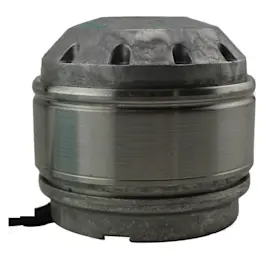
| Overheating, fan noise, poor cooling | Cooling fan | Cooking appliance cooling fan A18653201 |
| Light or door sensing problems | Door/light switch | Range door light switch 808136601 |
Why it matters
A combo unit like the GCWM3067AFD relies heavily on electronics and cooling airflow. When a cooling fan or switch starts failing, the control board can run hotter than designed, which shortens the life of the entire appliance.
Last updated: February 2026
How do I reset a Frigidaire oven?
To reset your Frigidaire GCWM3067AFD electric oven/microwave combo, we recommend doing a full power reset: turn the unit off, shut off power at the breaker for 5 to 10 minutes, then restore power and set the clock. This clears most control glitches and many error-code lockups.
Quick reset steps (safe first)
- Press Cancel/Off once to stop any cooking cycle.
- Turn OFF the circuit breaker supplying the unit (or unplug if accessible).
- Wait 5 to 10 minutes.
- Turn power back ON.
- Set the clock, then test Bake and Microwave functions.
If the display is still frozen or buttons do not respond
A reset will not fix a failed keypad, stuck door switch, or a control that is not powering correctly. Check these common causes:
- Confirm the breaker is fully seated (flip OFF, then ON).
- If the microwave door will not latch, inspect the door interlock area; a misaligned latch can prevent operation.
- If the oven light or door sensing acts erratically, a door switch can be the cause.
- If the unit powers up but behaves unpredictably, the electronic control may be involved.
Parts that commonly relate to “won’t reset” symptoms
| Symptom after reset | What it often points to | Example part on this model page |
|---|---|---|
| Dead display, random beeping, wrong functions | Control issue | Wall oven microwave electronic control board A18493801 |
| Microwave will not start, door-related errors | Door interlock problem | Interlock l A23242801 |
| Light or door sensing inconsistent | Door switch issue | Range door light switch 808136601 |
Why it matters
A proper power reset is the fastest way to clear a temporary software glitch. If the problem returns quickly, it usually indicates a door-safety circuit issue (interlock/switch) or an electronic control problem that needs diagnosis before replacing parts.
Helpful DIY tip
Use a meter to confirm power and safely test components before replacing anything; see our how to use a multimeter to test electrical parts video.
Last updated: February 2026