 Owner’s manual




What is the cost of LG microwave fuse?
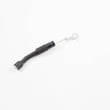
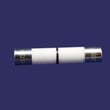
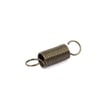
For LG microwave/hood combo model MVEL2137D, the replacement microwave fuse we list for this model is microwave fuse 3B74133Q, priced at $8.11 (price can change). Confirm the correct fuse location and access steps in the MVEL2137D owner's manual.
A microwave fuse is a safety device; if it blows, it usually means something else caused an overload (door switch issue, shorted high-voltage part, wiring problem).
Common symptoms tied to a blown fuse:
- Microwave is completely dead (no display, no interior light)
- Unit goes dead when you press Start
- Unit goes dead when you open or close the door
- Works intermittently after a door movement
Here is the fuse part we have available for LG MVEL2137D:
| Part | What it is | Typical reason to replace |
|---|---|---|
| Microwave fuse 3B74133Q | Line fuse | Microwave has no power or goes dead during use |
Pricing varies by seller, region, and whether the listing is for a single fuse or a multi-pack.
Most common reasons for price differences:
- OEM vs aftermarket fuse
- Pack quantity (1-pack vs multi-pack)
- Shipping and taxes
- Seller location and currency
Using the correct fuse rating for your LG microwave/hood combo helps protect the control board and wiring. Replacing a fuse without addressing the root cause can lead to repeated fuse failures and additional damage.
Last updated: February 2026
What are common problems with LG microwaves?
Common problems we see with the LG MVEL2137D microwave/hood combo include not starting, not heating, buttons not responding (Control Lock), the turntable not rotating, sparking/arcing, and shutting off shortly after starting. Many “no start” issues are basic power, door, or settings problems; heating failures usually involve high-voltage components.
- Confirm the door closes fully and latches; a misaligned latch can prevent operation.
- Make sure you set a cook time and started a cooking function (not just the timer).
- Check the home breaker or fuse; also reset the GFCI outlet if the microwave is plugged into one.
- If the display shows LOCKED, press and hold STOP/Clear for 3 seconds to turn off Control Lock.
- If your model supports it, run Smart Diagnosis in the LG ThinQ app (steps are in the MVEL2137D owner's manual).
| Symptom | What it usually points to | What to do next |
|---|---|---|
| Won’t start | Power issue, door not closed, Control Lock, blown internal fuse | Verify power and door; then test/replace fuse if needed |
| Runs but won’t heat | High-voltage circuit problem | Stop using it and have it serviced; HV parts are hazardous |
| Turntable not spinning | Turntable motor or mechanical obstruction | Clean roller area; check motor if still not turning |
| Shuts off after starting | Overheating protection, airflow/venting issue | Clean filters/vents; check cooling fan and airflow |
- If it’s completely dead or stops immediately, the internal microwave fuse 3B74133Q is a common suspect.
- If it runs but does not heat, common culprits include the microwave diode 6851W1A002E, goldstar microwave high-voltage capacitor 0CZZW1H004C, or microwave magnetron 6324W1A001L.
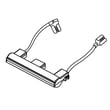
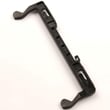
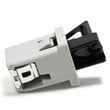
- If it will not run with the door closed, inspect the latch and interlock system; the microwave door latch housing and interlock switch assembly 3501W1A019S and microwave door interlock switch 6600W1K001R are typical wear items.
Microwave/hood combos like the LG MVEL2137D use high voltage for heating; “no heat” troubleshooting often involves components that can store dangerous energy. Basic checks (power, door, Control Lock, settings) solve many complaints without opening the cabinet.
Last updated: February 2026
Why is my LG microwave not responding to touch?
If your LG MVEL2137D microwave/hood combo is not responding to touch, the most common causes are Control Lock being enabled, a power supply issue, or a failed touch panel/control circuit. Start with Control Lock and a hard reset; then move to electrical checks and control parts.
- Turn off Control Lock: Press and hold STOP/Clear for 3 seconds; “LOCKED” shows on the display when Control Lock is active (this can make the buttons seem dead). See the MVEL2137D owner's manual.
- Hard reset: Unplug the microwave (or switch the breaker off) for 1 minute, then restore power.
- Confirm proper power: This model is designed for a dedicated 120 V/60 Hz circuit; low or unstable voltage can cause abnormal operation.
- Check the door closes firmly: A door that is not fully latched can prevent normal operation.
- Look for moisture/grease on the keypad area: Lightly clean and dry the control panel surface.
Focus on the home power supply first.
| What you see | Most likely direction | What to do next |
|---|---|---|
| No display, no beeps | No power to unit | Check breaker/fuse, outlet, and any GFCI reset; then retry hard reset |
| Display on, touch does nothing | Control Lock or touch/control failure | Disable Control Lock; if unchanged, suspect touch panel/control board |
| Works sometimes | Loose connection or failing control | Reseat connections (tech-level), then consider control parts |
If Control Lock is off and power is correct, these parts are often involved:
- Door interlock system: A failed interlock can stop operation even when the display works; see microwave door latch housing and interlock switch assembly 3501W1A019S and microwave door interlock switch 6600W1K001R.
- Internal fuse: A blown fuse can cause a no-power condition; see microwave fuse 3B74133Q.
A microwave/hood combo uses safety interlocks and control logic to prevent operation with an unsafe door condition or unstable power. Fixing the root cause avoids repeat failures and helps protect the control board and high-voltage system.
Last updated: February 2026
Why is the fan not working on my LG microwave?
On the LG MVEL2137D microwave/hood combo, the vent fan is controlled from the ventilation keypad; if it will not run, the most common causes are an incorrect setting, a blocked damper or filter, or a problem in the blower circuit. Use the exact control steps in the MVEL2137D owner's manual.
This model uses dedicated ventilation functions (not the cooktop light button).
- Press On/Off to turn the vent fan on; press On/Off again to turn it off
- With the fan running, press 4 Speed to cycle speeds (High, Turbo, Low, Medium)
- Press Auto Timeset to set a timed shutoff (1, 3, 5, 10, or 30 minutes)
- If the unit senses high heat from the cooktop, the vent fan can turn on automatically to protect components
A ventilation problem is often a blockage, not an electrical failure.
- Remove and clean the grease filters; reinstall them fully seated
- If you vent outside, check the exterior vent cap for a stuck flap, grease buildup, or debris
- If you recirculate, replace a saturated charcoal filter: LG microwave charcoal filter 5230W1A003A
- Inspect the damper for sticking or binding: microwave vent damper door 4900W1A001B
If the controls work but you hear humming, grinding, or the fan never spins, the blower area needs inspection.
- Power off at the breaker before accessing internal components
- Check for a jammed wheel, loose mounting, or rubbing against the housing
- If the motor or wheel is damaged, replace the complete assembly: microwave blower assembly EAU49964803
| What you notice | What it usually means | What to do next |
|---|---|---|
| No response on any speed | Control not set correctly or power issue | Re-test using ventilation keypad; verify power |
| Runs but weak airflow | Filter, damper, or duct restriction | Clean filters; inspect damper and ducting |
| Loud rubbing or rattling | Obstruction or worn blower | Inspect blower wheel; replace blower if needed |
Running the vent fan removes steam, smoke, and heat from the cooktop area; it also helps prevent heat from damaging internal microwave components.
Last updated: February 2026


