Owner’s manual
 Error Codes



What kind of device is lsel6333f?
The LG LSEL6333F is an electric slide-in range (a kitchen stove with a smooth glass-ceramic cooktop and an oven). For the LSEL6333* series covered in the LSEL6333F owner’s manual, it’s designed with convection cooking features and smart (Wi-Fi) functions.
An electric slide-in range combines multiple cooking functions in one appliance:
- Cooktop surface elements for boiling, sautéing, and simmering
- An oven for baking, broiling, and roasting
- Convection fan cooking (on LSEL6333* models)
- Cleaning features such as EasyClean (and Self Clean on some versions)
If you are confirming you have the right model for parts or service, check these common identifiers:
- Model and serial number plate location (typically on the range frame area)
- Glass-ceramic cooktop with marked cooking zones
- Oven mode knob and control panel layout (varies by sub-model)
- Storage drawer at the bottom
| Term | What it means for LSEL6333F |
|---|---|
| Electric range | Uses household electrical power for cooktop elements and oven heating |
| Slide-in | Designed to fit between cabinets with a built-in look |
| Convection | Uses a fan to circulate heat for more even baking/roasting |
| Wi-Fi capable | Can connect to the LG ThinQ app for select smart features |
Knowing the device type helps you choose compatible replacement parts (like a bake element, radiant surface element, or control switch) and follow the correct operating and safety guidance for an electric slide-in range.
Last updated: January 2026
Do LG stoves come with a power cord?
No. For the LG LSEL6333F electric range, the power cord is not included; you supply a UL-listed 3-wire or 4-wire range cord (typically 40 or 50 amp) and install it during setup per the wiring instructions in the LSEL6333F owner’s manual.
For this model, the installation section specifies these common requirements:
- A UL-listed 3-conductor or 4-conductor range cord
- Cord rating: 40 amps minimum (a 50 amp cord may be used when properly rated)
- Proper strain relief (required so the cord is not pinched or pulled loose)
- Correct wall receptacle type (commonly 3-prong 10-50R or 4-prong 14-50R)
- A dedicated, properly grounded 120/240V or 120/208V branch circuit
Your home wiring and local electrical code determine which cord type is appropriate.
| Cord type | Typical plug | When it’s used | Key note |
|---|---|---|---|
| 4-wire | 14-50P | Most modern installations | Separate neutral and ground |
| 3-wire | 10-50P | Some older installations | Neutral and ground are bonded |
We recommend these basics any time you are connecting power to an electric range:
- Turn off the breaker before removing the rear access cover
- Do not use an extension cord
- Do not install the cord without a strain relief
- Confirm the cord matches the outlet and the range terminal block connections
- If you are unsure about wiring, use a qualified electrician
Using the correct cord type and strain relief helps prevent loose connections, overheating at the terminal block, nuisance breaker trips, and damage to the power cord during normal range movement.
Last updated: January 2026
Is there a manual for lsel6333f?
Yes. We have the owner’s manual for the LG LSEL6333F slide-in electric range; it covers installation basics, operation (bake, broil, convection, air fry), cleaning (EasyClean and Self Clean), and troubleshooting. Use the LSEL6333F owner’s manual to view, download, or print it.
- Safety and anti-tip device guidance
- Dimensions, clearances, and electrical requirements
- Control panel and cooking mode instructions
- Cleaning and maintenance steps (cooktop, oven, door)
- Troubleshooting and common FAQs
| Item | LG LSEL6333F (series) | Why it matters |
|---|---|---|
| Type | Slide-in electric range | Helps confirm you have the right guide |
| Total oven capacity | 6.3 cu. ft. | Useful for cookware and rack planning |
| Electrical requirements | 120/240 VAC or 120/208 VAC (varies by supply) | Important for safe installation and service |
LG model numbers sometimes include a suffix (like “/00”) that identifies a production variation. If your rating plate shows LSEL6333F/00, the same LSEL6333F owner’s manual is still the correct starting point for operation, maintenance, and most part identification.
Using the correct manual for LG LSEL6333F helps you follow the right safety steps (especially anti-tip), use the correct settings for features like convection and air fry, and avoid cleaning methods that can damage the cooktop or oven finish.
Last updated: January 2026
How do I reset my LG electric stove?
To reset your LG LSEL6333F electric range, we recommend doing a power reset: turn the range off, switch the circuit breaker OFF for 1 minute, then turn it back ON and reset the clock. This clears many control glitches and restores normal operation (see the LSEL6333F owner’s manual).
- Turn all cooktop knobs to OFF.
- If the oven is running, press CLEAR/OFF (or turn the oven mode knob to OFF, depending on your control style).
- At your home electrical panel, switch the range breaker OFF.
- Wait 60 seconds.
- Switch the breaker ON.
- Set the clock; test Bake and one surface element.
If the display shows Loc or a lock icon, the range is in Control Lock mode. Unlocking it is different than resetting.
- Set the oven mode knob to OFF (if your model has one)
- Press and hold Control Lock for 3 seconds
- Confirm the lock indicator turns off
A reset helps with temporary electronic issues. If a burner or the oven still will not heat after a reset, the issue is often a failed heating circuit component.
Common suspects on LG LSEL6333F include:
- A failed surface element (burner)
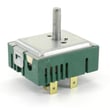
- A failed surface element control switch
- A failed oven temperature sensor
- A failed control/display board
| Symptom | What to check next | Example compatible part |
|---|---|---|
| One surface burner not heating | Element and its switch/wiring | LG range dual radiant element MEE62385201 |
| Oven temperature seems wrong or error related to temp | Sensor and wiring | Range oven temperature sensor EBG61305805 |
| Display issues or unresponsive keypad | Control/display board | Range display board (model-specific) |
Resetting the range is a safe first step that can clear a control-board “hang” after a power interruption. If the problem is a failed element, sensor, or switch, resetting will not restore heat and you can move on to targeted troubleshooting.
Last updated: January 2026