Installation guide
 Owner’s manual
 Error Codes






What does F3 mean on my gas stove?
On the GE JGSS66FEL3DS gas range, an F3 message is a function error code. We recommend pressing Cancel/Off, letting the oven cool for about 1 hour, then trying the oven again; if the code returns, reset power to the range for at least 30 seconds.
What to do right away
- Press Cancel/Off to stop the beeping and clear the active cycle.
- Let the oven cool for 1 hour (especially if it was baking, broiling, or self-cleaning).
- Try a simple bake test again.
- If F3 comes back, turn power off at the breaker for 30 seconds, then restore power.
- If the code repeats after the power reset, schedule service (this points to an issue the control is detecting).
Why F3 happens on this model
On this GE range, the display note “F- and a number or letter” indicates the control has detected a fault condition. Common causes on gas ranges include a temperature-sensing problem, a wiring/connection issue, or a control problem.
Parts that are commonly involved
If troubleshooting points to a temperature sensing issue, these model-matched parts are often checked first:
| What you’re seeing | Common area to check | Example model-matched part |
|---|---|---|
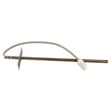
| F3 returns during preheat or baking | Oven temperature sensing circuit | Range oven temperature sensor WB24X25557 |
| Random beeping or repeated fault after reset | Control or wiring connections | (inspect harness and connectors) |
Why it matters
An F3 code usually means the oven control is not getting the temperature feedback it expects. Clearing the code may get you cooking again temporarily, but repeated F3 errors can lead to poor baking performance or the oven shutting down for safety.
Reference
For the exact reset steps and any model-specific notes, follow the troubleshooting section in the JGSS66FEL3DS owner’s manual.
Last updated: January 2026
What is JGSS66FEL3DS?
JGSS66FEL3DS is a GE gas range model number; it identifies the exact version of your 30-inch free-standing range so you can match the correct parts, installation requirements, and care instructions for your appliance. For model-specific details, use the JGSS66FEL3DS owner's manual.
What this model number tells you
When you use model number JGSS66FEL3DS, we can match you to the correct GE range parts and procedures, including items like the oven light bulb type and oven door removal steps.
Common places you will use the model number:
- Ordering replacement parts such as an igniter, temperature sensor, or burner components
- Confirming the correct oven light bulb type and maximum bulb length
- Following safe service steps (power off at the breaker before servicing)
- Checking installation requirements and gas hookup guidance
- Verifying compatibility for accessories and conversions
Quick identification checklist
Use this checklist to confirm you are working with the right GE range model:
- Model number on the rating label matches JGSS66FEL3DS exactly
- Brand is GE
- Appliance type is a gas range
- Your parts list includes common JGSS66 items like an oven igniter and spark module
Examples of parts that fit this model
These are examples of parts listed for GE gas range model JGSS66FEL3DS:
| Part name (example) | Part ID | What it helps with |
|---|---|---|
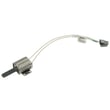
| Range oven burner igniter | WB13X40206 | Oven burner ignition problems |
| Range oven temperature sensor | WB24X25557 | Temperature accuracy issues |
| Range spark module | WB13X24741 | Surface burner clicking or no spark |
| 40A15 bulb | 40A15 | Oven light not working |
If your oven light is out, this model uses a 40-watt household appliance bulb; the manual also notes a maximum bulb length of 3 1/2 inches. The 40a15bulb 40A15 is one listed option for this range.
Why it matters
Using the exact model number prevents wrong-part returns and helps you follow the correct GE safety steps, especially for electrical servicing (like replacing an oven light bulb) and gas range installation.
Last updated: January 2026
How do I reset the error code on my GE oven?
On our GE JGSS66FEL3DS gas range, clear a flashing “F” function error code by pressing Cancel/Off, letting the oven cool for 1 hour, then trying the oven again. If the code returns, disconnect power for at least 30 seconds, restore power, and retest. See the JGSS66FEL3DS owner’s manual.
Step-by-step reset (recommended order)
- Press Cancel/Off to stop the current cooking mode.
- Let the oven cool for 1 hour (many function codes require a cool-down).
- Try Bake to confirm the range will heat normally.
- If the code repeats, turn OFF the circuit breaker (or unplug if accessible) for at least 30 seconds.
- Restore power; reset the clock if it flashes after the outage.
- If the code returns again, service is needed to correct the underlying fault.
What the display is telling you
| Display message/behavior | What it means on this GE range | What to do |
|---|---|---|
| “F” plus a number/letter flashes | Function error code | Cancel/Off, cool 1 hour, then power reset |
| “LOCK DOOR” flashes | Door lock condition during clean, or oven still too hot | Let it cool below locking temperature; lock door if starting clean |
| Single bracket "]" shows | Clock display feature is turned off | Use the special feature steps in the manual |
If the error code comes back: common causes
A repeating function code points to a part reading out of range or a connection problem.
- Temperature sensing issue: test or replace the range oven temperature sensor WB24X25557
- Ignition or heat fault: inspect wiring and igniter operation; replace a weak igniter such as the range oven burner igniter WB13X40206
- Loose, burned, or pinched wiring at the sensor, igniter, or control
- Electronic control problem: check harness connections; replace the control if diagnostics confirm it
Why it matters
Resetting clears temporary glitches after overheating or a power interruption. If the code repeats, the range is protecting cooking performance and safe operation by flagging a condition that needs repair.
Last updated: January 2026