Owner’s manual
 Error Codes



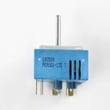
What other error codes are common on LG ovens?
On the LG LUTE4619SN range, the most common oven-related error codes you may see are F-3, F-9, and F-19. These typically point to a keypad (key short) issue or an oven heating problem in the upper or lower oven; use the LUTE4619SN owner's manual to match the code to the right next step.
Common LG oven error codes you may see
These are the codes called out for this model’s troubleshooting section:
- F-3: Key short error (often tied to the touch panel or control input)
- F-9: Oven not heating (upper oven)
- F-19: Oven not heating (lower oven)
- Any “F” code with beeping: The electronic control detected a fault; clear it and see if it returns
What to do when an F code appears
We recommend these safe, practical steps first:
- Press Clear/Off to stop the beeping and clear the display.
- Reprogram the oven (set Bake and a temperature) and watch for the code to return.
- If the code returns, write down the full code exactly as shown.
- Turn off power at the breaker before checking any wiring or components.
- If the code appears during Self Clean, stop the cycle and switch off power at the breaker; service is needed.
Quick guide: code to likely system
| Error code | What it usually involves | What we check first |
|---|---|---|
| F-3 | Keypad or control input | Stuck key, moisture, control panel behavior |
| F-9 | Upper oven heat circuit | Heating element circuit, sensor feedback, control output |
| F-19 | Lower oven heat circuit | Heating element circuit, sensor feedback, control output |
Parts that commonly relate to heating errors
If your oven is not heating correctly, these parts are often involved in diagnosis and repair:
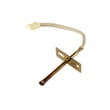
- LG range oven temperature sensor EBG61305805 (sensor feedback to the control)
- Wiring connections at the sensor, elements, and control
- Electronic control boards (if the sensor and wiring test good)
Why it matters
An “F” error code is the range’s way of protecting cooking performance and safety. Clearing the code and confirming whether it returns helps separate a one-time glitch from a repeatable failure in the control, sensor, or heating circuit.
Last updated: January 2026
How long should an LG range last?
An LG electric range like model LUTE4619SN typically lasts 13 to 15 years with normal household use and basic maintenance. Lifespan depends most on heat exposure, cleaning habits, and whether key heating and control components are kept in good working order; see the LUTE4619SN owner's manual for care guidance.
Typical lifespan and what affects it
Most free standing electric ranges reach the 13 to 15 year range when the cooktop, oven cavity, and electrical connections are kept clean and protected from overheating.
- Heavy daily cooking shortens life faster than light use
- Boil-overs and baked-on spills can damage finishes and components
- Power surges and loose wiring can stress control boards and switches
- Overheating from blocked vents or failed fans can shorten component life
- Using the right cookware helps protect a ceramic cooktop from scratches
Components that most often determine “end of life”
When a range becomes unreliable, it is usually because one or more high-wear parts fail repeatedly.
| Component | Common symptom | Typical fix path |
|---|---|---|
| Surface element control switch | Burner stuck on, won’t heat, or cycles erratically | Replace the switch (model-specific part) |
| Oven temperature sensor | Oven temperature inaccurate, baking uneven | Test resistance, replace sensor |
| Convection fan motor (if equipped) | Noisy fan, poor convection performance | Replace motor |
| Power/control boards | Dead display, random beeping, functions not responding | Verify power, then diagnose board |
If a surface burner control is acting up on this model, a common replacement is the range surface element control switch EBF62174906.
Maintenance that helps your range reach 15 years
Good care reduces corrosion, overheating, and premature electrical failures.
- Clean spills promptly, especially sugary spills on a hot cooktop
- Avoid sliding metal cookware across a ceramic cooktop surface
- Keep the oven interior clean using the EasyClean feature for light soils (water-only, short cycle) and use Self Clean only when heavy buildup requires it
- Confirm the range is level so cookware sits flat and heats evenly
- Periodically check that the power cord and terminal block area are not overheating (a technician can inspect if needed)
Why it matters
A range that is cleaned correctly and kept at stable temperatures is less likely to suffer early failures in heating circuits, switches, and electronic controls. That directly impacts cooking performance, safety, and long-term repair costs.
Last updated: January 2026
How do I fix my LG oven not heating up?
If your LG LUTE4619SN oven is not heating, start by confirming the range has full power, then check for an error code, and inspect common heat-producing and safety parts (temperature sensor, thermostats, and control-related components). Use the LUTE4619SN owner's manual to match symptoms to the correct test steps.
Quick checks first (no disassembly)
- Verify the range cord is fully seated in the outlet.
- Reset the house breaker (electric ranges typically need 240V; a tripped leg can cause “no heat”).
- Confirm the oven controls are set correctly (Bake temperature and Start pressed).
- If the control is beeping and shows an “F” code, clear it and note the code.
- Remember: elements cycling on and off during heating is normal; the oven regulates temperature by cycling.
What the error code can tell you
Your model’s troubleshooting guide lists oven-not-heating faults for upper and lower ovens.
| Displayed code | What it points to | What to do next |
|---|---|---|
| F-9 | Upper oven not heating | Power reset, then check sensor and heating circuit |
| F-19 | Lower oven not heating | Power reset, then check sensor and heating circuit |
If the fault returns after clearing it, record the code and move to component checks.
Parts to test when the oven won’t heat
These checks require unplugging the range or switching the breaker off.
- Oven temperature sensor: If it reads out of range, the control may prevent proper heating. For this model, replace the LG range oven temperature sensor EBG61305805.
- Safety thermostat: If it opens due to overheating or failure, it can interrupt heat. Consider the range safety thermostat 6930W1A003X if testing shows it is open when it should be closed.
- Control-related issues: If the sensor and wiring test good, a control or relay issue becomes more likely (especially with recurring F codes).
Oven temperature adjustment (when it heats but is always too hot or too cold)
If the oven heats but doesn’t match your set temperature, we follow LG’s thermostat adjustment steps:
- Press and hold Start Time for 3 seconds.
- Press Start Time until U_AJ (upper) or L_AJ (lower) appears.
- Use + or - to adjust (up to 35°F).
- Press Start to save.
Why it matters
An oven that does not heat is often a power supply issue, a sensor problem, or a safety/control fault. Fixing the correct root cause prevents repeat failures and helps avoid unsafe operation, especially if a heating element shows visible damage.
Last updated: January 2026