Error Codes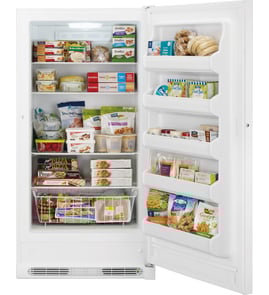



Where is the model number on a GE upright freezer?
On a GE upright freezer like model FUF21DLREWW, the model number is printed on a rating label inside the cabinet or around the door opening. Common spots include the upper interior wall or ceiling area, and sometimes behind the lower front kick plate.
Look for a sticker or metal tag with the model and serial number. Check these areas in order:
- Inside the freezer on the side wall (often near the top)
- Inside the freezer on the ceiling/upper liner
- Around the door opening (door jamb area)
- Behind the lower front kick plate or toe grille
- On the back exterior panel near the power cord
The label usually includes a model number and serial number. For parts lookup and compatibility, we recommend writing down:
- Full model number (example: FUF21DLREWW)
- Serial number (helps with production variations)
- Any revision letters or extra digits exactly as shown
If the label is hard to see or missing, these steps help:
- Use a flashlight and check the upper interior corners
- Remove the kick plate carefully and look on the frame behind it
- Check for a label that is covered by frost; wipe gently with a warm cloth
- If the door has been replaced, check the cabinet frame (not just the door)
The exact model number ensures we match the correct GE freezer parts, including electronic components like the main control board WR55X43387 and temperature-sensing parts such as the freezer temperature sensor WR55X27914. Using the full model number prevents ordering a similar-looking part that will not fit or program correctly.
| Where you find the label | What it helps with |
|---|---|
| Inside wall or ceiling | Fastest way to confirm model for parts |
| Door opening/frame | Often easiest to read without unloading food |
| Behind kick plate | Common alternate location on uprights |
| Back panel | Useful if interior label is damaged |
Last updated: February 2026
Does GE make a manual defrost upright freezer?
Yes. GE makes manual defrost upright freezers; they are a separate product style from many frost-free uprights like the GE FUF21DLREWW, which uses an automatic defrost system (defrost heater and sensors) to manage frost without routine manual defrosting.
Manual defrost models require you to periodically shut the freezer off and remove frost buildup; frost-free models run a defrost cycle automatically.
- Manual defrost: less internal drying, but you must defrost when frost builds up
- Frost-free: minimal frost on walls, but more components (heater, sensors, control)
- Food storage: both can hold food safely when kept at 0°F
- Maintenance: manual defrost needs periodic downtime; frost-free needs airflow kept clear
Your model is supported by automatic-defrost parts, which is the typical setup for frost-free uprights.
| Feature | Manual defrost upright | Frost-free upright (like FUF21DLREWW) |
|---|---|---|
| Frost removal | You remove it | System removes it during cycles |
| Key components | Basic cold control | Control board, heater, sensors |
| Common symptom | Heavy frost on walls | Warm temps if defrost system fails |
If you are troubleshooting frost buildup or warming, these model-matched parts are commonly involved:
Choosing manual defrost versus frost-free affects day-to-day upkeep and repair paths. With a frost-free freezer, a defrost-system issue can mimic a cooling failure, so checking the heater, sensor, and control is often the fastest way to narrow it down.
For step-by-step DIY guidance on the defrost system, use how to replace a freezer defrost heater.
Last updated: February 2026
How do I reset my GE upright freezer?
To reset your GE FUF21DLREWW upright freezer, we recommend doing a power reset: unplug the freezer (or switch the breaker off) for 5 minutes, then restore power and allow 24 hours for temperatures to stabilize. This clears many control and alarm glitches.
- Set the temperature to its normal setting (mid-range) before resetting.
- Unplug the power cord from the outlet (or turn the circuit breaker off).
- Wait 5 minutes (10 minutes if the control seems unresponsive).
- Restore power and confirm the interior light and fan sound return.
- Keep the door closed as much as possible for the next few hours.
- Check temperature after 4 to 6 hours; full recovery can take up to 24 hours.
A repeating alarm usually means the freezer is still warming, not just “stuck” in alarm mode.
Common causes to check first:
- Door not sealing (gasket folded, frost buildup, door not fully closing)
- Warm food load or frequent door openings
- Airflow blocked by packages against the rear wall or air tower
- Heavy frost on the evaporator cover (defrost system issue)
- Fan not running or compressor not starting consistently
| What you notice | What it usually points to | What we check/replace |
|---|---|---|
| Frost blanket on back wall/inside panel | Defrost problem | Defrost heater or sensor |
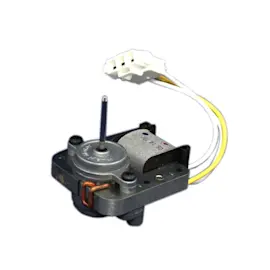
| No fan sound, warm cabinet | Air circulation issue | Evaporator fan motor WR60X43391 |
| Temps swing, display odd behavior | Control issue | Main control board WR55X43387 |
A reset can clear a temporary electronic fault, but it will not fix an airflow, defrost, or sealed-system problem. If the freezer cannot pull down to temperature after the reset, troubleshooting the fan, defrost components, and controls prevents food loss and repeat alarms.
For step-by-step repair help on control-related resets and replacements, use our guide: how to replace a freezer electronic control board.
Last updated: February 2026