


What are the common problems with microwave ovens?
Common microwave problems include not heating, running but stopping mid-cycle, sparking/arcing, a dead display, a door that will not latch, and a turntable that will not rotate. On the Amana AMV2307PFS7 microwave/hood combo, these symptoms often trace back to the door interlock circuit, a blown fuse, or a high-voltage component.
- Microwave runs but does not heat: high-voltage system issue (magnetron, capacitor, diode, transformer) or a control problem.
- No power (dead display): blown fuse, loose power connection, or control board issue.
- Starts then stops: door interlock switch problem, overheating, or control issue.
- Sparking/arcing: metal in the cavity, damaged waveguide cover area, or food splatter/carbon tracking.
- Turntable not rotating: turntable motor/driver issue or a mechanical obstruction.
- Vent hood light out: failed lamp.
- Confirm the outlet has power (try a small lamp or phone charger).
- Remove any metal (twist ties, foil, metal-rimmed dishes) and clean splatter from the cavity.
- Make sure the door closes firmly and the latch area is not obstructed.
- Test heating with a cup of water for 60 seconds; uneven or no heating points to a heating circuit problem.
- If the turntable is not moving, reseat the tray and roller ring and check for binding.
| Symptom | Common part area | Example part for this model |
|---|---|---|
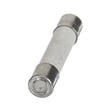
| Dead/no power | Line fuse | Microwave fuse W11707984 |
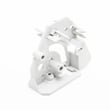
| Starts then stops, door-related issues | Door interlock switches | Interlock WPW10156813 or assembly, lower interlock (includes switches) W11551761 |
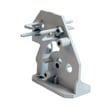
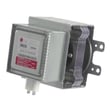
| Runs but no heat | High-voltage components | Magnetron W11391712 or gaoxin-hvd c W11256462 |
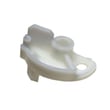
| Turntable not rotating | Turntable drive | Microwave turntable motor W10642989 or driver, turntable W11245707 |
| Hood light out | Lamp | Lamp assembly 8206232A |
A microwave that is not heating or that stops unexpectedly can indicate a door-safety (interlock) problem or a high-voltage failure. Addressing the correct root cause helps restore safe operation and prevents repeat failures.
Last updated: February 2026
What shortens the life of a microwave?
For the Amana AMV2307PFS7 microwave/hood combo, the biggest life-shorteners are overheating (blocked vents or heavy back-to-back cooking), running the microwave empty, slamming the door (stressing interlock switches), and poor cleaning that leads to corrosion and arcing. These habits accelerate wear on the magnetron and safety circuits.
- Running it empty or with very little food (can overheat the magnetron)
- Blocking the top or side vents, or letting grease clog airflow (causes heat damage)
- Slamming the door or forcing it shut (can damage door latches and interlocks)
- Using metal, foil, or dishes with metallic trim (sparks can damage the cavity and waveguide area)
- Ignoring arcing, burning smells, or unusual buzzing (small issues become major failures)
- Letting grease build up in a microwave/hood combo (adds heat load and stresses components)
| What gets stressed | Common symptom | Example part for AMV2307PFS7 |
|---|---|---|
| High-voltage system | Loud hum, no heat, burning smell | Magnetron W11391712 |
| Door safety system | Won’t start, stops when door moves, blows fuse | Assembly, lower interlock (includes switches) W11551761 |
| Line protection | Dead display, no power, intermittent power | Microwave fuse W11707984 |
| Venting and airflow | Overheats, shuts off mid-cycle, weak hood performance | Filter W10208631A |
- Keep the grease filter clean and seated correctly; wash it regularly and dry fully before reinstalling.
- Leave a short cool-down gap after long cook cycles (especially high power).
- Close the door gently; if it feels misaligned, stop using force and inspect the latch area.
- Always heat a load (a cup of water is fine for testing); never “dry run” the unit.
- Wipe splatters promptly so carbonized food does not cause arcing.
Most premature microwave failures trace back to heat and door-switch stress. Reducing heat buildup and protecting the interlock system helps prevent nuisance fuse blows and protects the high-voltage components that are costly and time-consuming to replace.
Last updated: February 2026
How do I find the model number on my AMV2307PFS7?
For an Amana over-the-range microwave like model AMV2307PFS7, the model number is printed on the appliance’s rating label; you’ll usually find it on the door frame area (visible when you open the microwave door) or on the inside edge of the cooking cavity.
Check these common label locations first:
- Open the door and look around the front frame (the area the door closes against)
- Check the inside lip/edge of the cooking cavity opening
- Look on the left or right interior side wall near the door opening
- If you have an over-the-range installation, check the side of the unit behind the grille (if accessible)
The rating label is typically a white or silver sticker/plate with multiple fields. You’re looking for Model and often Serial.
| Label field | What it means | Why you need it |
|---|---|---|
| Model | The full model identifier (example: AMV2307PFS7) | Ensures diagrams and parts match your exact unit |
| Serial | The production code/number | Helps confirm version changes and correct replacement parts |
| Electrical ratings | Voltage/amps/watts | Useful for troubleshooting and safe testing |
Amana microwaves can have small design changes across production runs. Using the exact model number helps us match the correct door parts, switches, and electrical components for your unit.
If you’re ordering parts, we recommend starting with the parts list for AMV2307PFS7 and matching by description and diagram callout; for example, common service items include the microwave fuse W11707984 and the filter W10208631A.
- Wipe the label gently with a damp cloth to remove grease
- Use your phone camera and zoom in for clearer text
- Copy the model number exactly, including all letters and numbers
Last updated: March 2026


