 Installation guide
 Owner’s manual


What are the common KitchenAid problems?
For the KitchenAid KMHC319EBS2 microwave/hood combo, the most common problems we see are no heat, won’t start, door won’t latch or shuts off when the door moves, dead display/no power, and vent fan or lights not working. These symptoms often trace to door interlock parts, a blown fuse, or high-voltage components.
- Microwave runs but does not heat: high-voltage circuit issue (diode, transformer) or control problem
- Won’t start or stops when you close the door: door switch or interlock alignment issue
- Completely dead (no display, no response): blown fuse, power supply issue, or electronic control problem
- Interior light or cooktop light out: lamp assembly issue
- Vent fan not working or noisy: vent fan motor issue or obstruction at the grille
If your symptom matches, these are frequently replaced parts for this model:
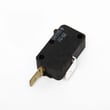
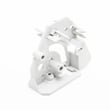
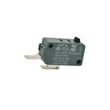
- Door safety switching: microwave door interlock switch W10269458, microwave door switch W10727360
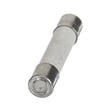
- No power: microwave fuse W11707984
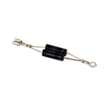
- No heat: diode W11256462, high-voltage transformer W11371718
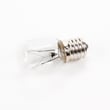
- Lights: lamp assembly 8206232A
- Venting: microwave vent fan motor assembly W11613599, microwave vent grille W10701701
- Confirm the outlet has power and the breaker is on
- Close the door firmly; check for sagging, rubbing, or a loose latch feel
- If it hums but does not heat, focus on the high-voltage circuit
- If it only starts when you lift or press the door, focus on door switches and interlock alignment
| Symptom | Most likely area | Common part examples |
|---|---|---|
| Runs, no heat | High-voltage circuit | Diode, transformer |
| Won’t start | Door interlocks/switches | Interlock switch, door switch |
| Dead/no display | Line fuse/power feed | Microwave fuse |
| Light out | Lighting circuit | Lamp assembly |
| Fan not working | Venting system | Vent fan motor, vent grille |
Microwave/hood combos rely on door interlock switches to prevent operation with an unlatched door, and they use high voltage to heat food. Matching the symptom to the correct circuit helps prevent repeat failures and unnecessary part returns.
For model-specific operating, safety, and troubleshooting details, use the KMHC319EBS2 owner’s manual. To order replacement parts, use the parts list for this model or search by model number on Sears PartsDirect.
Last updated: February 2026
How do I find the model number on my KMHC319EBS2?
For KitchenAid microwave/hood combos like model KMHC319EBS2, we find the model number on the rating label, usually just inside the door opening or on the oven cavity frame. Match the full model number exactly before ordering parts or using the KMHC319EBS2 owner's manual.
Check these common label locations first:
- Inside the microwave door opening, on the left or right front frame
- Along the top edge of the cavity opening (visible when the door is open)
- Behind the vent grille area (some units place the label near the grille)
- On the inside panel area near the control panel (less common)
Record the full model number and any additional identifiers on the label so we can match the correct diagrams and parts.
| What to capture | Example | Why it matters |
|---|---|---|
| Model number | KMHC319EBS2 | Ensures correct part fit |
| Serial number | (varies) | Helps identify production run |
| Electrical ratings | (volts/amps) | Useful for troubleshooting |
- Use the exact characters and numbers; do not drop suffixes like “BS2”.
- If the label is worn, take a clear photo and zoom in.
- Confirm the part by name and ID when available (for example, a door issue may involve a microwave door interlock switch W10269458 or microwave door latch W10740455).
KitchenAid uses model suffixes to indicate design and parts changes. Using the exact KMHC319EBS2 model number keeps your replacement parts, wiring diagrams, and installation details aligned.
Last updated: March 2026
What is the average lifespan of KMHC319EBS2?
The average lifespan of a KitchenAid microwave/hood combo like the KMHC319EBS2 is 9 to 10 years with normal use and good ventilation. Keeping the venting, door latches, and cooling airflow in good shape helps the control and high-voltage system last.
- Heavy daily run time (multiple long heat cycles per day)
- Grease buildup restricting airflow through the vent grille
- Slamming the door, which wears latches and interlock switches
- Power surges that stress the electronic control
- Running the unit empty or with improper cookware
Use these habits to reduce common failures:
- Clean the grease filters and wipe the vent grille regularly
- Keep the door closing smoothly; stop using it if the door feels loose
- Ensure the fan and airflow are not blocked by cabinets or grease buildup
- Use microwave-safe containers and avoid overheating small portions
- Follow the cleaning and operating guidance in the KMHC319EBS2 owner's manual
| Component | What you may notice | Example part on this model |
|---|---|---|
| Door interlock switch | Won’t start, starts then stops | Microwave door interlock switch W10211974 |
| Fuse | Completely dead, no display | Microwave fuse W11707984 |
| Vent fan motor | Poor venting, loud fan | Microwave vent fan motor assembly W11613599 |
Knowing the 9 to 10 year average helps you decide between repair and replacement. If the unit is near end-of-life and needs multiple electrical parts, planning the repair around the most likely wear items saves time and repeat service.
Last updated: March 2026


