 Installation guide
 Owner’s manual



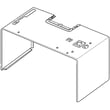
Do all GE microwaves use the same mounting bracket?
No. GE microwaves do not all use the same mounting bracket; the mounting plate hole pattern, cabinet templates, and venting setup can vary by model. For a GE SCA1001HSS02 microwave/hood combo, we recommend installing the correct mounting plate and following the SCA1001HSS02 installation guide so the oven hooks onto the lower tabs and the top cabinet screws align correctly.
What to do for the best fit
- Match parts by exact model number (SCA1001HSS02), not just brand (GE).
- Use the mounting plate designed for your unit; it sets the wall plate location and tab positions.
- Follow the top cabinet template steps for drilling the power cord hole and top support screw holes.
- Choose the correct venting configuration (outside top exhaust, outside back exhaust, or recirculating) before mounting.
- Use two people to mount the oven; do not lift by the door handle.
Quick compatibility checklist
| Item to compare | If it differs | What it affects |
|---|---|---|
| Wall plate hole pattern | Do not reuse the old bracket | Stud/anchor locations and strength |
| Lower tab and slot alignment | Do not reuse the old bracket | Whether the oven can hook onto the plate |
| Top cabinet screw locations | Redrill per template | Whether the oven can be secured at the top |
| Venting direction | Reconfigure before hanging | Damper operation and duct alignment |
Why it matters
The mounting plate is a structural support point. If the bracket pattern or tab locations are off, the microwave can sit crooked, bind the damper, or fail to secure tightly to the top cabinet. The installation steps for SCA1001HSS02 specifically call out hooking the oven onto the mounting plate tabs and then securing it with top cabinet screws, so correct alignment is critical.
Model-specific part note
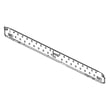
If you need the correct wall plate for this model, use the GE mounting plate listed for SCA1001HSS02, such as the microwave mounting plate WB56X35363.
Last updated: February 2026
How many watts is the GE SCA1001HSS02 microwave?
The GE SCA1001HSS02 can be used as a 900-watt microwave oven for microwave cooking. For installation and electrical planning, the unit’s rated input is 1.70 kW (1700 watts) at 120V; those numbers describe different things and are both normal for this model.
Microwave watts vs. electrical watts (what you are really asking)
Microwave “watts” usually means cooking power output; electrical “watts” is power the unit draws from the outlet.
- 900 watts: microwave cooking output (how strongly it heats food)
- 1700 watts (1.70 kW): electrical input rating used for circuit planning
- 120V, 60 Hz, 15A: electrical requirements for the branch circuit
- A dedicated 15 to 20 amp outlet is typically used for over-the-range units
Quick reference table
| Spec type | What it describes | Value for SCA1001HSS02 |
|---|---|---|
| Microwave output | Heating/cooking strength | 900 W |
| Electrical input | Power draw from outlet | 1700 W (1.70 kW) |
| Supply | Household power requirement | 120V AC, 60 Hz |
Why it matters
- Cooking results: 900W helps you compare cook times to other microwaves.
- Installation safety: 1700W input helps ensure the circuit, receptacle, and wiring are sized correctly.
Where to confirm settings and usage
We recommend checking the feature and cooking sections in the SCA1001HSS02 owner’s manual and the circuit guidance in the SCA1001HSS02 installation guide when planning an install or troubleshooting power issues.
Last updated: February 2026
Is there a reset button on GE microwaves?
GE microwaves (including model SCA1001HSS02) do not use a single dedicated “reset” button. For most glitches, we reset the control by pressing CLEAR/OFF to cancel cooking, or by unplugging the microwave briefly and then restoring power (you may need to set the clock again).
Quick reset options (what to try first)
- Press CLEAR/OFF once to stop and clear an active cooking program.
- If the keypad seems unresponsive, press CLEAR/OFF and wait a few seconds, then try a simple cook cycle.
- If the display is acting odd after a power event, unplug the unit, wait about 1 to 2 minutes, then plug it back in.
- If the microwave will not start at all, check the home breaker or fuse first.
- If cooking stops when the door is opened, close the door and press START/PAUSE to resume.
Model-specific control details for SCA1001HSS02
Your SCA1001HSS02 uses CLEAR/OFF as the primary “cancel/clear” control; it cancels all oven programs except items like the clock and timer. For operating steps and button functions, use the SCA1001HSS02 owner’s manual.
When a “reset” points to a door switch problem
If the microwave acts like the door is open (won’t run, starts then stops, or runs only when the door is pressed), the issue is often in the door interlock circuit. On this model, common related parts include:
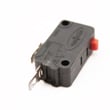
- Micro-switch WB24X10047 (primary interlock switch)
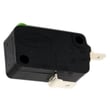
- Micro-switch WB24X25397 (interlock switch used in the latch system)
- Door latch alignment issues (mechanical, not electrical)
Why it matters
A proper reset clears temporary control glitches, but it will not fix a failed interlock switch, blown internal fuse, or high-voltage heating problem. Resetting first helps separate a simple control issue from a parts or safety interlock issue.
| Symptom | Best “reset” step | What it suggests |
|---|---|---|
| Display weird after outage | Unplug 1 to 2 minutes | Power glitch |
| Cooking won’t cancel | Press CLEAR/OFF | Stuck program |
| Won’t start at all | Check breaker/fuse, then power cycle | Power supply or internal fault |
| Starts then stops when door moves | Inspect door latch/interlock switches | Interlock issue |
Last updated: February 2026
What are common problems with GE profile microwaves?
Common problems on GE Profile-style microwave/hood combos like model SCA1001HSS02 include not heating, running but not cooking, loud or unusual sounds, turntable issues, and vent fan or light behavior that seems abnormal. Many symptoms trace back to door interlock switches, fuses, or high-voltage components; use the SCA1001HSS02 owner’s manual to match symptoms to the built-in troubleshooting chart.
Most common symptoms customers report
- Not heating or weak heating (unit runs, light and fan work, food stays cold)
- Intermittent operation (starts then stops, or only works with the door held a certain way)
- Loud buzzing, humming, or thumping sounds during operation
- Turntable not rotating or tray wobbling
- Vent fan keeps running after cooking (often normal cool-down behavior)
- Warm air from the vent while cooking (often normal)
Quick checks you can do first (safe, no disassembly)
- Confirm the door closes firmly and latches smoothly; misalignment can prevent heating.
- Try a different outlet or reset the breaker; a weak supply can cause odd behavior.
- If you notice TV/radio interference, reposition the device or antenna; this is typically normal.
- Clean and reinstall the grease filter if airflow is poor.
- If the vent fan runs after cooking, allow time for cool-down; the fan can shut off automatically.
What “normal” vs “problem” looks like
| Symptom | Often normal | Often needs repair |
|---|---|---|
| Fan runs after cooking stops | Yes, cool-down cycle | If it never shuts off |
| Warm air from vent while cooking | Yes | If there is burning smell or smoke |
| Dull thumping sound | Can be normal | If grinding or repeated loud buzzing |
| Runs but does not heat | No | Yes, common failure pattern |
Parts that commonly relate to these issues
Door and safety interlock problems are a frequent cause of “runs but won’t heat” or intermittent operation. For this model, common switch-related parts include the micro-switch WB24X10047 and micro-switch WB24X25397.
Why it matters
Microwaves contain high-voltage components that can store dangerous energy even when unplugged. If symptoms point to internal electrical or high-voltage issues (no heat, burning smell, arcing, repeated fuse blowing), we recommend professional service rather than DIY disassembly.
Last updated: February 2026
What is the average lifespan of a GE microwave?
A GE microwave typically lasts 7 to 10 years with normal household use and basic care. For your GE SCA1001HSS02 microwave/hood combo, keeping the cavity clean, using proper cookware, and avoiding overheating foods helps you reach the upper end of that range; see the SCA1001HSS02 owner's manual for model-specific use and care guidance.
Typical lifespan (what to expect)
Most over-the-range microwaves and microwave/hood combos fall into this range:
| Usage pattern | Typical lifespan |
|---|---|
| Heavy daily use (multiple cycles/day) | 7 to 8 years |
| Average family use | 7 to 10 years |
| Light use (single person/couple) | Up to 10 years |
What shortens microwave life fastest
These habits create extra heat stress on the magnetron, door system, and controls:
- Running the microwave empty
- Overcooking high-starch foods (like potatoes) until they dehydrate
- Using metal or foil incorrectly (can cause arcing)
- Blocking airflow or running with a dirty vent path
- Slamming the door or operating with a misaligned latch
Maintenance that helps it last longer
We recommend these simple steps for GE microwave/hood combos:
- Wipe the cavity and door seals regularly; grease and food buildup trap heat
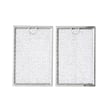
- Clean or replace the hood grease filter on schedule (a clogged filter makes the vent work harder)
- Use microwave-safe containers and avoid tightly sealed jars
- Keep the turntable system seated correctly to prevent strain and noise
- If the door feels loose or the unit only runs with the door held shut, stop using it and inspect the interlock system
Parts that commonly affect “end of life” symptoms
A microwave often gets replaced when a key system fails or becomes unreliable:
- Door interlock switches (unit will not start, stops when door moves): micro-switch WB24X10047
- High-voltage components (no heat, loud hum): microwave high-voltage capacitor WB27X10808
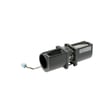
- Vent system (noisy or weak hood fan): vent motor WB26X36106
Why it matters
Microwaves can appear to “work” even when heating performance or door safety systems are degrading. Addressing early symptoms (no heat, intermittent running, door issues, unusual noises) helps prevent repeat failures and keeps cooking performance consistent.
Last updated: February 2026
What is the difference between 120v and 240v for the GE SCA1001HSS02?
For the GE SCA1001HSS02, the electrical requirement is 120 volts AC, 60 Hz, on a dedicated 15 to 20 amp properly grounded outlet. A 240V circuit is used for different appliances or different Advantium configurations, not this specific SCA1001HSS02 installation. See the SCA1001HSS02 installation guide for the exact circuit and grounding requirements.
What 120V vs 240V means in real use
In general, 240V appliances can deliver more power (watts) than 120V appliances, which can translate to faster heating and higher output. For an over-the-range microwave/hood combo like the SCA1001HSS02, the key difference is not cooking speed, it is what the unit is designed and wired to accept.
- 120V: Standard U.S. household receptacle; typical for over-the-range microwaves.
- 240V: Common for electric ranges, wall ovens, and some speed ovens; requires a different receptacle and circuit.
- Using the wrong voltage can damage components and create a shock or fire hazard.
- This model is designed to plug into a grounded 3-prong outlet; do not use an extension cord.
Electrical requirements for GE SCA1001HSS02 (model-specific)
These are the installation targets called out for this model family:
| Item | What to use for SCA1001HSS02 |
|---|---|
| Supply voltage | 120V AC, 60 Hz |
| Branch circuit | Dedicated 15 to 20 amp |
| Plug/outlet | Grounded 3-prong receptacle |
| Outlet location | Cabinet above the oven |
Quick checks before you install or troubleshoot power
- Confirm the microwave is on a dedicated 15 to 20 amp circuit (not shared with other high-draw loads).
- Verify the receptacle is properly grounded (have an electrician check if unsure).
- Make sure the breaker is fully reset (off then on).
- Do not cut or remove the grounding prong.
- Do not use an extension cord or adapter.
Why it matters
Matching the circuit to the SCA1001HSS02 design prevents nuisance breaker trips, protects the control and high-voltage system, and keeps the microwave/hood combo operating safely and consistently.
Last updated: February 2026


