

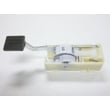
How to change the belt on a Kenmore vacuum?
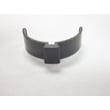
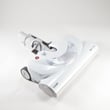
On most Kenmore vacuums, you change the belt by unplugging the vacuum, removing the bottom plate or nozzle cover, slipping the old belt off the brush roll and motor shaft, then installing a new belt and reassembling. For the Kenmore C50XDKN0W017 powermate vacuum attachment, the exact fastener and cover style can vary, but the belt-change sequence stays the same.
Steps to change the belt (typical Kenmore power nozzle)
- Unplug the vacuum and disconnect the wand and hose from the power nozzle.
- Flip the nozzle over and remove the bottom plate (usually screws, quarter-turn locks, or release clips).
- Lift out the brush roll; note the belt routing before you remove it.
- Remove the old belt from the motor shaft (or belt pulley) and the brush roll.
- Install the new belt on the motor shaft first, then stretch it onto the brush roll.
- Reinstall the brush roll; make sure the belt sits centered and the brush roll spins freely by hand.
- Reattach the bottom plate and tighten fasteners evenly.
Quick checks if the brush still will not spin
What to look for
- Belt not seated: belt twisted or riding on the edge of the brush roll.
- Brush roll jam: hair, string, or debris binding the end caps.
- Wrong belt size: belt too loose (slips) or too tight (binds).
- Cover not fully latched: bottom plate misaligned can pinch the brush roll.
Belt symptoms and what they usually mean
| Symptom | Most common cause | What to do next |
|---|---|---|
| Brush roll stops under load | Belt stretched or slipping | Replace belt; confirm correct fit |
| Burning rubber smell | Belt slipping on brush roll | Clear jam; replace belt |
| Loud squeal | Belt too tight or misrouted | Reroute belt; verify brush roll turns |
| Poor pickup on carpet | Brush not spinning fast enough | Replace belt; clean brush roll |
Why it matters
A fresh belt keeps the brush roll at the right speed for carpet agitation. A worn belt reduces suction performance at the floor and can overheat from slipping, which shortens brush roll life.
Getting the right belt for your Kenmore model
Use the model number C50XDKN0W017 when searching so you get the correct belt for your powermate attachment. Start with the parts list for this model, or search by model on Sears PartsDirect. For DIY readiness, we also recommend reviewing must have tools for appliance repair so you have the right screwdriver and basic hand tools before opening the nozzle.
Last updated: February 2026
Why is my Kenmore vacuum brush not spinning?
If the brush on your Kenmore C50XDKN0W017 powermate vacuum attachment is not spinning, the most common causes are a jammed brush roll, a worn or broken belt, or a seized brush roll bearing. Clearing debris and checking belt tension usually restores brush rotation.
Quick checks (most common fixes)
- Unplug the vacuum before touching the brush or belt.
- Remove hair, string, and carpet fibers wrapped around the brush roll ends.
- Check the belt for cracks, glazing, stretching, or breakage.
- Spin the brush roll by hand; it should turn smoothly with light resistance.
- Inspect the end caps and bearings for melted plastic, wobble, or binding.
- Confirm the attachment is fully seated and the wand or hose is not clogged.
What to inspect and what it means
| What you see | Likely cause | What to do next |
|---|---|---|
| Brush roll will not turn by hand | Debris jam or seized bearing | Clean thoroughly; replace brush roll/end caps if binding remains |
| Brush roll turns, but not when running | Belt worn, stretched, or broken | Replace the belt and recheck brush movement |
| Burning smell or intermittent spin | Belt slipping or brush roll binding | Clean brush roll; replace belt; verify free rotation |
| No brush movement and no sound from head | Drive issue in the attachment or airflow restriction | Check for clogs; inspect internal drive components |
Step-by-step troubleshooting order
- Clear the brush roll: Cut away wrapped hair and remove packed debris from the nozzle opening.
- Check belt condition: A belt that looks intact can still be stretched enough to slip.
- Test brush roll free-spin: If it binds, the belt will not last and the brush will not spin reliably.
- Check for clogs: A blockage can reduce pickup and make it seem like the brush is not working.
- Reassemble and retest: Make sure the belt is routed correctly and the cover is fully latched.
Why it matters
A non-spinning brush reduces carpet agitation and pickup, and a slipping belt can overheat and wear quickly. Fixing the underlying cause (jam, belt, or binding brush roll) helps protect the attachment and improves cleaning performance.
For replacement parts and model lookups, search by model number C50XDKN0W017 on Sears PartsDirect.
Last updated: February 2026
Are vacuum attachments universal?
No. Vacuum attachments are not truly universal; they have to match your vacuum’s connection style and size. For the Kenmore C50XDKN0W017 powermate vacuum attachment, the right fit depends on the wand or hose end it connects to (diameter plus how it locks on), so checking the connector before buying prevents air leaks and loose tools.
What “universal” really means
Most “universal” vacuum tool kits are universal only because they include adapters. They typically fit common round friction-fit sizes, but they still may not work if your vacuum uses a proprietary latch or clip.
Common connection types you will see:
- Friction-fit (push-on): round end that slides on; relies on a snug diameter match
- Button-lock: a spring button clicks into a hole on the attachment
- Twist-lock/bayonet: insert and twist to lock
- Proprietary clip-in: brand-specific shapes that do not seal on standard round ends
How to check fit on a Kenmore attachment setup
Use this quick checklist before ordering tools, a crevice tool, dusting brush, or adapter:
- Measure the outside diameter of the wand or hose end (in inches or millimeters)
- Look for a locking feature (button, slot, tabs, twist lugs)
- Confirm whether the tool end is male or female (slides over vs. slides into)
- Check for a rubber seal or gasket; missing seals cause suction loss
- If you have an older Kenmore canister system, verify whether it uses a tapered fit
Quick compatibility guide
| What you have | What usually works | What usually does not |
|---|---|---|
| Round push-on wand/hose | “Universal” kit with the correct diameter adapter | Clip-in or odd-shaped proprietary tools |
| Button-lock wand | Button-lock tools with matching hole position | Plain friction-fit tools (often fall off) |
| Twist-lock connection | Matching bayonet style tools | Generic round adapters (won’t lock) |
Why it matters
A mismatched attachment can leak air (reduced pickup), pop off during use, or stress the wand/hose end. Getting the correct connector style keeps suction strong and protects your Kenmore vacuum accessories.
If you do not see model-specific tools listed for C50XDKN0W017 here, we recommend searching by model number on Sears PartsDirect to find compatible Kenmore vacuum attachments and accessories.
Last updated: February 2026
Where to find model number on Kenmore canister vacuum?
On most Kenmore canister vacuums, the model number is printed on a model and serial number plate or sticker on the vacuum body; for the Kenmore C50XDKN0W017 powermate vacuum attachment, check the attachment housing and the neck where it connects to the wand for a label. If the label is worn, the model is often also shown on your purchase paperwork or parts list when you search on Sears PartsDirect.
Common places to check on a Kenmore canister vacuum
- Bottom of the canister (near the wheels)
- Back of the canister (near the cord rewind area)
- Under the bag door or dust compartment cover
- Near the hose connection port
- On the wand or handle (less common)
Where to check on the C50XDKN0W017 powermate attachment
Because C50XDKN0W017 is a tools and attachment model, the label is usually on the attachment itself, not the canister.
- Underside of the power nozzle housing
- Side of the nozzle housing near the height adjustment (if equipped)
- Neck or swivel joint where the nozzle connects to the wand
- Inside the top cover area (if there is a removable cover)
What the model tag typically looks like
| What you see | What it means | What to record |
|---|---|---|
| Model No. | The exact model used to match parts | Full model number (example format: C50XDKN0W017) |
| Serial No. | Production identifier | Full serial number |
| Type / rating | Electrical info (if present) | Optional, but helpful |
Why it matters
We use the exact model number to match the correct Kenmore vacuum cleaner parts and attachment components (like a brush roll, belt, wheels, or wiring harness). A single character difference can change the fit.
Last updated: February 2026
How long do Kenmore canister vacuums last?
Most Kenmore canister vacuums last about 8 to 12 years with normal home use and basic maintenance. For Kenmore model C50XDKN0W017 (powermate vacuum attachment), lifespan depends heavily on belt and brush wear, hose clogs, and how often filters are cleaned or replaced.
Typical lifespan by use level
Lifespan is driven more by hours of use and maintenance than by the brand name on the canister.
- Light use (1 to 2 rooms, 1 to 2 times/week): 10 to 12 years
- Average use (whole home weekly): 8 to 10 years
- Heavy use (pets, thick carpet, frequent use): 6 to 8 years
| Use pattern | What wears fastest | What to watch for |
|---|---|---|
| Mostly carpet | Brush roll, belt | Noisy head, weak agitation |
| Mostly hard floors | Hoses, seals | Whistling leaks, poor pickup |
| Pets and hair | Brush roll, clogs | Brush stops, burning smell |
Signs it is near end of life (or needs service)
These symptoms often point to a worn power nozzle, restricted airflow, or an electrical issue in the wand or hose.
- Suction is weak even after clearing clogs and cleaning filters
- Power nozzle brush stops or only runs intermittently
- Burning rubber smell (often belt slip) or repeated belt failures
- Excessive noise, rattling, or vibration from the powermate head
- Vacuum shuts off, trips a breaker, or loses power when flexing the hose/wand
What to do to make it last longer
A few routine steps usually add years of life to a Kenmore canister system.
- Clear hair and string from the brush roll after heavy use
- Check the nozzle air path for clogs (especially at bends)
- Replace worn belts promptly (a loose belt reduces cleaning and overheats)
- Keep filters clean and seated correctly to protect the motor
- Inspect the hose and wand connections for cracks or loose electrical contacts
Why it matters
A canister vacuum can feel “worn out” when the real problem is airflow restriction or a worn powermate belt or brush roll. Fixing those common wear items restores pickup and protects the motor from overheating.
Parts and model lookup
We list replacement parts by model so you can match the correct Kenmore canister and attachment components. Start with the parts list for C50XDKN0W017, or search by model on Sears PartsDirect.
Last updated: February 2026