Error Codes




How to reset a GE electric oven?
To reset your GE JB480ST1SS electric range oven, we recommend starting with a simple control reset (Cancel/Clear) and then doing a power reset at the breaker. This clears many temporary control glitches, stuck keys, and some error-code conditions.
- Control reset: Press and hold Cancel/Clear for 3 to 5 seconds.
- Hard reset (breaker reset): Turn the range circuit breaker OFF for 1 minute, then turn it ON.
- If the display is blank after reset: Confirm the breaker is fully on (some panels trip to a middle position).
- If an error code returns: Use our GE freestanding range error codes guide to match the code to the most likely cause.
- Turn all surface elements to OFF.
- If the oven was hot, let it cool; the hot surface indicator can stay on after power is restored.
- Do not touch wiring or remove panels unless power is off at the breaker.
| Symptom | Reset often helps | Usually needs troubleshooting/parts |
|---|---|---|
| Control panel frozen or beeping | Yes | If it returns repeatedly |
| Error code after a power flicker | Yes | If code comes back immediately |
| Oven not heating | Sometimes | Bake element, thermostat, wiring |
| Surface element not heating | Sometimes | Switch, element, harness |
A reset will not repair a failed heating circuit. On the JB480ST1SS, common no-heat causes include a failed bake element, temperature control issue, or a wiring problem.
- Check for visible damage on the bake element (blisters, cracks, burn spots)
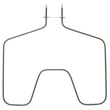
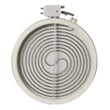
- If the oven heats unevenly or not at all, consider the range bake element WB30X46987
- If temperature control seems off, the range oven control thermostat WB20K10018 is a common suspect
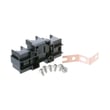
- If you see heat damage at the power connection, inspect the range terminal block WB17T10011
Resetting is the fastest way to clear a temporary electronic or control-state problem. If the issue returns, the repeating symptom points us toward the correct circuit (bake, broil, surface element controls, or power supply) so you replace the right GE range part the first time.
Last updated: February 2026
Where is the model number on a GE electric range?
On a GE electric range like model JB480ST1SS, the model number is typically on a rating label behind the rear control panel. We recommend checking the backguard area first, then confirming the full model number before ordering parts such as the range terminal block WB17T10011.
Check these common label locations in this order:
- Behind the rear control panel (backguard) area
- Along the oven door frame (visible when the oven door is open)
- On the storage drawer frame or the front frame behind the drawer
- On the back of the range near the power cord entry
If you need to access the rear control panel area:
- Turn the range off and let surfaces cool completely
- Pull the range forward carefully to avoid stressing the power cord
- Use a flashlight to read the label clearly
- Write down the full model number and serial number exactly as shown
- If the label is worn, take a close-up photo and zoom in
The model number ensures the parts list matches your exact configuration (finish, wiring, and control style).
| What you’re doing | Why the model number matters |
|---|---|
| Ordering electrical parts | Helps match the correct wiring and connection style |
| Replacing oven or cooktop components | Ensures correct fit and mounting |
| Looking up troubleshooting info | Points you to the right error code set |
GE ranges often share similar designs across multiple models, but small differences can change which bake element, control, or wiring part fits. Using the exact JB480ST1SS model number helps prevent wrong-part returns and repeat repairs.
Related help: GE freestanding range error codes
Last updated: February 2026
What is the average lifespan of JB480ST1SS?
A GE electric range like model JB480ST1SS typically lasts 13 to 15 years with normal home use. Lifespan depends most on heat stress to wiring and controls, door seal condition, and how quickly failed heating parts are replaced.
- Heating components: bake and broil heat cycles gradually wear elements and connections
- Electrical connections: loose or overheated terminals can shorten control and wiring life
- Door sealing and insulation: heat escaping forces longer run times and higher temperatures
- Cleaning habits: spills left to bake on can damage finishes and create hot spots
- Power quality: repeated surges can stress timers, switches, and thermostats
| Symptom | Most common cause | Typical fix |
|---|---|---|
| Oven won’t heat or heats unevenly | Failed bake element | Replace the range bake element WB30X46987 |
| Burner stays on high or won’t regulate | Bad surface element control switch | Replace the range surface element control switch WB23K10002 |
| Burning smell, intermittent power, melted wiring | Loose/overheated power connection | Inspect and replace the range terminal block WB17T10011 if damaged |
- Keep the oven door closing tightly; avoid slamming the door.
- Clean spills promptly once the oven is cool; avoid harsh abrasives on stainless surfaces.
- If a burner or oven heat seems weak, stop using that function and troubleshoot early.
- If you ever smell hot plastic or see discoloration at the cord connection, shut off power and inspect the terminal area.
- Use the correct cookware size on surface elements to reduce cycling stress.
Most ranges do not “wear out” all at once; a few high-stress parts (elements, switches, terminal connections) determine whether the appliance stays safe, heats correctly, and remains cost-effective to repair.
Last updated: March 2026