 Installation guide
 Owner’s manual



What is the average lifespan of a Whirlpool microwave?
A Whirlpool microwave like model WMH31017AB3 typically lasts 7 to 10 years with normal household use. Heavy daily use, poor ventilation, and repeated door slams shorten life; keeping the cavity clean and the vent path clear helps it reach the high end of that range.
Typical lifespan and what changes it
Most over-the-range microwave/hood combos fall into a predictable lifespan range, but real-world results depend on heat, grease, and how often the door and controls are used.
- Light use (1 to 3 cycles/day): often closer to 10 years
- Moderate use (4 to 8 cycles/day): commonly 7 to 10 years
- Heavy use (many cycles/day): often 5 to 7 years
- Poor venting or grease buildup: shortens blower and control life
- Frequent door slams: accelerates door switch and latch wear
For model-specific care and operating guidance, follow the maintenance and usage notes in the WMH31017AB3 owner's manual.
Signs your microwave is nearing end of life
These symptoms often point to wear in the heating circuit, door safety circuit, or airflow system.
| Symptom | Common area involved | What we recommend first |
|---|---|---|
| Runs but does not heat | High-voltage components | Stop using and have it serviced; high voltage is hazardous |
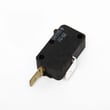
| Intermittent operation when closing door | Door interlock circuit | Inspect/replace a worn switch such as the microwave door interlock switch W10269458 |
| Loud vent noise or weak airflow | Blower/venting | Clean filters and confirm venting is clear; check blower if noise persists |
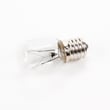
| Hood light keeps failing | Light circuit/socket | Verify correct bulb type; inspect socket if bulbs burn out quickly |
Why it matters
A microwave/hood combo works in a hot, greasy environment above the range. Good venting and gentle door use reduce stress on the blower assembly, electronic control, and door interlock switches, which are common wear points as the unit ages.
Quick ways to extend lifespan
- Run the vent fan when cooking on the range to reduce heat soak
- Keep the interior clean to prevent arcing and odor buildup
- Avoid running the microwave empty
- Close the door gently to protect the interlock system
- Replace failing wear parts early (for example, door switches) to prevent cascading issues
Last updated: February 2026
How to remove Whirlpool microwave vent cover?
To remove the vent cover (top grille) on your Whirlpool WMH31017AB3 microwave/hood combo, we unplug power first, then remove the screws securing the grille and slide the grille to release its tabs. Use the steps and screw locations shown in the installation guide.
Safety first (important)
Microwaves contain high-voltage components even when unplugged. For a simple vent grille removal you stay outside the high-voltage area, but we still recommend these basics:
- Unplug the microwave or switch off the breaker before starting
- Support the grille as the last screw comes out so it does not drop
- Avoid removing the outer cabinet unless you are trained for microwave service
- Keep screws together so they go back into the same holes
Steps to remove the vent cover (top grille)
- Disconnect power (unplug or turn off the circuit).
- Open the microwave door for easier access to the top front edge.
- Remove the Phillips-head screws along the top that secure the grille.
- Slide the grille slightly (typically toward one side or forward) to disengage the retaining tabs.
- Pull the grille straight off.
If you are removing the top cover for venting changes
On WMH31017AB3, the venting hardware at the top includes a damper plate used for wall or roof venting configurations. The installation instructions describe removing screws, sliding the damper plate forward, and lifting it off, then reinstalling it with tabs aligned in the top slots.
- If you see a damper plate under the grille, remove only what you need
- Keep the damper plate and screws together for reassembly
- Make sure tabs seat into slots before tightening screws
Quick reference table
| What you are removing | Where it is | What usually holds it |
|---|---|---|
| Vent cover (top grille) | Top front of microwave | Phillips screws plus tabs |
| Damper plate (venting) | Top of microwave exterior | Screws plus tabs/slots alignment |
Why it matters
The vent cover directs airflow for the hood fan and provides access for cleaning and venting configuration. Reinstalling it correctly helps prevent vibration noise, poor exhaust performance, and rattles.
Last updated: February 2026
What are common problems with Whirlpool microwaves?
Common problems on a Whirlpool microwave like model WMH31017AB3 include not heating, not starting, a dead display, a door that will not latch, a turntable that will not rotate, and vent or light issues. Many “no start” complaints trace back to power supply, door interlocks, or control settings.
Quick checks we recommend first
- Confirm the unit is plugged into a grounded 3-prong outlet (no adapter, no extension cord).
- Check the household breaker or fuse; reset or replace if tripped/blown.
- Make sure the door closes firmly; a misaligned latch can keep the microwave from running.
- Test with a simple load: 1 cup of water for 1 minute at 100% power.
- Verify the filters are installed correctly (important for airflow and fan performance).
Most common symptoms and likely causes
| Symptom | Common causes | Parts often involved (examples) |
|---|---|---|
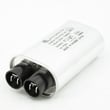
| Runs but does not heat | High-voltage component failure | Magnetron WPW10693025, microwave high-voltage diode W11256462, capacitor W10850446 |
| Has power but will not start | Door not sensing closed; interlock issue | Microwave door interlock switch W10269458, microwave door switch W10727360, interlock WPW10156813 |
| No power / dead display | Power supply issue; internal fuse (model-dependent) | Use the owner's manual troubleshooting steps |
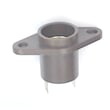
| Hood light out | Bulb burned out; socket issue | Microwave/hood light bulb 8206232A, microwave light socket W10210871 |
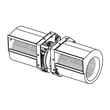
| Loud vent, weak airflow, or rattling | Blower or venting setup issue | Microwave blower assembly W11441128, microwave vent grille W10468664 |
Why it matters
Microwaves use high voltage internally; heating problems (magnetron, capacitor, diode) and door-interlock problems can create unsafe operating conditions. Using the correct troubleshooting steps from the installation guide and replacing the right Whirlpool parts helps restore safe, reliable cooking and proper hood ventilation.
When to stop and get help
- You smell burning, see arcing, or hear a loud hum when trying to heat.
- The door does not close squarely or the latch feels loose.
- The unit repeatedly trips the breaker.
Last updated: February 2026


