Error Codes





How long is the GE cooktop warranty?
For the GE electric cooktop model PEP7036DT1BB, the standard limited warranty is 1 year from the original purchase date, covering parts that fail due to defects in materials or workmanship; in-home service and labor to replace the defective part are typically included during that first year.
- Defects in materials or workmanship on cooktop components
- Replacement of the defective part
- In-home service (where applicable)
- Labor charges for the covered repair during the warranty period
Warranty terms vary by product line, but these items are commonly excluded:
- Damage from improper installation, misuse, or accidents
- Cosmetic issues that do not affect performance
- Normal wear items and routine cleaning/maintenance
- Service calls to correct house wiring, breaker issues, or power supply problems
A heating issue is often a power supply problem or a failed surface element. Before assuming it is warranty-related:
- Confirm the breaker is fully reset (off, then on)
- Try a different cooking zone to compare behavior
- Check for error indicators or dead touch controls (if equipped)
- Inspect for visible damage under the glass (after power is off)
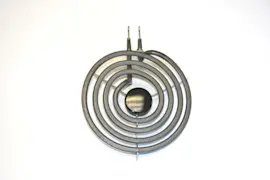
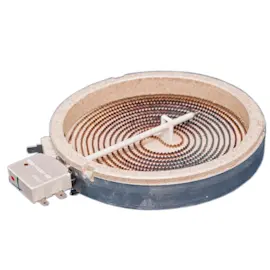
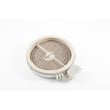
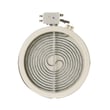
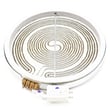
- If one zone is dead, the surface element may be the issue (example: range radiant surface element, 6-in WB30T10129)
| Situation | Likely next step | Warranty relevance |
|---|---|---|
| Cooktop is completely dead | Check breaker, wiring, power supply | Often not covered if house wiring issue |
| One element will not heat | Test/replace the affected element | Often covered if defect within 1 year |
| Cracked glass top | Replace glass top | Often excluded if impact-related |
Knowing the warranty length helps you decide whether to schedule service right away or troubleshoot and replace parts yourself. For PEP7036DT1BB, that 1-year window is the key cutoff for most defect-related coverage.
Last updated: February 2026
How to turn on GE Profile electric cooktop?
To turn on a GE electric cooktop like model PEP7036DT1BB, we typically press and hold the Power On/Off control for about 2 seconds until the indicator light turns on; then select a surface burner and set the heat level using the touch controls.
- Make sure the cooktop has power (no tripped breaker, no blown fuse).
- Touch and hold Power On/Off for about 2 seconds.
- Select the desired burner (for example, right front).
- Set the heat level (start low, then increase as needed).
- To turn the cooktop off, touch Power On/Off again.
If the display stays dark or the cooktop will not respond, we focus on power first, then common internal causes.
- Reset the circuit breaker (cooktops are commonly on a 240V circuit).
- If the unit powers on but a burner will not heat, test that specific element.
- If multiple burners fail or controls act erratically, the control board or wiring can be the cause.
- If you smell burning insulation or see damaged wiring, stop and disconnect power.
| Symptom | Most likely area | Example model-matched part to check |
|---|---|---|
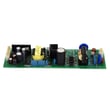
| No power, no lights | Control or incoming power | Cooktop power control board WB27X24011 |
| One burner will not heat | Surface element | Range surface element, right front WB30T10126 |
| Intermittent heating | Loose connection or harness | Harness wire power WB18X45809 |
Turning the cooktop on correctly prevents “dead control” confusion and helps you separate a simple control-lock or power issue from a failed radiant surface element, wiring harness problem, or a control board failure.
Last updated: February 2026
Why is my GE Profile induction cooktop burner not working?
If a burner on your GE electric cooktop model PEP7036DT1BB is not heating, the most common causes are a failed surface element, a loose or burned wire connection, or a problem on the control board. We recommend confirming power and then testing the heating circuit parts.
- Make sure the cooktop is not in a control lock mode (if your model has it).
- Try a different pan and a different burner to compare behavior.
- If the burner never heats but the indicator lights work, focus on the element and wiring.
- If multiple burners act up, focus on the control board and power supply.
- If the burner heats intermittently, look for a loose harness connection or heat-damaged terminal.
On PEP7036DT1BB, a single dead burner is most often a bad radiant element or a damaged connection at the element.
Common part suspects by symptom:
| Symptom | Most likely cause | What to check next |
|---|---|---|
| One burner dead, others OK | Failed surface element | Inspect and test the element terminals |
| Burner works only on some settings | Control issue or weak element | Check wiring, then control output |
| Several burners dead or erratic | Control board or power issue | Verify supply voltage, then board |
Model-matched parts that often apply:
- Range surface element, right front WB30T10126
- Cooktop power control board WB27X24011
- Harness wire power WB18X45809
- Shut off power at the breaker before removing the cooktop from the counter or accessing wiring.
- Lift the cooktop enough to inspect the element terminals for discoloration, melting, or loose spade connectors.
- Check the wire harness for pinched, brittle, or burned wires near the hot zone.
- If you use a meter, test the element for continuity and check for an open circuit.
For meter basics, use how to use a multimeter to test electrical parts video.
A burner that is not working is often a simple open heating element or a heat-damaged connection. Catching a loose or burned terminal early helps prevent repeated failures and protects the control board from overheating or arcing.
Last updated: February 2026
Why is my GE electric cooktop not turning on?
If your GE PEP7036DT1BB electric cooktop will not turn on at all, the most common causes are a tripped breaker, a power supply problem (no 240V), a loose or burned wire connection, or a failed electronic control such as the cooktop power control board WB27X24011.
- Confirm the cooktop is on a dedicated 2-pole breaker; turn it OFF fully, then ON.
- Verify the cooktop has 240V supply (many symptoms happen when only one leg of power is present).
- If the cooktop has touch controls, try a full power reset (breaker OFF for 5 minutes).
- Check for a control lock feature being enabled (if your model has it).
- Look for signs of overheating: burning smell, discoloration, or melted insulation under the glass.
Turn power off at the breaker before opening anything.
| What we check | What it tells us | Typical fix |
|---|---|---|
| Breaker and house wiring | No power to cooktop | Reset breaker, repair supply circuit |
| Terminal block and wire connections | Loose/burned connection stops power | Tighten/repair wiring, replace damaged harness |
| Control board input power | Board not receiving correct voltage | Correct supply issue |
| Control board output to elements | Board failed even with correct input | Replace control board |
These are model-matched parts that often come up when the unit is completely unresponsive or has intermittent power:
- Cooktop power control board WB27X24011 (no response, dead touch panel behavior)
- Harness wire power WB18X45809 (burned or loose power wiring)
- Main wire harness lt WB18X44605 (damaged connections feeding controls)
- Main wire harness rt WB18X44610 (damaged connections feeding controls)
An electric cooktop needs a stable 240V supply and solid wiring connections. A partially lost power leg or a heat-damaged connector can make the cooktop look completely dead, and continuing to reset it can worsen a failing connection.
Last updated: February 2026