
How to find wall oven model number?
For your GE wall oven/microwave combo, the model number is typically on the oven frame behind the door, on the door rim, or on an interior side panel. For parts lookup and exact matches, use the full model number (for example, JK3800SH9SS) exactly as shown on the tag.
Check these common locations in order:
- Open the oven door and look along the front frame (left or right side)
- Check the door rim or the area just behind the door gasket
- Look on an interior side panel inside the oven cavity (near the front)
- For combo units, also check around the microwave door frame area
- If the tag is hard to read, use a flashlight and take a close-up photo
We recommend recording these items so you can order the correct GE JK3800SH9SS parts:
| Item on tag | Example | Why it matters |
|---|---|---|
| Model number | JK3800SH9SS | Identifies the exact product family |
| Serial number | Varies | Helps confirm production run |
| Electrical rating | Varies | Useful for service and diagnostics |
GE wall oven/microwave combo parts can look similar across models, but mounting points, wiring connectors, and control compatibility can differ. Using the exact model number helps ensure you get the right replacement part the first time.
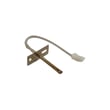
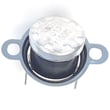
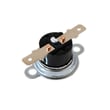
Once you have the model number, you can order parts from the parts list for JK3800SH9SS on this page, or search by model number on Sears PartsDirect. If you are troubleshooting a heating issue, a common related part is the wall oven temperature sensor WB21X10165.
Last updated: February 2026
How to reset a GE wall oven?
To reset your GE JK3800SH9SS wall oven/microwave combo, turn the dedicated circuit breaker OFF (or remove the fuse) for about 1 minute, then restore power. This power-cycle resets the electronic control and clears many temporary glitches.
- Turn the oven OFF at the control panel.
- Locate the correct breaker for the wall oven/microwave combo (often a 240V double-pole breaker).
- Switch the breaker to OFF (or remove the fuse).
- Wait 60 seconds.
- Switch the breaker back to ON (or reinstall the fuse).
- Set the clock, then test Bake and the microwave for normal operation.
A reset helps with control lockups, but it will not correct a failed sensor, cooling issue, or a door-lock problem.
- If the oven heats incorrectly or shows a temperature-related error, check the wall oven temperature sensor WB21X10165.
- If the unit overheats, runs the cooling fan constantly, or will not run the fan when hot, check the wall oven cooling fan assembly WB26X31060 and the wall oven cooling fan sensor board WB27T11463.
- If the oven will not start a self-clean cycle or shows door-lock symptoms, check the wall oven door lock assembly WB10X28391.
| Symptom after reset | Most likely area to check | Example part on this model |
|---|---|---|
| Oven temp is off, erratic baking | Temperature sensing | WB21X10165 |
| Fan issues, overheating messages | Cooling fan and fan control | WB26X31060, WB27T11463 |
| Self-clean will not start, door won’t lock/unlock | Door lock system | WB10X28391 |
Resetting power is the fastest way to clear a “stuck” control board state after a power flicker or keypad glitch. If symptoms return quickly, the issue is usually a component (sensor, fan system, lock) rather than the control needing another reset.
You can order replacement parts for your GE JK3800SH9SS from the parts list for this model, or search by model number on Sears PartsDirect.
Last updated: February 2026
What are common problems with GE Profile microwaves?
Common problems we see with GE Profile microwaves (including the microwave portion of your GE JK3800SH9SS wall oven/microwave combo) include not heating, door-switch faults, turntable issues, interior arcing, and intermittent power or tripped breakers. Many symptoms trace back to door interlock switches, high-voltage components, or airflow and overheating conditions.
- Runs but does not heat: high-voltage transformer, magnetron circuit, or related high-voltage parts
- Dead display or intermittent power: loose wiring, control/relay issues, or a failing safety device
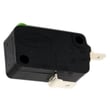
- Starts then stops when the door moves: worn or misaligned door interlock switches
- Sparking or burn marks inside: damaged waveguide cover, metal in the cavity, or food splatter carbonizing
- Turntable not rotating: failed turntable motor or coupler/drive issue
- Confirm the microwave is on a dedicated circuit and the plug is fully seated.
- Inspect the cavity for foil, twist ties, metal-rimmed dishes, or a damaged rack.
- Clean the interior thoroughly; baked-on splatter can contribute to arcing.
- Check that the door closes squarely and latches smoothly (no sagging or slamming).
- If arcing is present, stop using the microwave until the cause is corrected.
If your symptoms match, these model-compatible parts are common repair paths:
| Symptom | Likely part area | Example part on this model |
|---|---|---|
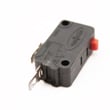
| Won’t start or stops when door closes | Door interlock system | Microwave door interlock switch WB24X10047 |
| Interior arcing near the side wall | Waveguide protection | Microwave waveguide cover WB06X10638 |
| Turntable not turning | Turntable drive | Microwave turntable motor WB26X10193 |
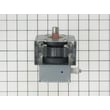
| Loud hum, no heat, burning smell | High-voltage system | Microwave high-voltage transformer WB17X10030 |
Microwave door-switch problems can prevent safe operation, and arcing can quickly damage the cavity or internal components. Addressing the root cause early helps avoid repeat failures and protects the oven/microwave combo’s control and wiring.
For ordering, we list model-specific replacement parts for GE JK3800SH9SS on this page; you can also search by model number on Sears PartsDirect.
Last updated: February 2026
What's the average lifespan of a GE microwave?
A GE microwave typically lasts 10 years. In a built-in combo unit like the GE JK3800SH9SS wall oven/microwave combo, keeping the cooling airflow clear and fixing door-switch or heating issues early helps the microwave reach its full service life.
- Door use and slamming: wears door latches and interlock switches
- Ventilation and heat: restricted airflow shortens electronics life
- Cleanliness: grease and food debris can cause arcing and overheating
- Power quality: frequent surges stress the control and high-voltage system
- Usage pattern: long cook times and back-to-back cycles add heat load
- Confirm the door closes smoothly and consistently; a misaligned door can trigger no-start symptoms.
- Keep the waveguide area clean and intact; replace a damaged cover to prevent arcing.
- If the unit runs but does not heat, the high-voltage circuit is a common diagnostic area.
- If the turntable stops rotating, check the motor and coupler area for binding.
| Symptom | What it often points to | Example part on this model |
|---|---|---|
| Microwave will not start | Door interlock circuit issue | Microwave door interlock switch WB24X10047 |
| Runs but no heat | High-voltage component problem | Microwave high-voltage transformer WB17X10030 |
| Turntable not turning | Turntable drive issue | Microwave turntable motor WB26X10193 |
| Sparking/arcing in cavity | Damaged cover or debris | Microwave waveguide cover WB06X10638 |
Microwaves often fail from heat stress or door-interlock wear. Addressing those early protects the control electronics and helps avoid repeat shutdowns, nuisance no-starts, and inconsistent heating.
For replacement parts for GE JK3800SH9SS, order from the parts list for this model or search by model number on Sears PartsDirect.
Last updated: February 2026