




What is the life expectancy of a GE washing machine?
A GE washing machine like model GTW525ACW0WB typically lasts 10 to 14 years. With normal household use, good loading habits, and basic maintenance, many washers reach the upper end of that range before major parts (motor, drain system, suspension) start wearing out.
What affects washer lifespan the most
- Load size and balance: frequent overloading and off-balance loads strain the suspension and drive system.
- Drain performance: slow draining makes the pump work harder and can shorten its life.
- Water quality: hard water and sediment can affect valves and internal components.
- Detergent use: too much detergent increases residue and odors, which leads to more cleaning cycles.
- Vibration and leveling: an unlevel washer accelerates wear on rods, springs, and bearings.
Common “wear” parts that often decide when repairs start
If your GTW525ACW0WB begins banging, not spinning out, or leaving water behind, these are frequent suspects:
| Symptom | Often related to | Example part for this model |
|---|---|---|
| Won’t drain or drains slowly | Drain pump, drain hose | GE washer drain pump assembly WH23X28418 |
| Excessive shaking or banging | Suspension rods and springs | Washer suspension rod and spring assembly (WH16X26911) |
| Won’t shift/spin correctly | Shifter, speed sensing | Washer shifter assembly (WH03X30517) |
Why it matters
Knowing the typical 10 to 14 year lifespan helps you decide whether to repair or replace. If the washer is near the end of that range and needs a high-cost repair (basket, bearing, control), replacement often makes more sense; if it is mid-life, a targeted part replacement is usually worthwhile.
Quick tips to help your GE washer last longer
- Keep loads below the top row of holes in the basket.
- Wash bulky items (blankets, comforters) one at a time.
- Use HE detergent and measure carefully.
- Check pockets to reduce coins and debris that can damage the drain pump.
- If an error code appears, use GE gtw top load washer error codes to pinpoint the failure faster.
Last updated: February 2026
What is the most common problem with GE washers?
The most common problem we see with GE washers (including model GTW525ACW0WB) is a no-spin or weak-spin condition, often paired with draining issues. In many cases, the root cause is a lid lock problem, a drain restriction, or a drive system fault that prevents the washer from reaching full spin speed.
Most common symptoms (and what they usually point to)
- Won’t spin or stops mid-cycle: lid lock not engaging, shifter/drive issue, speed sensing problem
- Won’t drain or drains slowly: clogged pump, kinked drain hose, failing drain pump
- Loud banging or walking: worn suspension rods, unbalanced load, weak springs
- Agitation problems: shifter issue, agitator components worn
- Intermittent dead or “glitchy” behavior: control board or wiring harness connection issue
Quick checks we recommend first
- Redistribute the load (bulky items can prevent a high-speed spin).
- Confirm the lid fully closes and nothing is blocking the latch area.
- Check the drain path for kinks or clogs; inspect the standpipe and the washer outlet.
- Listen for the drain pump during drain; a loud hum with little water movement often indicates a restriction or failing pump.
- Look for stored error codes to narrow the failure quickly using GE gtw top load washer error codes.
Parts that commonly fix these issues on GTW525ACW0WB
| Symptom | Common suspect | Example part for this model |
|---|---|---|
| Won’t drain / slow drain | Drain pump or blockage | GE washer drain pump assembly WH23X28418 |
| Excessive vibration / off-balance | Suspension rods/springs | Washer suspension rod and spring assembly (model-specific set) |
| Won’t shift into spin/agitate correctly | Shifter | Washer shifter assembly WH03X30517 |
Why it matters
A washer that can’t drain or spin usually leaves clothes soaking wet and can trigger repeated cycle interruptions. Catching the cause early (drain restriction, lid lock behavior, or suspension wear) helps prevent secondary damage to the drive system and reduces repeat failures.
Last updated: February 2026
How do I tell what model my GE washer is?
Your GE washer’s model number is printed on a rating label attached to the washer cabinet. On GE top-load models like GTW525ACW0WB, the label is most often under the lid opening, behind the control panel area, or on the cabinet side near the bottom.
Where to look on a GE top-load washer
Check these common label locations (in order):
- Under the lid, around the tub opening (top rim of the cabinet)
- On the back of the control panel or rear console area
- On the left or right cabinet side near the bottom edge
- On the back panel of the washer cabinet
What the label looks like (and what to write down)
The label usually includes several identifiers. For parts lookup and troubleshooting, we recommend recording:
- Model number (example format: GTW525ACW0WB)
- Serial number (helps date the unit)
- Brand (GE)
- Electrical rating (useful for service checks)
| Item on label | Why it matters | Example |
|---|---|---|
| Model number | Ensures correct parts fit | GTW525ACW0WB |
| Serial number | Identifies production run | (varies) |
| Electrical rating | Helps confirm power requirements | (varies) |
If the label is missing or unreadable
Use these practical backups:
- Check your purchase receipt, delivery paperwork, or home warranty documents
- Look for the model number on any service invoice left by a technician
- If you are ordering a common repair part, match by model first; for example, a drain issue often points to the GE washer drain pump assembly WH23X28418
Why it matters
GE washer parts, wiring, and control systems can vary by revision. Using the exact model number (including every letter and digit) helps us match the correct lid lock, water inlet valve, drain pump, or control board for your washer.
Last updated: February 2026
How to force GE washer to drain and spin?
On the GE GTW525ACW0WB washer, we force a drain and spin by selecting the Drain + Spin cycle (or Spin Only, if offered), then pressing Start/Pause. If the tub is full of water, this is the fastest way to clear it without running a full wash.
Quick steps to drain and spin
- Press Power to wake the control.
- If the washer is paused, press Start/Pause once to cancel, then wait a few seconds.
- Turn the cycle knob to Drain + Spin (or choose Spin Only and set a spin speed).
- Press and hold Start/Pause (some versions require a brief hold) to begin.
- If the lid is locked, wait for the lock to engage; the pump should start within about 30 to 60 seconds.
If it will not drain (most common causes)
A drain and spin cycle will not work if the washer cannot pump water out or the control thinks it is unsafe to spin.
- Kinked or clogged drain hose; check the standpipe height and remove any pinches in the hose. If the hose is damaged or restricted, replace the washer drain hose WH41X32477.
- Blocked or failed drain pump; coins, socks, or debris can jam the impeller. If the pump hums but does not move water, replace the GE washer drain pump assembly WH23X28418.
- Lid lock not engaging; the washer may refuse to spin if it cannot confirm the lid is locked.
- Out-of-balance load; redistribute bulky items and try Drain + Spin again.
- Control error; check for stored fault codes and follow the reset steps for your code.
Error codes and what to check first
Use the code to decide whether to focus on draining, lid lock, or drive issues.
| What you see | What it usually points to | First thing to do |
|---|---|---|
| Won’t drain, water stays in tub | Drain path or pump problem | Inspect hose routing; listen for pump |
| Drains but won’t spin | Lid lock, balance, or drive system | Rebalance load; confirm lid locks |
| Beeping/flashing lights | Stored fault code | Use GE gtw top load washer error codes |
Why it matters
Running Drain + Spin is the safest way to clear standing water and protect the gear case, clutch, and drive motor from strain. It also helps you confirm whether the problem is in the drain system (hose/pump) or in the spin safety system (lid lock/balance).
Last updated: February 2026
What would cause a GE washer to not spin?
If your GE GTW525ACW0WB washer won’t spin, the most common causes are load balance problems, a lid lock that isn’t engaging, a drain problem that leaves water in the tub, or a drive system issue (shifter, clutch, motor, or speed sensing). Fixing the root cause prevents repeat wet loads.
Quick checks we recommend first
- Redistribute the load; bulky items can throw the basket off balance and stop or limit spin.
- Make sure the lid closes firmly and the lock engages; a failed lock can prevent spin for safety.
- Confirm the washer drains fully; standing water often blocks high-speed spin.
- Run a Spin/Drain cycle with the tub empty to see if the symptom changes.
- Listen for clues: humming (motor trying), clicking (shifting), or no sound (control or lock issue).
Parts that commonly cause “no spin” on this model
On the GTW525ACW0WB, these parts are frequent suspects when basic checks do not solve it:
| Symptom you notice | Likely area | Example part for this model |
|---|---|---|
| Tub won’t drain, clothes soaking wet | Drain system | GE washer drain pump assembly WH23X28418 or washer drain hose WH41X32477 |
| Agitates but won’t shift into spin | Shifting/drive | Washer shifter assembly WH03X30517 |
| Spins weakly, slips, or bangs during spin | Clutch/suspension | Washer clutch WH05X24185 or washer suspension rod and spring assembly WH16X26911 |
| Stops and tries again, odd speed behavior | Speed feedback | Washer speed sensor WH03X32158 |
Why it matters
A washer that cannot spin usually leaves excess water in fabrics, which increases dry time and can strain the drive motor and control system. Addressing draining, lid locking, and load balance first avoids replacing parts unnecessarily.
Helpful DIY reference
If your washer is showing an error code along with the no-spin problem, use our GE gtw top load washer error codes guide to match the code to the most likely failure.
Last updated: February 2026
How to reset the spin cycle on a GE washer?
To reset a spin problem on your GE GTW525ACW0WB washer, we recommend a quick power reset first: unplug the washer for 60 seconds, plug it back in, then start a Drain & Spin cycle. If it still will not spin, focus on lid lock and out-of-balance causes.
Quick reset steps (most effective first)
- Unplug the washer for 1 minute.
- Plug it back in.
- Select Drain & Spin and press Start.
- If the lid is open, close it firmly so the lid lock can engage.
- If the tub is full of water, let it drain completely before retrying spin.
If it still will not spin
A “no spin” symptom is usually caused by one of these conditions:
- Unbalanced load: pause the cycle, redistribute items, then restart.
- Lid not locking: the washer will not spin at full speed if it cannot confirm the lid is locked.
- Drain problem: if water does not pump out, the washer typically will not spin.
- Drive system not shifting: the washer may agitate but not transition into spin.
- Control issue: a stored fault can stop spin until the underlying problem is corrected.
Parts that commonly affect spinning on this model
If troubleshooting points to a failed component, these are common spin-related parts for GTW525ACW0WB:
| Symptom | Most likely area | Example part for this model |
|---|---|---|
| Won’t drain, then won’t spin | Drain system | GE washer drain pump assembly WH23X28418 |
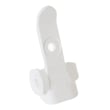
| Lid won’t lock or unlocks mid-cycle | Lid lock system | Lid lock bezel WH01X31220 |
| Agitates but won’t shift into spin | Shifter/drive | Washer shifter assembly WH03X30517 |
Why it matters
Resetting restores normal control logic after a glitch, but a washer that repeatedly will not spin is usually protecting itself (lid not locked, water not drained, or load out of balance). Fixing the root cause prevents repeat stoppages and reduces wear on the drive motor and gear case.
For code-based troubleshooting, use GE gtw top load washer error codes.
Last updated: February 2026


