 Installation guide
 Owner’s manual





Do all GE microwaves use the same mounting bracket?
No. GE microwaves do not all use the same mounting bracket because mounting methods, hole patterns, trim, and required clearances vary by model and installation style; for the GE CSB913P4N2W2 built-in microwave, we recommend following the exact bracket and cabinet-opening requirements in the CSB913P4N2W2 installation guide.
- Match the replacement by exact model number and installation type (built-in vs over-the-range).
- Use the bracket, rails, and hardware specified for the new unit.
- Verify the cabinet opening and support surface can handle the appliance weight.
- Confirm required clearances before you drill new holes.
- Shut off power at the breaker before any installation work.
Different GE lines and generations can use different:
| What changes | Why it affects the bracket |
|---|---|
| Mounting style (built-in trim/flush vs standard) | Bracket location and trim overlap differ |
| Cabinet cutout dimensions | Hole placement and support rails change |
| Door and latch geometry | Alignment must be exact for safe door closing |
| Venting and electrical routing | Bracket and support points may shift |
The CSB913P4N2W2 is a built-in unit that relies on a properly prepared opening and a solid support surface. The installation instructions call out cabinet-opening dimensions and emphasize that the mounting surface must support the cabinet load plus the oven and contents.
For safe installation details (cutout sizing, reveals, and support requirements), use the CSB913P4N2W2 installation guide. For operating and care information, use the CSB913P4N2W2 owner’s manual.
A mismatched bracket can leave the microwave unsupported or misaligned, which can cause door fit problems, vibration, and unsafe mounting. Using the correct GE hardware and cutout dimensions helps the unit sit square, latch correctly, and operate normally.
Last updated: February 2026
What's the average lifespan of a GE microwave?
Most GE microwaves last about 8 years on average. For a built-in model like GE CSB913P4N2W2, a realistic lifespan is 5 to 10 years, with longer life when the door, cooling airflow, and interior are kept clean and the unit is not run empty; see the care and troubleshooting guidance in the CSB913P4N2W2 owner’s manual.
- Light to moderate use (reheating, beverages): 8 to 10 years
- Heavy daily cooking: 5 to 8 years
- Well-maintained, properly vented built-in installs: 10+ years
| Usage pattern | What wears fastest | Common symptom |
|---|---|---|
| Heavy start/stop cycles | Door interlock system | Won’t start, stops when door moves |
| Long cook times | High-voltage components | Runs but doesn’t heat |
| Grease and steam exposure | Cooling airflow and sensors | Overheats, inconsistent results |
- Slamming the door or pulling it open while running (stresses the latch and interlocks)
- Running the microwave empty (can damage the waveguide area)
- Blocked airflow around a built-in cabinet cutout
- Grease buildup on interior surfaces and around the door area
- Power issues (frequent surges or nuisance tripping)
If your CSB913P4N2W2 starts acting up, these are frequent culprits:
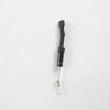
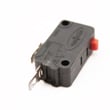
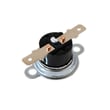
- Microwave primary interlock switch WB24X10047 (safety switch that confirms the door is closed)
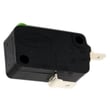
- Microwave door interlock switch WB24X25397 (door sensing and safety circuit)
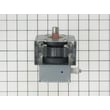
- Microwave magnetron WB26X32629 (heating component; often blamed when it runs but won’t heat)
Microwaves rely on door interlocks and high-voltage heating parts to operate safely and consistently. When performance drops (no heat, intermittent running, unusual stopping), addressing the root cause early can prevent repeat failures and reduce downtime.
Last updated: February 2026
Is it worth repairing a GE microwave?
Yes, repairing a GE microwave is usually worth it when the unit is relatively new and the failure is a common, lower-cost item (like a door interlock switch or turntable parts). For an older microwave with a major electrical failure (control board, transformer, magnetron), replacement often makes more sense.
Use this checklist for your GE CSB913P4N2W2 built-in microwave:
- Start with safety: if the door is bent, latches are loose, or seals are damaged, stop using it and have it serviced.
- If it is a simple symptom (won’t start, runs with door issues, turntable not turning), repair is typically the better choice.
- If it is a high-voltage symptom (no heat, burning smell, loud hum), repairs can be expensive and should be handled by a qualified technician.
- If the microwave is under warranty, repair is the clear winner (magnetron coverage is commonly longer than general parts coverage).
- If the repair estimate is near the price of a comparable new unit, replacement is usually the better value.
| Symptom | Likely area | Typical “worth it” guidance |
|---|---|---|
| Won’t start, acts like door is open | Door interlock system | Often worth repairing (switches and latch parts are common fixes) |
| Turntable not turning | Turntable drive | Often worth repairing (motor, coupler, support) |
| Runs but does not heat | High-voltage system | Often leans toward replacement unless the unit is newer or premium |
| Dead display/no power | Power supply/control | Can be costly; compare repair cost to replacement |
These are frequent “good bet” repairs on CSB913P4N2W2 when symptoms match:
- Microwave primary interlock switch WB24X10047 (no-start or door-related issues)
- Microwave door interlock switch WB24X25397 (intermittent start, door sensing problems)
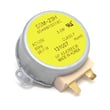
- Microwave turntable motor WB26X10193 (turntable not rotating)
- Microwave waveguide cover WB06X10638 (arcing caused by a damaged cover; replace if burned or cracked)
A built-in microwave is more expensive to swap than a countertop unit because removal and reinstallation take time. When the problem is a door switch, latch component, or turntable drive part, repairing usually restores safe, normal operation at a much lower total cost than replacement.
- Use the troubleshooting and operating guidance in the CSB913P4N2W2 owner’s manual.
- If you are reinstalling or replacing the unit, follow the CSB913P4N2W2 installation guide to verify power-on checks and final fit.
Last updated: February 2026
What usually breaks in a microwave?
In a GE built-in microwave like model CSB913P4N2W2, the parts that most often cause a “won’t run” or “won’t heat” complaint are the door interlock switches, control electronics, and high-voltage heating components. We also see failures tied to arcing damage from improper cookware or foil use (see the CSB913P4N2W2 owner’s manual).
- Door interlock switches and latch components (unit may not start, or stops when the door moves)
- Control board or relay/control electronics (dead display, random shutdowns, no response)
- High-voltage heating circuit (runs but does not heat)
- Turntable drive parts (tray does not rotate, uneven heating)
- Interior light (light out, but cooking still works)
| Symptom | Most likely area | Example part for CSB913P4N2W2 |
|---|---|---|
| Won’t start, acts like door is open | Door interlock circuit | Microwave primary interlock switch WB24X10047 |
| Starts then stops when door is bumped | Door interlock circuit | Microwave door interlock switch WB24X25397 |
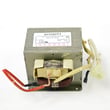
| Runs (fan/light) but no heat | High-voltage system | Microwave magnetron WB26X32629 or microwave high-voltage transformer WB17X10030 |
| Turntable not turning | Turntable drive | Microwave turntable motor WB26X10193 |
| Sparking/arcing inside cavity | Cookware/foil, waveguide area | Microwave waveguide cover WB06X10638 (if damaged) |
- Confirm the door closes firmly and the latch feels solid; a loose latch can prevent the interlocks from closing.
- If you see sparks, press Cancel and correct the cause; arcing is commonly triggered by metal, foil, twist ties, or gold-rimmed dishes.
- Keep foil at least 1 inch from the oven walls when foil is used as directed.
- Do not run the microwave without the turntable installed and able to rotate freely.
- If the unit is completely dead, check the home breaker first; then move to internal electrical diagnosis.
Door interlock problems are both common and disruptive because the microwave is designed to stop immediately if the door circuit is not proven safe. Arcing matters because it can damage interior components (including the waveguide cover) and lead to repeat failures.
Last updated: February 2026


