Owner’s manual
 Error Codes





How do I reset the error code on my GE oven?
On your GE JB735SP4SS electric range, you can clear many error codes by doing a power reset: shut off power at the circuit breaker for 3 to 5 minutes, then restore power. If the code returns, the control is still detecting a problem that needs troubleshooting.
- Press Cancel/Off to stop any active cooking cycle.
- Turn OFF the range circuit breaker (preferred) or unplug the range if accessible.
- Wait 3 to 5 minutes.
- Restore power.
- Set the clock if needed and try Bake again.
For control-panel functions like Cancel/Off and Lock Controls (press and hold 3 seconds), use the JB735SP4SS manual.
A repeating code usually means the range is sensing an ongoing issue, not a one-time glitch.
- If the keypad acts like a button is stuck or beeps, try Lock Controls (hold 3 seconds) to rule out a control lock issue.
- If the oven won’t heat, overheats, or heats erratically, focus on temperature sensing, wiring connections, and heating circuits.
- If the display is blank or the oven won’t start after reset, the electronic control or user interface may be involved.
Model-matched help for decoding the specific fault is in GE freestanding range error codes.
Because error codes vary, we match parts to the symptom and the exact code.
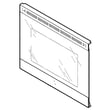
- Control and faceplate WB27X47793 (control and user interface assembly)
- Check the available parts list for your model if you suspect a sensor, wiring harness, or heating component.
| Result after reset | What it usually means | What we recommend |
|---|---|---|
| Code clears and stays off | Temporary control glitch or brief power event | Monitor operation |
| Code returns right away | Active fault still present | Identify the code; troubleshoot that circuit |
| Oven won’t heat and code returns | Heating or sensing problem | Inspect wiring and components; service if needed |
A reset can clear a control “lockup” after a power interruption, but a repeating error code is a safety signal. Fixing the underlying cause helps prevent no-heat problems, overheating, and repeated shutdowns.
Last updated: January 2026
What are the most common issues with JB735SP4SS?
The most common issues we see with the GE JB735SP4SS electric range involve surface burners not heating correctly, the oven not baking or broiling evenly, and door or light problems. These symptoms usually trace to a failed heating element, a worn control switch, or a door seal that is no longer sealing tightly.
- Surface element will not heat or cycles erratically: failed infinite switch or a bad radiant/halogen element
- One burner stuck on high: shorted surface element control switch
- Oven not heating (bake): failed bake element or a wiring connection issue
- Broil not working: failed broil element
- Oven takes too long or heats unevenly: weak element, poor door seal, or airflow/usage issues
- Heat escaping around the door: worn or torn door gasket
- Oven light out: burned-out bulb or lamp assembly issue
If your symptoms match, these model-specific parts are common fixes for JB735SP4SS:
| Symptom | Likely part to check | Example part on this model |
|---|---|---|
| Burner not heating | Surface element | Range dual radiant surface element, 6 to 9-in WB30X24111 |
| Burner stuck on high | Surface element control switch | GE range surface element control switch WB24X25013 |
| No bake heat | Bake element | Range bake element WB44X45499 |
| No broil heat | Broil element | Range broil element WB44X45491 |
| Heat leaking at door | Door gasket | Range oven door gasket WB04T10086 |
- Confirm the correct knob is being used for the correct burner.
- Look for visible damage: blistering, cracks, or burn spots on elements.
- For oven issues, test Bake and Broil separately to narrow the circuit.
- Check for a loose or overheated wire connection at the element or switch.
- Reset the range by turning the breaker off for 1 minute, then back on.
A weak element or leaking door gasket can cause long preheat times, uneven cooking, and overheating of nearby components. Catching the failing part early helps prevent additional wiring or control damage.
For model-specific diagnostics, wiring diagrams, and component locations, use the JB735SP4SS owner’s manual.
Last updated: March 2026
What does F4 mean on a stove?
On the GE JB735SP4SS electric range, “F4” is an electronic control fault code, but the exact definition is not identified in the model-specific information we have for this range. We recommend clearing the code and doing a safe power reset first, then troubleshooting the temperature-sensing circuit and control if it returns. See the JB735SP4SS owner’s manual for operating and safety guidance.
- Press Cancel/Off to stop the beeping and clear the display.
- Turn the range off at the circuit breaker for 1 minute, then restore power.
- Let the oven cool completely if the code appeared after baking or self-clean.
- Try Bake again and watch whether the code returns during preheat.
- If the code returns immediately at power-up, avoid using the oven until it’s checked.
On many GE electric ranges, F-codes commonly point to a problem with how the control is reading temperature or monitoring circuits. Common areas to check include:
- Oven temperature sensor circuit (sensor, wiring, connectors)
- Loose or heat-damaged wire connections at the rear of the range
- Electronic oven control or user interface issue
| When F4 shows up | Most likely area to check | Next step |
|---|---|---|
| During preheat or while baking | Sensor circuit or wiring | Inspect connections, then test sensor circuit |
| Immediately after restoring power | Control or sensor circuit | Power reset, then diagnose control/sensor |
| Intermittent with heavy use | Heat-related connection issue | Check for loose or discolored terminals |
When the control can’t reliably read temperature or monitor feedback, the oven may shut down, overheat, or cook inconsistently. Addressing the cause helps protect baking performance and prevents repeat error codes.
For a broader list of GE fault codes and what they usually indicate, use our GE freestanding range error codes reference.
Last updated: January 2026