Installation guide
 Owner’s manual
 Error Codes


Does GE make a manual defrost upright freezer?
Yes. GE makes manual defrost upright freezers, but the GE ZIF360NXARH is a frost-free (automatic defrost) all-freezer design that uses a defrost heater on a timer. For model-specific features and settings, use the ZIF360NXARH owner's manual.
Manual defrost vs. frost-free: what’s the difference?
Manual defrost models require you to periodically remove frost buildup yourself; frost-free models melt frost automatically using a defrost system.
- Manual defrost: you shut the unit off, remove food, and melt/clear ice
- Frost-free (automatic defrost): a defrost heater runs on a timer to prevent heavy frost
- Why it matters: frost-free units reduce maintenance but can have more components (heater, sensors, control)
| Feature | Manual defrost upright freezer | Frost-free upright freezer (like ZIF360NXARH) |
|---|---|---|
| Frost removal | You do it | Automatic defrost cycle does it |
| Maintenance | Regular defrosting needed | Minimal defrost maintenance |
| Common concerns | Ice buildup, stuck door | Fan noise during cycles, defrost-related issues |
How to tell what type you have (quick checks)
Use these practical checks before shopping for parts or comparing models:
- Look for “manual defrost” or “frost-free” on the rating label or product description
- Check the control area for defrost-related features (common on frost-free designs)
- Review the defrost and operating notes in the ZIF360NXARH owner's manual
- If you see recurring heavy frost on interior walls, check door seal and door closing first
Why it matters for troubleshooting and parts
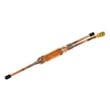
On the ZIF360NXARH, defrost operation is part of normal performance; for example, the manual notes the defrost heater continues to defrost on a timer (including in Sabbath Mode). If you are diagnosing temperature swings or frost patterns, components like the temperature sensor WR55X10025 can be part of the cooling and defrost control system.
Last updated: February 2026
How do I find the right GE part number?
For your GE ZIF360NXARH upright freezer, the right part number starts with the exact model number. We match parts to ZIF360NXARH because GE often uses different components across similar-looking units, and the correct match prevents fit, wiring, and temperature-control problems.
Step-by-step: how we recommend finding the correct part
- Confirm the model number on the appliance data tag (inside the cabinet, near the door opening, or on the side wall).
- Use the model number ZIF360NXARH when searching parts; avoid searching by “36-inch freezer” or by appearance.
- Identify the failed system (cooling, fan noise, water/ice, door sealing, lighting).
- Cross-check the part name and where it installs using the exploded-view diagrams in the ZIF360NXARH owner’s manual.
- If the repair involves wiring or sensors, turn off power at the breaker before handling connectors.
Common examples of “part number vs. part ID” (what to match)
On Sears PartsDirect, you will often see both a manufacturer part number and a Sears PartsDirect part ID. Either can be used to order, but matching by model + part description is the safest.
| Example part (for this model page) | Part ID to search/order | What it helps with |
|---|---|---|
| Temperature sensor | WR55X10025 | Temperature feedback issues, erratic temps |
| Inverter | WR49X10283 | Compressor drive/control problems |
| Door handle | WR12X10948 | Broken/loose handle replacement |
Quick troubleshooting clues that point to the right part family
- Warm freezer or fluctuating temps: sensor, control board, inverter, compressor
- Loud airflow or no circulation: evaporator fan blade or related mounting grommets
- Door not closing smoothly: handle, trim, door components, basket bumpers
- Water-related parts listed for this model page: only replace if your unit is plumbed for a feature that uses water
Why it matters
GE uses model-specific electrical connectors, control logic, and mounting styles. Matching the correct ZIF360NXARH part number reduces repeat failures, prevents installation issues, and helps the freezer maintain stable temperatures.
Last updated: February 2026
How to order GE appliance parts?
To order parts for your GE ZIF360NXARH upright freezer, have your full model number and serial number ready, then choose the replacement part by part number or description from the parts list. If you need help confirming the right part, contact Sears PartsDirect support.
What to do before you order
- Confirm the complete model number: ZIF360NXARH
- Locate the serial number (often on the rating label inside the cabinet)
- Identify the failed part by symptom and location
- Use the parts diagram and part list in the ZIF360NXARH owner's manual
- If the repair involves sealed-system work or complex wiring, use a qualified technician
Ordering options (what to use when)
| Situation | Best option | What you need ready |
|---|---|---|
| You know the part you need | Order by part ID or part number | Model number, part ID or part number |
| Part is out of stock or you want help verifying fit | Contact Sears PartsDirect support | Model number, serial number, part details |
| You are troubleshooting first | Use manual steps, then order | Symptom details, any error indicators |
Common parts customers order for this model
These are examples of parts that may apply depending on your freezer’s configuration and symptoms:
- Temperature sensor WR55X10025 for temperature reading issues
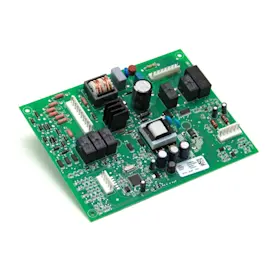
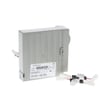
- Freezer electronic control assembly WR55X10927 for control or power-related problems
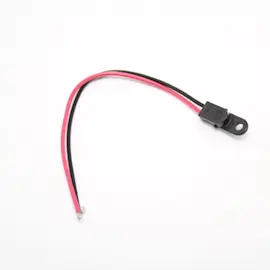
- Refrigerator power cord WR23X10300 if the cord is damaged
Why it matters
Ordering by the exact model number and correct part ID prevents fit and wiring mismatches, especially on GE freezer platforms where sensors, control boards, and harness connections can vary by revision.
Last updated: March 2026
How to reset a GE stand up freezer?
To reset your GE ZIF360NXARH upright freezer, unplug the unit for about 30 seconds, then plug it back in and allow the controls to reboot. If the alarm is sounding, use the alarm reset function described in the ZIF360NXARH owner's manual.
Quick reset steps (power reset)
- Make sure the freezer door is fully closed.
- Confirm the outlet has power (try a lamp or small appliance).
- Unplug the freezer.
- Wait 30 seconds.
- Plug it back in.
- Give the freezer time to stabilize; temperature changes can take up to 24 hours after adjustments.
If the control display shows OFF
On this style of GE all-freezer unit, setting the control to OFF stops cooling but does not shut off electrical power. To turn cooling back on, press the minus (-) pad; the preset freezer temperature of 0°F should appear.
Control behavior at a glance
| What you see | What it means | What to do |
|---|---|---|
| OFF on display | Cooling is disabled | Press minus (-) to turn cooling on |
| Alarm sounding | Temperature or door condition triggered alarm | Close door, allow temps to recover, then reset alarm per manual |
| Temps not recovering after reset | Possible airflow, sensor, or control issue | Check vents, loading, and consider service diagnosis |
Common reasons a reset does not “fix” the issue
- Door left open or frequent openings raising internal temperature
- Warm food load added all at once
- Blocked air vents from overpacked baskets/shelves
- Dirty condenser area reducing heat removal
- A failed sensor or control component (for example, a faulty temperature sensor WR55X10025)
Why it matters
A reset clears minor control glitches, but alarms and temperature swings are usually caused by door openings, heavy loading, or airflow restrictions. Restoring proper cooling quickly helps protect food quality and prevents repeat alarms.
Last updated: February 2026
What is the most common problem with a GE refrigerator?
The most common GE refrigerator problem is inadequate cooling. On the GE ZIF360NXARH all-freezer, “too warm” complaints are usually tied to airflow restrictions, frequent door openings, a door not sealing, or a fan/control issue; start with the basic checks in the ZIF360NXARH owner’s manual.
Quick checks that fix many “not cold enough” calls
- Make sure the door closes fully; packages can hold it open.
- Check the door gasket for gaps or being out of position.
- Confirm the cabinet is level; leveling affects door closing.
- Reduce frequent door openings and avoid leaving the door open.
- Do not block interior air vents with tightly packed food.
- Give temperatures time to stabilize after changes (modern units cycle often).
What to check next (common parts involved)
If the basics look good and temperatures still run warm, these components are common suspects:
- Temperature sensing: a failed sensor can misread cabinet temperature (see temperature sensor WR55X10025).
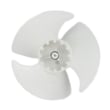
- Air movement: a damaged fan blade can reduce airflow across the evaporator (see refrigerator evaporator fan blade WR60X30922).
- Controls: electronic control issues can cause odd cycling or incorrect cooling decisions.
Symptom-to-likely-cause guide
| Symptom | What it often points to | What we do first |
|---|---|---|
| Freezer too warm, door seems “ajar” | Door gasket out of position, unit not level, food blocking door | Inspect gasket, re-level, rearrange food |
| Temps drift, display seems inconsistent | Temperature sensor issue | Check sensor placement/connection; test sensor |
| Warm spots, weak airflow sound | Evaporator fan/blade issue | Inspect for ice obstruction; check fan operation |
| Long run times or frequent cycling | Normal for modern units, or airflow/door issues | Verify door seal and ventilation before replacing parts |
Why it matters
Cooling problems are usually progressive; a small door leak or blocked airflow can lead to frost buildup, temperature swings, and food quality issues. Catching the simple causes early prevents unnecessary part replacement.
Last updated: February 2026
Where is the model number on a GE upright freezer?
On the GE ZIF360NXARH upright freezer, the model number is printed on the rating label inside the cabinet; you will typically see it under the storage drawers. Write down the full model and serial number exactly as shown before ordering parts or scheduling service.
Common places to check
- Inside the freezer compartment under the storage drawers (most common for this style)
- On an interior side wall near the lower bins
- Behind the lower kick plate or toe grille area
- Along the door frame edge (open the door and look around the perimeter)
- On the back of the cabinet near the power cord entry
Quick steps to find it fast
- Open the freezer door and pull out the lower storage drawers.
- Look for a white or silver label on the inside liner under the drawers.
- Record both the model number and serial number.
- Use those numbers when referencing diagrams, troubleshooting, or ordering parts from our catalog.
What the label usually looks like
| What you’ll see | Why it’s important |
|---|---|
| Model number (example: ZIF360NXARH) | Ensures correct part fit and diagrams |
| Serial number | Helps match production changes |
| Electrical ratings | Useful for diagnosing power issues |
Why it matters
GE built-in all-freezer platforms can have part variations by production run. Using the exact model and serial number helps us match the correct control board, temperature sensor, door parts, and other components the first time.
For model-specific label location details and service references, use the ZIF360NXARH owner’s manual.
Last updated: February 2026
Why is my GE upright freezer not cooling?
If your GE ZIF360NXARH upright freezer is not cooling, the most common causes are the cooling system being set to OFF, a temperature setting that is not cold enough, power supply problems, or airflow issues from frequent door openings. Start with the control settings and power checks before testing parts.
Quick checks first (no tools)
- Confirm the display is not showing OFF; on this model, pressing the plus (+) pad can turn cooling off, and pressing the minus (-) pad turns cooling back on (preset is 0°F for the freezer).
- Give the freezer time to stabilize after changes; allow 24 hours to reach the preset temperature.
- Check for a door left ajar, packages holding the door open, or a door gasket out of position.
- Reduce frequent door openings; they temporarily raise internal temperature.
- Verify the freezer is plugged directly into a grounded outlet (no extension cord, no adapter plug).
What to check if it has power but still will not cool
When the unit has power but temperatures stay warm, we focus on the components that sense temperature and run the sealed system.
- Temperature sensing: A failed sensor can misreport temperature and prevent proper cooling; see temperature sensor WR55X10025.
- Control issues: A control board problem can stop cooling commands even if the display works.
- Compressor start or sealed system: Clicking, long run times, or no compressor operation can point to a compressor or start/control issue.
- Air movement: If the evaporator fan is not moving air, cooling performance drops quickly.
Symptoms and likely direction
| What you notice | What it often points to | What we do next |
|---|---|---|
| Display shows OFF | Cooling disabled at controls | Turn cooling on, wait 24 hours |
| Interior light off too | No power to unit | Check outlet, breaker/fuse |
| Warms up after loading or door use | Normal recovery/air infiltration | Limit door openings, confirm seal |
| Runs a lot but not cold | Sensor, airflow, or sealed system | Check sensor, fan, frost pattern |
Why it matters
A freezer that is not cooling can lead to food thawing and refreezing issues, and running the unit while warm can increase wear on the compressor and controls. Fast checks on settings, door seal, and power prevent unnecessary part replacement.
For control operation details and the built-in problem solver steps, use the ZIF360NXARH owner's manual.
Last updated: February 2026