



How to replace a Whirlpool microwave hood light?
To replace the hood light on your Whirlpool WML55011HB2 microwave/hood combo, we shut off power first, remove the light lens or access cover, swap in the correct bulb type, then reinstall the cover and restore power. This is a quick repair when the light is out but the microwave still runs.
Safety first (important)
Microwave/hood combos have high-voltage components inside; for a light bulb change, we only access the lamp area.
- Unplug the microwave or switch off the circuit breaker before starting
- Let the bulb cool completely
- Use gloves or a cloth to handle the bulb (helps prevent oils on glass)
- Do not remove the outer cabinet for a simple light replacement
- If you see melted plastic, scorching, or arcing, stop and have the unit serviced
Step-by-step: replace the hood light
Most Whirlpool over-the-range units follow this basic process:
- Turn off power at the plug or breaker.
- Locate the hood light lens/cover on the underside (near the vent fan filters).
- Remove the retaining screw(s) and lower the lens/cover.
- Unscrew the old bulb (or pull straight out if it is a pin-base style).
- Install the new bulb (match base type and wattage printed on the old bulb).
- Reinstall the lens/cover and restore power.
Bulb type and wattage: what to match
We use the markings on the old bulb as the deciding factor (base style and wattage). Common hood-light bulbs for microwave/hood combos are appliance-rated incandescent or LED equivalents.
| What to check on the old bulb | What it tells you | Why it matters |
|---|---|---|
| Base style (screw vs. pins) | Physical fit | Prevents forcing the wrong bulb |
| Wattage rating | Heat output | Too high can overheat the lens |
| “Appliance” or “microwave” rating | Heat/vibration tolerance | Improves reliability |
If the new bulb still does not work
A dead hood light can also be caused by a control issue or wiring problem.
- Confirm power is restored and the hood light setting is ON
- Try a known-good bulb
- Check for a loose socket connection
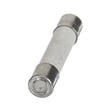
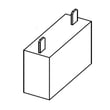
- If the unit is completely dead, check the microwave fuse W11707984
- If the hood controls do not respond, the pcba, hood control W11133799 is a common suspect
Why it matters
A working hood light improves cooktop visibility and safety, and it also helps you confirm the hood control circuit is functioning normally.
Last updated: February 2026
Is there a reset button on my Whirlpool microwave?
Whirlpool microwave/hood combo model WML55011HB2 typically does not have a single physical “reset button.” Most resets are done by cycling power (unplugging or switching the breaker off and back on) or by using a keypad reset sequence in the Settings menu, depending on the control design.
Quick reset options (start here)
- Power reset: Unplug the microwave for 2 minutes, then plug it back in.
- Breaker reset: Turn the microwave circuit breaker OFF for 2 minutes, then ON.
- Control lock check: If the keypad seems dead, turn off Control Lock (often a 3-second press on a Lock or Cancel key).
- Demo mode check: If the display works but it will not heat, confirm Demo mode is off.
- Hard reset after a surge: Do a power reset, then set the clock again.
If the display is on but the microwave will not run
A “reset” will not fix a failed safety or power component. On WML55011HB2, these parts are common causes when the unit looks normal but will not start or stops immediately:
| Symptom | What it often points to | Example part for this model |
|---|---|---|
| Dead display, no response | Blown line fuse or no power | Microwave fuse W11707984 |
| Runs but does not heat | High-voltage circuit issue | Microwave high-voltage diode W11256462 |
| Starts then stops when door moves | Door interlock problem | Microwave door latch housing and interlock switch assembly W11449274 |
Why it matters
Resetting clears temporary control glitches after a power interruption, but it does not correct a blown fuse, failed door interlock, or high-voltage heating problem. Using the right reset method first helps you avoid unnecessary parts replacement.
Safety note for over-the-range microwaves
- Always disconnect power before any inspection.
- Do not open the cabinet for high-voltage testing; microwaves store dangerous voltage even when unplugged.
- If a fuse keeps blowing, address the underlying cause (door switch, wiring, control) before replacing it again.
Last updated: February 2026
What is the average lifespan of a Whirlpool microwave?
A Whirlpool microwave typically lasts 7 to 10 years. For a Whirlpool microwave/hood combo like WML55011HB2, lifespan depends most on daily run time, keeping the venting and grease filters clean, and avoiding overheating events that stress the control board and high-voltage system.
Typical lifespan and what affects it
Most Whirlpool countertop and over-the-range units fall into the same general range, but these factors move the needle:
- Heavy use (multiple long cook cycles daily) shortens life
- Poor airflow (blocked vents or dirty filters) increases heat stress
- Power quality (surges, frequent breaker trips) can damage electronics
- Door slamming can wear door switches and latch parts
- Grease buildup can affect the hood fan area and internal cooling
Signs your microwave is nearing end of life
If you see these symptoms repeatedly, repair vs. replace becomes the key decision:
- Food heats slowly or unevenly (possible magnetron or high-voltage issue)
- Unit runs but does not heat
- Intermittent power, dead display, or random resets
- Keypad or touch controls stop responding
- Loud humming, buzzing, or burning smell
Quick symptom-to-part area guide
| Symptom | Common area involved | Example part for WML55011HB2 |
|---|---|---|
| No power, goes dead | Line fuse, wiring | Microwave fuse W11707984 |
| Runs but no heat | High-voltage components | Microwave high-voltage diode W11256462 |
| Won’t start when door closes | Door interlock/latch | Microwave door latch housing and interlock switch assembly W11449274 |
| Fan or hood controls act up | Control boards, hood UI | Pcba, hood control W11133799 |
Why it matters
Microwaves can contain high-voltage components that store dangerous energy even when unplugged. Knowing the typical lifespan helps you decide when a symptom is worth troubleshooting (like a fuse) versus when replacement is the safer, more cost-effective path.
How to extend the life of your Whirlpool microwave
- Run the hood fan when cooking on the range to reduce heat exposure
- Keep the grease filter clean and seated correctly
- Use microwave-safe cookware only (no metal, no foil contact)
- Avoid running it empty
- Leave clearance around vents and don’t block airflow
For common heating failures and what to check first, use our why is my microwave not heating guide.
Last updated: February 2026
Why is the vent not working on my Whirlpool microwave?
If the vent fan on your Whirlpool WML55011HB2 microwave/hood combo isn’t moving air, the most common causes are a greasy or blocked grease filter, a jammed or failed vent fan motor, or an installation venting issue (damper stuck, crushed duct, or recirculating setup). Start with cleaning and airflow checks before replacing parts.
Quick checks we recommend first
- Make sure the fan is actually on (try both low and high speeds).
- Remove and clean the grease filter; heavy buildup can choke airflow.
- Check the vent grille area for grease mats, foil, or debris.
- If it vents outside, confirm the exterior wall or roof cap opens freely.
- If it recirculates, confirm the top/front exhaust path is not blocked by cabinets.
Likely causes and what to do
| Symptom | Most likely cause | What to do next |
|---|---|---|
| Fan runs but weak airflow | Grease filter clogged | Clean or replace the grease filter W11213913 |
| Fan hums, rattles, or won’t spin | Vent fan motor or blower obstruction | Inspect blower wheel area; replace the microwave vent fan motor assembly W11712433 if seized/noisy |
| Fan runs but air does not exit outside | Damper stuck, duct crushed, wrong vent direction | Free the damper, straighten ducting, correct vent routing |
| Fan shuts off or behaves erratically | Overheat sensing or control issue | Check for blocked airflow; if persistent, test the microwave range hood thermistor W10536989 |
Safety and service notes (important)
A microwave/hood combo contains high-voltage components even when unplugged. For vent problems, we recommend limiting DIY work to external airflow checks and filter cleaning. If you need to access internal wiring, motor connections, or controls, use a qualified technician.
Why it matters
A working vent protects your cabinets and microwave from heat and grease buildup. Poor airflow can also trigger overheating behavior and shorten the life of parts like the fan motor, thermistor, and electronic controls.
Last updated: February 2026
What are common problems with Whirlpool microwaves?
Common problems we see on Whirlpool microwave/hood combos like model WML55011HB2 include no heat, no power, won’t start, sparking/arcing, loud buzzing, and vent fan or keypad issues. Many are caused by power, door-interlock, or airflow problems; heating failures can involve high-voltage parts.
Most common symptoms and what they usually point to
- Microwave runs but doesn’t heat: magnetron, high-voltage diode, or control issue
- Dead display or no power: blown fuse, power cord/outlet issue
- Won’t start (door feels “closed” but it won’t run): door latch or interlock switch problem
- Sparking/arcing inside cavity: damaged waveguide cover, metal in the microwave, food splatter buildup
- Buttons don’t respond or display glitches: user interface or electronic control board
- Vent fan acts up (noise, won’t change speeds): vent fan motor, hood control board, grease filter restriction
Quick checks we recommend before replacing parts
- Reset power: unplug for 2 minutes (or flip the breaker off/on), then try a simple 30-second heat test with a cup of water.
- Check door closure: make sure the door closes firmly and the latch area is clean.
- Look for arcing causes: remove any metal racks/foil, clean splatter, inspect the waveguide cover.
- Confirm ventilation: clean the grease filter and verify the vent path is not blocked.
- Rule out control lock/demo mode: if the keypad seems “frozen,” try the control lock steps for your unit.
Parts that commonly fix these problems (WML55011HB2)
| Symptom | Common part involved | Example part for this model |
|---|---|---|
| No heat | High-voltage components | Magnetron W11402082 or microwave high-voltage diode W11256462 |
| No power | Line protection | Microwave fuse W11707984 |
| Won’t start | Door safety circuit | Microwave door latch housing and interlock switch assembly W11449274 |
| Keypad/display issues | Controls | Microwave electronic control board W11129648 |
Why it matters
A microwave that won’t heat or blows a fuse can involve high-voltage circuitry. For safety, we recommend leaving internal high-voltage testing and repairs (magnetron, diode, wiring) to a qualified technician.
For deeper troubleshooting steps, use our guides: why is my microwave not heating and how to replace a microwave fuse.
Last updated: February 2026


