 Installation guide
 Owner’s manual




What are common problems with GE DVM7195SF1SS microwaves?
Common problems with the GE DVM7195SF1SS microwave/hood combo include no heat, dead display or no power, the turntable not rotating, loud humming or rattling, and vent fan or light issues. Many symptoms trace back to door interlock parts, the control board, or high-voltage heating components; use the owner's manual for model-specific checks and safe operating guidance.
- Runs but does not heat: high-voltage components such as the magnetron or high-voltage diode
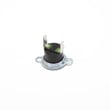
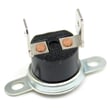
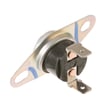
- No power, intermittent power, or shuts off: door interlock switch problem, thermostat, or control board issue
- Starts when door closes or will not start: door latch or interlock lever alignment, failed micro-switch
- Turntable not turning: turntable motor or coupler issue
- Loud buzzing, grinding, or rattling: fan blade, cooling fan motor, or turntable drive parts
- Sparking or arcing inside cavity: food splatter, metal contact, or damaged interior surfaces (stop using until corrected)
If troubleshooting points to a failed component, these are common replacements for this model:
- Door interlock switches: micro-switch WB24X830 and switch-micro WB24X829
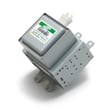
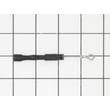
- Heating circuit: microwave high-voltage diode WB27X1160 and microwave magnetron WB27X11079
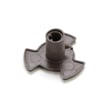
- Turntable drive: microwave turntable motor WB26X10233 and microwave turntable motor coupler WB06X10815
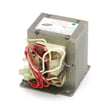
- Controls: microwave power control board WB56X20629
| Symptom | What we check first | Typical next step |
|---|---|---|
| No heat | Cooking settings, door closing firmly | Test/replace diode or magnetron |
| Dead unit | Outlet and breaker, then door switches | Inspect/replace interlock switch |
| Won’t start | Door latch alignment | Check latch body and switch lever |
| Turntable not moving | Tray seated, coupler engagement | Replace motor or coupler |
On over-the-range microwaves, the door interlock system is a primary safety circuit. A worn latch or failing micro-switch can cause no-start, random stopping, or blown fuses. Heating problems often involve high-voltage parts; those repairs require extra caution and are best handled by a qualified technician.
Last updated: February 2026
What is the average lifespan of a GE microwave?
A GE microwave typically lasts about 7 to 10 years with normal household use. For an over-the-range model like GE DVM7195SF1SS, lifespan depends most on ventilation/grease buildup, door-interlock wear, and avoiding overheating from heavy daily cooking (check care and troubleshooting details in the owner's manual).
- Light use (reheat, occasional cooking): 9 to 12 years
- Average use (daily reheating + some cooking): 7 to 10 years
- Heavy use (multiple long cook cycles daily): 5 to 8 years
- Running the microwave empty
- Repeated overheating from long cook times with poor airflow
- Grease buildup in an over-the-range vent area
- Slamming the door or forcing it shut
- Using metal or foil that causes arcing
When a microwave stops heating, won’t start, or acts dead, these are frequent culprits in many GE microwave/hood combos:
| Symptom | Common area involved | Example part on this model page |
|---|---|---|
| Runs but does not heat | High-voltage circuit | Microwave high-voltage diode WB27X1160 |
| Dead/no power or intermittent | Controls or power feed | Microwave power control board WB56X20629 |
| Won’t start, door must be “just right” | Door interlock system | Micro-switch WB24X830 |
Knowing the typical 7 to 10 year lifespan helps you decide whether to troubleshoot and replace a part (like a door switch or diode) or plan for replacement, especially if multiple high-cost components are failing at the same time.
- Keep the grease filters and vent area clean (over-the-range units run hotter when airflow is restricted)
- Use shorter cook times with stirring/turning when possible
- Close the door gently so the interlock switches stay aligned
- Wipe the cavity and waveguide cover area regularly to prevent arcing
If your DVM7195SF1SS is not heating, our why is my microwave not heating guide walks through the most common causes and what to check first.
Last updated: February 2026
Who created DVM7195SF1SS?
GE created the DVM7195SF1SS microwave/hood combo; it is a GE over-the-range microwave platform covered in the DVM7195/JVM7195 series documentation. For model-specific identification details (model and serial label location and product information), use the owner's manual.
When customers ask who created a model, it usually refers to one of these:
- The brand that designed and sold the appliance (GE)
- The model family/series the unit belongs to (DVM7195/JVM7195 platform)
- The manufacturing origin (varies by production run and is best confirmed on the rating label)
We recommend checking the rating label so you match parts and documentation correctly.
- Open the microwave door
- Find the model and serial label on the inside frame area (visible with the door open)
- Record the full model number: DVM7195SF1SS
- Record the serial number (helps identify production run details)
| What to check | Where to find it | Why it matters |
|---|---|---|
| Model number | Label with door open | Ensures correct parts diagrams and replacement parts |
| Serial number | Same label | Helps confirm exact build details for your unit |
| Installation type | Your vent setup | Impacts filters, ducting, and mounting configuration |
Microwave/hood combos like the GE DVM7195SF1SS share many parts across a series, but small revisions can change which control board, door switch, or mounting hardware fits. Confirming the label details prevents ordering the wrong GE replacement part.
Last updated: February 2026


