Installation guide
 Owner’s manual
 Error Codes




How good are KitchenAid gas ranges?
KitchenAid gas ranges like model KFGC506JSS00 are built for strong everyday cooking performance: powerful burners, a large oven capacity, and features that support baking and broiling consistency. For the best results, we recommend using the cooking modes and care steps in the KFGC506JSS00 use and care guide.
KitchenAid commercial-style gas convection ranges are designed to handle frequent cooking with steady heat control and flexible oven functions.
- Strong cooktop output for fast boiling and high-heat searing
- Multiple burner sizes for simmering through high-heat cooking
- Convection baking support for more even heat circulation
- Broil and bake functions with ignition components that must spark reliably
- App-enabled features on connected models for remote monitoring and cycle control
These are the areas that typically define whether a gas range feels “good” in day-to-day use.
| What you care about | What to look for | Why it matters |
|---|---|---|
| Heat control | Stable flame from low simmer to high | Better sauce control and fewer scorched pans |
| Oven consistency | Convection modes and proper preheat | More even baking and roasting results |
| Reliability | Solid ignition and door operation | Fewer no-heat and lock-related interruptions |
| Serviceability | Factory-specified replacement parts | Easier, more accurate repairs |
A “good range” can start acting up when ignition or temperature control parts wear.
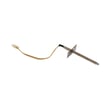
- If bake will not ignite or clicks without lighting, inspect the electrode, bake W11355922
- If broil will not ignite, inspect the electrode, broil W11355920
- If temperatures seem off, check calibration steps in the KFGC506JSS00 use and care guide and consider the oven thermostat condition
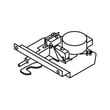
- If the door will not unlock after a cycle, the door lock system may need attention (some models use a motorized latch)
With a commercial-style KitchenAid range, most “quality” comes down to consistent ignition, accurate oven temperature, and using the correct cooking modes. Keeping ignition parts clean and following the recommended operation steps helps maintain the performance you bought it for.
Last updated: February 2026
What are signs of a faulty gas stove part?
On the KitchenAid KFGC506JSS00 gas range, a faulty part often shows up as burners that will not light, flames that are uneven or yellow, continuous clicking/sparking, or temperature problems. If you ever smell gas, stop using the range and follow the safety steps in the installation guide.
- Surface burner will not operate (no ignition or no flame)
- Burner sparks/clicks continuously even after you try to light it
- Flames are uneven, yellow, or noisy
- Popping noises from a burner (often after cleaning or spillovers)
- Oven temperature seems off or cooking results are inconsistent
- Nothing will operate (possible power supply issue affecting ignition)
- Check burner cap alignment: Misaligned caps can cause sparking without lighting and uneven flames.
- Clean clogged burner ports: Use a straight pin to clear ports (clogs commonly cause uneven/yellow flames).
- Dry a wet burner: If a burner is wet, let it fully dry before retrying.
- Confirm knob operation: Push in the knob before turning to ignite.
- If it is the first use after install: Turn on a surface burner to help purge air from the gas line.
| Symptom | Most common cause | What to do next |
|---|---|---|
| Uneven/yellow/noisy flame | Clogged ports or cap not seated | Clean ports; reseat cap |
| Clicking/sparking but no flame | Cap misaligned; ignition issue | Reseat cap; stop using that burner if sparking continues |
| Popping noises | Moisture on burner | Let burner dry |
| Nothing works | Tripped breaker or blown fuse | Reset breaker/replace fuse |
Poor ignition and abnormal flames can signal airflow, fuel delivery, or ignition problems. Addressing simple issues like clogged ports and cap alignment helps restore safe, consistent combustion and prevents damage to components.
If cleaning and alignment do not fix the issue, ignition components can be involved. For oven ignition problems specifically, we often see the bake igniter circuit implicated; the electrode, bake W11355922 is one model-matched part to check when the bake burner will not ignite.
Last updated: February 2026
What are the most common stove parts to replace?
On the KitchenAid KFGC506JSS00 gas range, the most commonly replaced parts are ignition and burner-related components, oven temperature and lighting parts, and door or control hardware. These items see the most heat, spills, and daily wear, so they are the first to cause no-heat, weak flame, or usability problems.
- Bake and broil ignition parts (when the oven will not light or takes too long to ignite)
- Oven temperature control parts (when baking is uneven or temperatures drift)
- Oven light bulb (when the cavity light stops working)
- Door and self-clean hardware (when the door will not lock or seal correctly)
- Surface burner hardware (when flames are uneven or simmer is hard to control)
If you are troubleshooting a specific issue, these model-matched parts are common fixes:
| Symptom | What it often points to | Example model-matched part |
|---|---|---|
| Oven will not ignite or clicks but will not light | Failed igniter electrode or ignition issue | Electrode, bake W11355922 |
| Broil will not ignite | Broil ignition electrode issue | Electrode, broil W11355920 |
| Oven light out | Burned-out bulb | Wall oven light bulb WPW10169757 |
| Door will not lock for self-clean | Door latch mechanism problem | Motorized latch W11029221 |
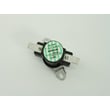
| Temps seem off or inconsistent | Temperature regulation issue | Oven thermostat WP4450249 |
- Confirm the issue happens on bake, broil, or both.
- Look for delayed ignition, repeated clicking, or a burner that lights only sometimes.
- For surface burners, check for spillovers, clogged ports, or a cap that is not seated flat.
- If the oven is slow to heat, verify you are using the correct mode and rack position.
- Use the wiring diagram and component locations in the KFGC506JSS00 owner’s manual to match symptoms to parts.
Replacing the right part first saves time and prevents repeat failures. On gas ranges, ignition and temperature-control problems can look similar (no heat, weak heat, uneven baking), so narrowing the symptom to a specific system (surface burner, bake, or broil) is the fastest path to the correct repair.
Last updated: February 2026
Why is my KitchenAid range display not working?
If the display on your KitchenAid gas range model KFGC506JSS00 is blank or unresponsive, the most common causes are a power supply problem (outlet, breaker, wiring) or a failed electronic control. Start with a safe power reset and basic power checks before moving to control diagnostics using the KFGC506JSS00 owner’s manual.
- Confirm the range is plugged in fully and the cord is not damaged.
- Check the home breaker; reset it fully OFF then ON.
- If the outlet is controlled by a wall switch, make sure it is ON.
- Verify the outlet has power by plugging in a small lamp.
- If the display comes on but the oven will not run, confirm settings are correct and no special modes are active (for example, a delayed start set in the app or Sabbath Mode).
- Turn all oven and cooktop controls OFF.
- Unplug the range (or switch the breaker OFF) for 2 to 5 minutes.
- Restore power and wait about 30 seconds.
- Test the display and try a basic oven function.
A dead display with confirmed power typically points to an electronic issue in the control system.
| Symptom | Most likely direction | What to do next |
|---|---|---|
| Completely blank display, no beeps | No power to control or failed control | Recheck outlet power; then inspect wiring connections behind the control area (power OFF) |
| Display flickers or resets | Loose connection or unstable power | Tighten connections (power OFF); avoid extension cords |
| Display works but oven won’t start | Settings or mode issue | Follow the operating steps in the manual; check for app Delay Start or Sabbath Mode |
The display is the “window” into the electronic oven control. If it is not powered or the control is not functioning, features like bake, broil, timers, and connected functions can stop working even if the cooktop burners still light.
If diagnostics point to a door lock or self-clean related issue affecting operation, a technician may check components such as the motorized latch W11029221.
Last updated: February 2026