- Kenmore refrigerator water filters
- Whirlpool refrigerator water filters
- Samsung refrigerator water filters
- GE refrigerator water filters
- LG refrigerator water filters
- Frigidaire refrigerator water filters
- KitchenAid refrigerator water filters
- Maytag refrigerator water filters
- Kenmore Elite refrigerator water filters
- Estate refrigerator water filters
- GE Profile refrigerator water filters
- Amana refrigerator water filters
- Bosch refrigerator water filters
- Dacor refrigerator water filters
- Electrolux refrigerator water filters
Top DIY repair help
View All Repair Categories
Appliances
Lawn & Garden
Power Tools
Home Improvement
Sports & Leisure
Heating & Cooling
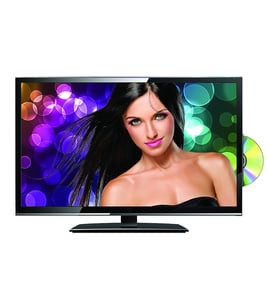
Viore Lcd television Parts — Browse All Models
Viore LCD televisions deliver clear digital video images at fast refresh rates. Viore LCD televisions are available in a wide variety of types and sizes so you can find the television that best fits your needs and budget. When your Viore LCD television isn't displaying video properly, find the repair parts you need to fix the television at Sears PartsDirect.


 Owner’s manual
Frequently bought Viore parts

Viore Ir Board
In Stock
$12.50

Qty

Remote
In Stock
$50.00
Qty

Viore Refrigerator Grommet Motor
In Stock
$30.30
Qty
Viore Main Pcb
In Stock
$40.81
Qty
Viore Function Board
In Stock
$12.50
Qty
Popular maintenance items for LCD Televisions
Ic Tc7sb31
In Stock
$26.82
Qty
Usb Jack
In Stock
$33.23
Qty
Ic
In Stock
$10.01
Qty
Thermistor
Part #180404511
This item is not returnable
In Stock
$9.41
Qty
Ic
Part #670168001
This item is not returnable
In Stock
$8.74
Qty
Thermistor
In Stock
$26.75
Qty
Troubleshooting your Viore LCD television when it won't power up
- Check that the television power cord is fully plugged into the wall outlet. If you have the television plugged into a surge protector, make sure the surge protector is plugged into the wall outlet.
- Check the electrical wall outlet for power. Plug a night light or small appliance into the electrical wall outlet to see if the outlet has power. If the outlet is dead, reset the house circuit breaker for the electrical wall outlet.
- If the wall outlet is okay and you have the television plugged into a surge protector, reset the surge protector if the surge protector tripped. If the surge protector isn't tripped, plug the television directly into the wall outlet. If the television powers up when plugged directly into the wall outlet, replace the surge protector because it isn't allowing the television to get power.
Connecting your Viore LCD television to a Wi-Fi network
To connect your television to the Wi-Fi network using Wi-Fi Protected Setup (WPS) button, go to the Network Setup menu and select Wireless Setup. Select the WPS method of Wi-Fi connection from the Wireless Setup menu. Start the WPS wireless setup method on your television then pus the WPS button on your Wi-Fi router to connection your television to the Wi-Fi network.To connect your television to the Wi-Fi network using the router password, follow the same steps as described above to reach the Wireless Setup menu on your television. Select the Scan for available Wi-Fi networks option. Select your Wi-Fi network from the list of available Wi-Fi networks and enter the router password to connect the television to your Wi-Fi router.
Parts & More
Bottom-Mount Refrigerator
Dishwasher
Exercise Cycle
Front-Engine Lawn Tractor
Gas Chainsaw
Gas Range
Generator
Parts
Small Appliance
Television
Top-Mount Refrigerator
Treadmill