- Kenmore refrigerator water filters
- Whirlpool refrigerator water filters
- Samsung refrigerator water filters
- GE refrigerator water filters
- LG refrigerator water filters
- Frigidaire refrigerator water filters
- KitchenAid refrigerator water filters
- Maytag refrigerator water filters
- Kenmore Elite refrigerator water filters
- Estate refrigerator water filters
- GE Profile refrigerator water filters
- Amana refrigerator water filters
- Bosch refrigerator water filters
- Dacor refrigerator water filters
- Electrolux refrigerator water filters
Top DIY repair help
View All Repair Categories
Appliances
Lawn & Garden
Power Tools
Home Improvement
Sports & Leisure
Heating & Cooling
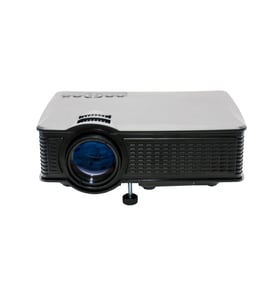
LXI Office Parts — Browse All Models
When you depend on LXI office products to keep your business going, you'll need to fix any equipment failures quickly. Although LXI office products rarely break down, you can never tell when a failure will occur. Sears PartsDirect has the LXI office product parts you need to fix any equipment failure.

LXI 5849155 projector
Shop Parts
12 Parts
LXI 5849156 projector
Shop Parts
12 Parts
LXI 5849145 projector
Shop Parts
12 Parts
LXI 5849146 projector
Shop Parts
12 Parts
LXI 5849199 projector
Shop Parts
12 Parts
LXI 5849157 projector
Shop Parts
12 Parts
Frequently bought LXI parts

Lxi Service Manual
In Stock
$123.49

Qty

Lxi Top Case
Part #483543237004
This item is not returnable
In Stock
$7.30
Qty
Lxi Lamp Plate
Part #2005709207
This item is not returnable
In Stock
$2.16
Qty
Frm Chs
In Stock
$15.54
Qty
Home Electronics Tube Cup
In Stock
$16.88
Qty
Net
Part #2022090747
This item is not returnable
In Stock
$2.16
Qty
Popular maintenance items for Office
Thermador Microwave Fuse
In Stock
$104.61
Qty
Sears Range Lp Conversion Kit
In Stock
$37.05
14% OFF Phone Price : $43.05
Qty
Panasonic Handset Char
In Stock
$53.50
Qty

Agri-fab Lawn & Garden Equipment Washer
Part #44008
This item is not returnable
In Stock
$2.74
27% OFF Phone Price : $3.74
Qty
Range Extra Low Surface Burner Potentiometer
In Stock
$76.42
7% OFF Phone Price : $82.42
Qty
Kenmore Microwave Door Monitor Switch
Part #5304512529
This item is not returnable
In Stock
$33.99
15% OFF Phone Price : $39.99
Qty
Top LXI office equipment failures
- No power. Lack of power can be caused by a tripped overload switch in the equipment. Check for an overload switch and reset the switch if it's tripped. If you're unsure whether your equipment has an overload switch, check the owner's manual for information about switches in the equipment. A failed transformer, bad control board or faulty power cord can also prevent office equipment from powering up.
- Paper jam. Don't overload paper bins and refill paper bins when they're nearly empty to help prevent paper jams. Monitor the machine as it's running and clear any paper jams quickly to avoid equipment damage. Have a service technician remove jammed paper if you're unable to clear the paper jam yourself.
- Stuck button. A stuck button on the control panel can prevent the equipment from operating. Try to free up a stuck button by pressing firmly around the edges of the button. If you're unable to free up a stuck button, you'll likely need to replace the user interface or control panel. Have a service technician replace the control panel or user interface if you're unable to complete the repair yourself.
Troubleshooting tips for your LXI printer when it won't print documents
- Check printer power supply. Make sure that the printer is plugged into a working electrical outlet or power strip. Make sure the printer is powered on.
- Check the printer data connection. Make sure that the printer cable is plugged into the computer and the printer or that the Blue Tooth settings for the printer are configured properly and working.
- Check your computer settings. Make sure that you're sending the data to the correct printer.
- Reboot the computer and printer to reset controls on both devices.
Parts & More
Exercise Cycle
Front-Engine Lawn Tractor
Gas Line Trimmer
Ice Cream Maker
Lawn Tractor Attachment
Lawn Vacuum
Mechanical Sewing Machine
Refrigerator