- Kenmore refrigerator water filters
- Whirlpool refrigerator water filters
- Samsung refrigerator water filters
- GE refrigerator water filters
- LG refrigerator water filters
- Frigidaire refrigerator water filters
- KitchenAid refrigerator water filters
- Maytag refrigerator water filters
- Kenmore Elite refrigerator water filters
- Estate refrigerator water filters
- GE Profile refrigerator water filters
- Amana refrigerator water filters
- Bosch refrigerator water filters
- Dacor refrigerator water filters
- Electrolux refrigerator water filters
Top DIY repair help
View All Repair Categories
Appliances
Lawn & Garden
Power Tools
Home Improvement
Sports & Leisure
Heating & Cooling
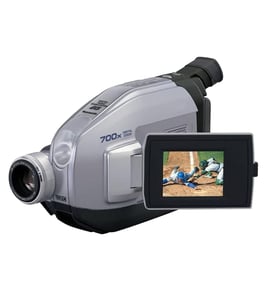
Realistic Compact vhs-c camcorder Parts — Browse All Models
Realistic compact VHS camcorders are packed with the advanced features that you look for in a recording device. Precision lenses in Realistic compact VHS camcorders help capture images and action accurately and clearly. When your Realistic compact VHS camcorder needs repair, find the replacement parts you need at Sears PartsDirect.

Popular maintenance items for Compact VHS-C Camcorders

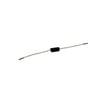
3.9k 1/16w
Part #46-611276-3
This item is not returnable
In Stock
$3.78

Qty

Fuse
Part #483525337025
This item is not returnable
In Stock
$6.18
Qty
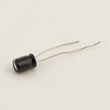
Rca Television Capacitor, 25-volt, 10-mfd
Part #18-267-5
This item is not returnable
In Stock
$6.63
Qty
Sylvania Service Manual
In Stock
$86.49
Qty
Service Manual
In Stock
$86.49
Qty
Eye Capacitor
In Stock
$12.94
Qty
Dubbing video from your Realistic compact VHS camcorder to a VCR
- Connect the audio/video cord to the audio and video outlet jacks on your camcorder. Connect the other end of the audio/video cord to the audio in and video in jacks on the back of your VCR.
- Insert a pre-recorded take into the camcorder and power the camcorder on.
- Turn the VCR on and set the input signal selector to the Line In source.
- Press Play and Record then Pause on the VCR to set up the VCR for recording the video signal from the camcorder.
- Find the beginning of the video that you want to record on the tape in the camcorder. Press Play on the camcorder then press the Pause button on the VCR to play the camcorder tape and record the camcorder video signal on the VCR.
Battery care tips for your Realistic compact VHS camcorder
- Charge the camcorder battery only with the specified battery charger for your model of camcorder. Charging the battery with a different charger can cause battery damage.
- Only charge the battery in an environment where ambient temperature is above 32-degrees F and below 104-degrees F. Charging the battery outside that temperature range can cause battery damage.
- Don't get the battery near extreme heat sources such as fire or heaters.
- Never attempt to disassemble the battery pack. Replace the battery pack if it gets damaged or it won't recharge.
Parts & More
Air Compressor
Bottom-Mount Refrigerator
Electric Water Heater
Front-Engine Lawn Tractor
Gas Walk-Behind Mower
Side-By-Side Refrigerator
Top-Mount Refrigerator
Vhs Camcorder
Wall Oven/Microwave Combo