- Kenmore refrigerator water filters
- Whirlpool refrigerator water filters
- Samsung refrigerator water filters
- GE refrigerator water filters
- LG refrigerator water filters
- Frigidaire refrigerator water filters
- KitchenAid refrigerator water filters
- Maytag refrigerator water filters
- Kenmore Elite refrigerator water filters
- Estate refrigerator water filters
- GE Profile refrigerator water filters
- Amana refrigerator water filters
- Bosch refrigerator water filters
- Dacor refrigerator water filters
- Electrolux refrigerator water filters
Top DIY repair help
View All Repair Categories
Appliances
Lawn & Garden
Power Tools
Home Improvement
Sports & Leisure
Heating & Cooling
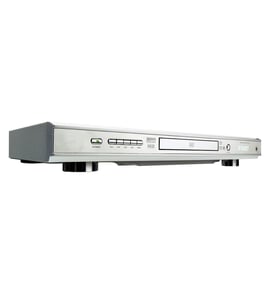
JVC Video equipment Parts — Browse All Models
JVC video equipment is dependable and affordable equipment that rarely breaks down. Rugged drive components and reliable electronics inside JVC video equipment typically lasts for years without having problems. When parts do wear out or break on your JVC video equipment, find the replacement parts you need to get the equipment up and running at Sears PartsDirect.
Browse by Category
Video Equipment
Video Equipment
JVC HR-VP700U vcr
Shop Parts
6 Parts

JVC TH-G40J dvd player
Shop Parts
88 Parts

JVC TKS240 video
Shop Parts
2 Parts
JVC BRS622U vcr
Shop Parts
20 Parts
JVC HRD151U vcr
Shop Parts
13 Parts
JVC BRS822U vcr
Shop Parts
21 Parts
JVC BR1800U vcr
Shop Parts
8 Parts
Frequently bought JVC parts

Jvc Term-board
Part #483521437511
This item is not returnable
In Stock
$6.33

Qty

Sony Switch
Part #483527617207
This item is not returnable
In Stock
$3.06
Qty
Home Electronics Integrated Circuit
In Stock
$101.88
Qty
Ac Cord
Part #483532117059
This item is not returnable
In Stock
$9.88
Qty
Diode
Part #483513037604
Replaced by #483513037595
Manufacturer substitution
This part replaces 483513037604. Substitute parts can look different from the original.
This item is not returnable
In Stock
$6.02
Qty
Motor
In Stock
$10.63
Qty
Popular maintenance items for Video Equipment
Tray Cover
In Stock
$14.42
Qty
Lxi Service Manual
In Stock
$123.49
Qty
Pcb-vcr
In Stock
$116.00
9% OFF Phone Price : $128.00
Qty
Core Ferri
Part #145736912
This item is not returnable
In Stock
$7.52
Qty
Ic
Part #670988801
This item is not returnable
In Stock
$7.04
Qty
Spkr Cente
In Stock
$204.99
Qty
Troubleshooting your JVC video equipment when it won't power up
- If you're using the remote control to attempt to power up the video equipment, try using the power button on the video equipment.
- If the video equipment won't power up when you press the power button, check the power cord. Plug the video equipment power cord securely into the electrical wall outlet if the outlet cord plug is loose.
- If the video equipment power cord is properly plugged into the electrical wall outlet, check the electrical outlet for power by plugging a different item into the wall outlet. If the wall outlet is dead, reset the house circuit breaker for the wall outlet. Have an electrician repair the wall outlet if it remains dead after resetting the house circuit breaker.
- If you have the video equipment plugged into a surge protector, check for a tripped circuit breaker on the surge protector. Reset the surge protector circuit breaker if it's tripped.
- If the video equipment is getting power through the power cord but won't power up, you may need to replace the power control board in the video equipment.
Steps to take when the television won't play your JVC video equipment's video
- Check the television settings and select the correct video input source on the television if necessary.
- Check the HDMI or video cable connections on the back of the video equipment and the television. Reconnect any loose cables. Connect the cables correctly if the cables were connected to the wrong jacks.
- Check the DVD disc or video cassette to make sure it's inserted in the tray properly. The label of the DVD disc should be facing upward.
- Check the DVD disc for deposits or scratches. Clean the DVD disc thoroughly if you find spills or deposits on the disc.
- Reset the video equipment's control board by unplugging the video equipment from the electrical wall outlet for several minutes. Plug the video equipment power cord back in to the electrical outlet and attempt to play the DVD disc or video cassette again.
Parts & More
Bottom-Mount Refrigerator
Dishwasher
Electric Range
Freestanding Ice Maker
Front-Engine Lawn Tractor
Gas Cooktop
Gas Walk-Behind Mower
Microwave
Parts
Range Hood
Refrigerator
Side-By-Side Refrigerator
Table Saw