- Kenmore refrigerator water filters
- Whirlpool refrigerator water filters
- Samsung refrigerator water filters
- GE refrigerator water filters
- LG refrigerator water filters
- Frigidaire refrigerator water filters
- KitchenAid refrigerator water filters
- Maytag refrigerator water filters
- Kenmore Elite refrigerator water filters
- Estate refrigerator water filters
- GE Profile refrigerator water filters
- Amana refrigerator water filters
- Bosch refrigerator water filters
- Dacor refrigerator water filters
- Electrolux refrigerator water filters
Top DIY repair help
View All Repair Categories
Appliances
Lawn & Garden
Power Tools
Home Improvement
Sports & Leisure
Heating & Cooling
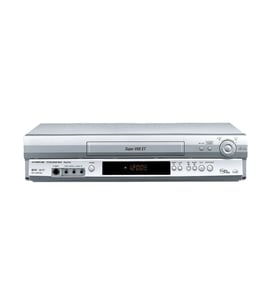
Symphonic Vhs players & vcrs Parts — Browse All Models
Symphonic VHS players use the latest technology to produce the best video and audio playback possible from video cassette tapes. Symphonic VHS players automatically adjust tracking when playing video cassette tapes to the playback is always clear. When your Symphonic VHS player acts up and needs repairs, find the replacement parts you need to fix the problem at Sears PartsDirect.

Symphonic 6480 video cassette recorder
Symphonic FT2100A video cassette recorder
Symphonic FV2251 video cassette recorder
Symphonic FE436G 4 head hi fi video cassette recorder
Symphonic FV4361G 4 head hi fi video cassette recorder
Symphonic SC970 vcr
Shop Parts
10 Parts
Symphonic 26011 video cassette recorder
Symphonic FSC-1190 videocassette recorder
Frequently bought Symphonic parts

Symphonic Transistor
Part #483513047911
This item is not returnable
In Stock
$3.27

Qty

Symphonic Cord
In Stock
$14.29
Qty
Popular maintenance items for VHS Players & VCRs
Cover
In Stock
$31.99
Qty
Magnavox Part
In Stock
$25.71
Qty
Magnavox Ir Rcvr
Part #483521027018
This item is not returnable
In Stock
$7.40
Qty
Vcr Transmitter
In Stock
$25.71
Qty
Txmtr Ir Mx
In Stock
$118.99
Qty
Assembly
In Stock
$28.32
Qty
Adjusting the picture tracking on your Symphonic VHS player
Although the VHS player automatically adjusts the tracking when playing a video cassette tape, picture distortion may occur if the tape is in poor condition.
To adjust tracking, press Tracking +/- to display the tracking meter on your VHS player. Press the + or – buttons to adjust tracking until picture distortion disappears.
To resume automatic tracking adjustment of video cassette tapes, eject the tape. When you insert a tape into the VHS player, automatic tracking will be enabled.
Safety precautions for your Symphonic VHS player
- Unplug the VHS player's power cord from the electrical wall outlet to disconnect electrical power before performing any maintenance or repairs on the player.
- Unplug the VHS player if you don't intend to use it for an extended period of times (such as 6 months or more).
- One blade of the power cord plug is wider than the other so the plug will only fit into the electrical wall outlet one way. Don't attempt to force the power cord plug into the wall outlet with the prongs reversed.
- If your VHS player has a 3-prong plug, don't remove the third prong to plug the power cord into an outlet designed for a 2-prong plug. Use a properly grounded adapter plug.
- Unplug the VHS player if liquids get spilled on the player. Completely clean and dry the VHS player before plugging the power cord back into the wall outlet and using the player.
Parts & More
Bottom-Mount Refrigerator
Dishwasher
Gas Walk-Behind Mower
Gas Wall Oven
Microwave/Hood Combo
Range Hood
Refrigerator
Room Air Conditioner
Television
Water Heater