- Kenmore refrigerator water filters
- Whirlpool refrigerator water filters
- Samsung refrigerator water filters
- GE refrigerator water filters
- LG refrigerator water filters
- Frigidaire refrigerator water filters
- KitchenAid refrigerator water filters
- Maytag refrigerator water filters
- Kenmore Elite refrigerator water filters
- Estate refrigerator water filters
- GE Profile refrigerator water filters
- Amana refrigerator water filters
- Bosch refrigerator water filters
- Dacor refrigerator water filters
- Electrolux refrigerator water filters
Top DIY repair help
View All Repair Categories
Appliances
Lawn & Garden
Power Tools
Home Improvement
Sports & Leisure
Heating & Cooling
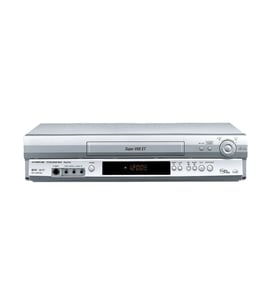
JC Penny Vhs players & vcrs Parts — Browse All Models
JC Penny VHS players set the standard for excellence in video cassette tape playback. You'll enjoy clear video and rich sound when playing video cassette tapes on your JC Penny VHS player. When your JC Penny VHS player isn't performing as it should, find the replacement parts you need to fix the problem at Sears PartsDirect.

JC Penny 8900938 vcr
Shop Parts
10 Parts
JC Penny 5038 vcr
Shop Parts
3 Parts
JC Penny 6055 vcr
Shop Parts
3 Parts
Frequently bought JC Penny parts

Magnavox Home Electronics Service Manual
In Stock
$82.99

Qty

Jc Penny Cba Crt
In Stock
$75.96
Qty
Jc Penny Home Electronics Chassis
In Stock
$352.99
Qty
Jc Penny Service Manual
In Stock
$81.99
Qty
Jc Penny Owner's Manual
Part #IB6964E001
This item is not returnable
In Stock
$4.99
Qty
Jc Penny Owner's Manual
Part #IB6762E001
This item is not returnable
In Stock
$4.99
Qty
Popular maintenance items for VHS Players & VCRs
Switch Slide
In Stock
$16.50
Qty
Magnavox Owner's Manual
In Stock
$10.03
Qty
Lever Slide
In Stock
$17.76
Qty
Mode Button
Part #483541027243
This item is not returnable
In Stock
$4.74
Qty
Wa Slit
Part #483553087147
This item is not returnable
In Stock
$3.21
Qty
Magnavox Pcb Assembly
In Stock
$89.49
Qty
How to repair a video cassette tape used in your JC Penny VHS player
- Remove all adhesive labels from the spine of the video cassette tape or cut the label along the seam cassette case so you can separate the halves of the cassette case.
- Remove the screws from the back of the cassette tape. Typically there are screws in each corner and a screw in the middle.
- Lay the video cassette tape on a padded surface with the top of the tape facing up. Open the front cover and carefully pull the top off of the tape.
- Route the broken tape ends through the rollers. Release the reel catch and pull some tape out on both ends then let go of the release to lock the reels.
- Cut off any damaged tape. Overlay the ends of the broken video tape and cut across the overlay at a 30-degree angle. Tape the back sides of the video tape ends together using adhesive tape. Trim adhesive tape overlay from the video tape.
- Rewind the video tape back in the cassette case. Reinstall the cassette case cover and reinstall the screws.
- Insert the video cassette tape in the VHS player and check to see if the tape plays properly.
Common replacement parts for JC Penny VHS players
- Drive belt. The drive belt connects the motor pulley to the video cassette tape drive pulley to spin the tape drive.
- Cassette tape compartment. The cassette tape compartment supports and hold the video cassette tape inside the VHS player.
- Transformer. The transformer converts high voltage AC current to low voltage DC current to supply electrical current to components inside the VHS player.
- Power cord. The power cord plugs into the electrical wall outlet and supplies the VHS player with electrical power.
Parts & More
Bottom-Mount Refrigerator
Gas Pressure Washer
Gas Walk-Behind Mower
Grass Catcher Attachment
Laundry Center
Microwave/Hood Combo
Parts
Receiver
Side-By-Side Refrigerator
Weight System