- Kenmore refrigerator water filters
- Whirlpool refrigerator water filters
- Samsung refrigerator water filters
- GE refrigerator water filters
- LG refrigerator water filters
- Frigidaire refrigerator water filters
- KitchenAid refrigerator water filters
- Maytag refrigerator water filters
- Kenmore Elite refrigerator water filters
- Estate refrigerator water filters
- GE Profile refrigerator water filters
- Amana refrigerator water filters
- Bosch refrigerator water filters
- Dacor refrigerator water filters
- Electrolux refrigerator water filters
Top DIY repair help
View All Repair Categories
Appliances
Lawn & Garden
Power Tools
Home Improvement
Sports & Leisure
Heating & Cooling

Goldstar Televisions with vcr or dvd Parts — Browse All Models
Goldstar televisions with VCR or DVD are top performers that use the latest technology to produce crystal clear video reproduction at the fastest refresh rates possible. Goldstar televisions are available in many different types and sizes so you can find the model that's best for your home. When your Goldstar television needs repair, trust Sears PartsDirect to have the replacement parts you need to fix the television fast.


 Owner’s manual
Frequently bought Goldstar parts
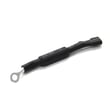
Microwave High-voltage Diode
In Stock
$17.89
10% OFF Phone Price : $19.89

Qty

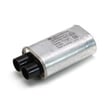
Goldstar Microwave High-voltage Capacitor
In Stock
$38.28
14% OFF Phone Price : $44.28
Qty
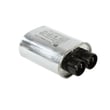
Microwave High-voltage Capacitor
In Stock
$40.76
13% OFF Phone Price : $46.76
Qty
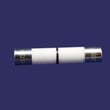
Microwave Fuse
In Stock
$8.11
11% OFF Phone Price : $9.11
Qty

Microwave Door Interlock Switch
In Stock
$17.63
10% OFF Phone Price : $19.63
Qty

Microwave Door Interlock Switch
In Stock
$15.07
12% OFF Phone Price : $17.07
Qty
Popular maintenance items for Televisions with VCR or DVD

Antenna
In Stock
$34.74
Qty
Resistor
Part #121639900
This item is not returnable
In Stock
$5.75
Qty
Owner's Manual
In Stock
$101.49
Qty
Rear Cabin
In Stock
$81.05
Qty
Integrated Circuit
In Stock
$26.26
Qty
Cer Cap Cp
In Stock
$10.01
Qty
Troubleshooting your Goldstar television when it won't power up
- Check that the television power cord is fully plugged into the wall outlet. If you have the television plugged into a surge protector, make sure the surge protector is plugged into the wall outlet.
- Check the electrical wall outlet for power. Plug a night light or small appliance into the electrical wall outlet to see if the outlet has power. If the outlet is dead, reset the house circuit breaker for the electrical wall outlet.
- If the wall outlet is okay and you have the television plugged into a surge protector, reset the surge protector if the surge protector tripped. If the surge protector isn't tripped, plug the television directly into the wall outlet. If the television powers up when plugged directly into the wall outlet, replace the surge protector because it isn't allowing the television to get power.
Maintenance and cleaning tips for your Goldstar television
- Unplug the television from the wall outlet before performing any cleaning and maintenance tasks.
- Wipe down the screen gently using a soft, lint-free cloth.
- Remove deposits or stains from the screen using a soft cloth slightly moistened with a solution of mild soap (dish detergent) and warm water. Wipe soap residue off the screen using a soft cloth slightly moistened with plain water. Dry the screen using a soft, lint-free cloth.
- Never use strong chemicals or solvents such as paint thinner, alcohol or benzene for cleaning the screen.
- Check the television stand for stability and tighten any loose screws or fasteners. Make sure the television is properly secured to the home entertainment stand so it won't topple.
- Check the mounting brackets for the home entertainment stand. Tighten any loose screws in the mounting brackets.
- Clean dust and lint from ventilation slots and grills in the television cabinet. Use dry, canned air to clear air ventilation slots and grills if needed. Wipe down the television cabinet with a soft cloth moistened with water. Dry the cabinet with a soft, lint-free cloth.
- Plug the television power cord back into the wall outlet.
Parts & More
Bottom-Mount Refrigerator
Electric Range
Electric Water Heater
Front-Engine Lawn Tractor
Hedge Trimmer
Laundry Center
Parts
Side-By-Side Refrigerator
Top-Mount Refrigerator