- Kenmore refrigerator water filters
- Whirlpool refrigerator water filters
- Samsung refrigerator water filters
- GE refrigerator water filters
- LG refrigerator water filters
- Frigidaire refrigerator water filters
- KitchenAid refrigerator water filters
- Maytag refrigerator water filters
- Kenmore Elite refrigerator water filters
- Estate refrigerator water filters
- GE Profile refrigerator water filters
- Amana refrigerator water filters
- Bosch refrigerator water filters
- Dacor refrigerator water filters
- Electrolux refrigerator water filters
Top DIY repair help
View All Repair Categories
Appliances
Lawn & Garden
Power Tools
Home Improvement
Sports & Leisure
Heating & Cooling
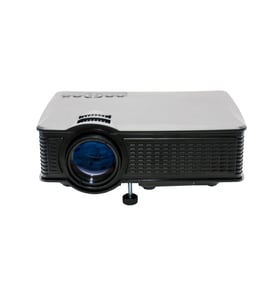
Realist Office Parts — Browse All Models
Realist office products are built to last and have a reputation for reliability. Keeping your Realist office equipment working in top condition is essential to your business. When you need replacement parts for your Realist office equipment, you can find what you need at Sears PartsDirect.

Popular maintenance items for Office
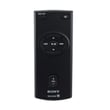
Remote Commander (rm-x400)
In Stock
$25.03
19% OFF Phone Price : $31.03

Qty


Agri-fab Lawn & Garden Equipment Washer
Part #44008
This item is not returnable
In Stock
$2.74
27% OFF Phone Price : $3.74
Qty
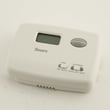
Sears Central Air Conditioner Wall Control Thermostat
In Stock
$25.59
25% OFF Was : $34.12
Qty
Sears White-rodgers Thermostat
In Stock
$16.80
40% OFF Was : $28.00
Qty

Spring(9142)
In Stock
$29.13
Qty
Refrigerator Drawer Slide Rail Assembly
In Stock
$42.92
12% OFF Phone Price : $48.92
Qty
Steps for setting up your Realist printer
- Unpack the printer and remove all tape from covers and trays. Read the owner's manual instructions for setting up the printer.
- Connect the printer power cord and plug it into a working wall outlet.
- Turn on the printer and allow the printer to initialize.
- Connected the printer cable or USB cable to your computer.
- Select the "Add a printer" option on your computer and follow the instructions for the computer to set up printer communications.
- Print a test page to make sure the printer works properly.
Common Realist office equipment failures
- No power. Lack of power can be caused by a tripped overload switch in the equipment. Check for an overload switch and reset the switch if it's tripped. If you're unsure whether your equipment has an overload switch, check the owner's manual for information about switches in the equipment. A failed transformer, bad control board or faulty power cord can also prevent office equipment from powering up.
- Paper jam. Don't overload paper bins and refill paper bins when they're nearly empty to help prevent paper jams. Monitor the machine as it's running and clear any paper jams quickly to avoid equipment damage. Have a service technician remove jammed paper if you're unable to clear the paper jam yourself.
- Stuck button. A stuck button on the control panel can prevent the equipment from operating. Try to free up a stuck button by pressing firmly around the edges of the button. If you're unable to free up a stuck button, you'll likely need to replace the user interface or control panel. Have a service technician replace the control panel or user interface if you're unable to complete the repair yourself.
Parts & More
Air Compressor
Bottom-Mount Refrigerator
Electric Range
Elliptical Machine
Front-Engine Lawn Tractor
Gas Line Trimmer
Gas Pressure Washer
Gas Water Heater
Laundry Center
Rear-Engine Riding Mower
Side-By-Side Refrigerator
Water & Ice System