- Kenmore refrigerator water filters
- Whirlpool refrigerator water filters
- Samsung refrigerator water filters
- GE refrigerator water filters
- LG refrigerator water filters
- Frigidaire refrigerator water filters
- KitchenAid refrigerator water filters
- Maytag refrigerator water filters
- Kenmore Elite refrigerator water filters
- Estate refrigerator water filters
- GE Profile refrigerator water filters
- Amana refrigerator water filters
- Bosch refrigerator water filters
- Dacor refrigerator water filters
- Electrolux refrigerator water filters
Top DIY repair help
View All Repair Categories
Appliances
Lawn & Garden
Power Tools
Home Improvement
Sports & Leisure
Heating & Cooling
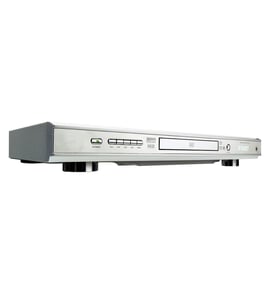
Pioneer Video equipment Parts — Browse All Models
Sears PartsDIrect is a leading supplier of Pioneer video equipment replacement parts. Pioneer video equipment uses dependable components but you can never tell when a failure will occur. When you find yourself in need of Pioneer video equipment replacement parts, trust Sears PartsDirect to have the parts you need to fix your video components.


Pioneer LD700 vcr
Shop Parts
6 Parts

 Owner’s manual
Frequently bought Pioneer parts

Magnavox Capacitor
Part #46-20868-3
This item is not returnable
In Stock
$9.33

Qty

Pioneer Service Manual
In Stock
$147.49
Qty
Pioneer Hood
In Stock
$38.57
Qty
Popular maintenance items for Video Equipment
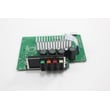
Pcb Assembly
In Stock
$161.04
Qty
Thermistor
In Stock
$17.87
Qty
Holder
In Stock
$29.10
Qty
Cover
In Stock
$31.99
Qty
Magnavox Part
In Stock
$25.71
Qty
Ant-008sm
In Stock
$62.37
Qty
Top replacement parts for Pioneer video equipment
- DVD deck assembly. The DVD deck assembly contains the main components of the DVD player, including the tray, disc drive motor and gears.
- Main electronic control board. The main electronic control board governs the settings and functions of the video equipment and powers the components inside the video equipment.
- Audio control board. The audio control board receives audio signals from the DVD disc or video cassette. The audio control board processes the audio signals to produce audio playback output.
- DVD optical pick-up. The DVD optical pick-up receives the digital image from the DVD and sends the signal back to the control board.
- Wi-Fi module. The Wi-Fi module allows you to connect the video equipment with your wireless network to get software updates and perform other advanced video equipment functions.
Playing a disc on your Pioneer video equipment
- Turn on your television and select the video input mode that your video equipment is connected to on your television (HDMI In).
- If you connected the video equipment to an external audio system, turn on your audio system receiver and select the correct audio input on the receiver to play the video equipment's audio.
- Press the Open/Close button on the DVD player of the video equipment to open the disc tray.
- Position the DVD disc gently into the tray with the disc's label facing upward.
- Press the Open/Close button to close the disc tray.
- Press the Play button to play the DVD disc.
Parts & More
Bottom-Mount Refrigerator
Electric Range
Electric Water Heater
Front-Engine Lawn Tractor
Microwave/Hood Combo
Parts
Side-By-Side Refrigerator