- Kenmore refrigerator water filters
- Whirlpool refrigerator water filters
- Samsung refrigerator water filters
- GE refrigerator water filters
- LG refrigerator water filters
- Frigidaire refrigerator water filters
- KitchenAid refrigerator water filters
- Maytag refrigerator water filters
- Kenmore Elite refrigerator water filters
- Estate refrigerator water filters
- GE Profile refrigerator water filters
- Amana refrigerator water filters
- Bosch refrigerator water filters
- Dacor refrigerator water filters
- Electrolux refrigerator water filters
Top DIY repair help
View All Repair Categories
Appliances
Lawn & Garden
Power Tools
Home Improvement
Sports & Leisure
Heating & Cooling

Emerson Televisions with vcr or dvd Parts — Browse All Models
Sears PartsDirect is a leading supplier of replacement parts for Emerson televisions with VCR or DVD. Emerson televisions use active matrix display grids to deliver sharp, clear images across thin film transistor displays. When your Emerson television quits working properly, get the repair parts you need to fix the television at Sears PartsDirect.


Frequently bought Emerson parts

Emerson Cathode Ray Tube
In Stock
$472.99

Qty

Sansui Cathode Ray Tube
In Stock
$208.99
Qty
Cable 24p/
Part #WX1A91F6-102
This item is not returnable
In Stock
$2.16
Qty
Emerson Crt W/yoke
In Stock
$337.49
Qty
Pcb,mpw,ds
In Stock
$77.78
Qty
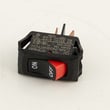
Kenmore Switch
In Stock
$38.49
Qty
Popular maintenance items for Televisions with VCR or DVD
Remote
In Stock
$45.00
Qty
Sansui Cathode Ray Tube
In Stock
$208.99
Qty
Fuse 7a
In Stock
$26.75
Qty
Remote
In Stock
$56.18
Qty
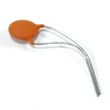
Panasonic 1nf 2kv K
Part #483512237031
This item is not returnable
In Stock
$7.29
Qty
Tray Disc
In Stock
$31.04
Qty
Connecting your Emersoni television to a Wi-Fi network
To connect your television to the Wi-Fi network using Wi-Fi Protected Setup (WPS) button, go to the Network Setup menu and select Wireless Setup. Select the WPS method of Wi-Fi connection from the Wireless Setup menu. Start the WPS wireless setup method on your television then pus the WPS button on your Wi-Fi router to connection your television to the Wi-Fi network.To connect your television to the Wi-Fi network using the router password, follow the same steps as described above to reach the Wireless Setup menu on your television. Select the Scan for available Wi-Fi networks option. Select your Wi-Fi network from the list of available Wi-Fi networks and enter the router password to connect the television to your Wi-Fi router.
Using a wall-mount bracket to hang your Emerson television
- For safety and product protection, use the wall-mount bracket specifically designed for your model of television.
- Wear work gloves to protect your hands while mounting the television to the wall.
- Make sure that the television has adequate ventilation space around its cabinet when choosing the mounting location.
- Follow the instructions included with the television mounting bracket to safely hang the television on the wall.
- Mount the television mounting bracket to the wall using the hardware provided in the mounting bracket kit.
- Attach the television securely to the mounting bracket and check the television for stability.
Parts & More
Generator
Grass Catcher Attachment
Jointer/Planer
Microwave
Outdoor Grill
Parts
Range
Side-By-Side Refrigerator
Snowblower