- Kenmore refrigerator water filters
- Whirlpool refrigerator water filters
- Samsung refrigerator water filters
- GE refrigerator water filters
- LG refrigerator water filters
- Frigidaire refrigerator water filters
- KitchenAid refrigerator water filters
- Maytag refrigerator water filters
- Kenmore Elite refrigerator water filters
- Estate refrigerator water filters
- GE Profile refrigerator water filters
- Amana refrigerator water filters
- Bosch refrigerator water filters
- Dacor refrigerator water filters
- Electrolux refrigerator water filters
Top DIY repair help
View All Repair Categories
Appliances
Lawn & Garden
Power Tools
Home Improvement
Sports & Leisure
Heating & Cooling
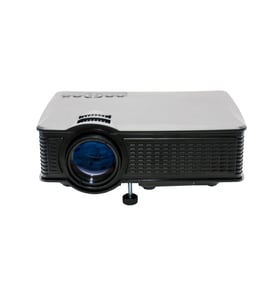
Brother Office Parts — Browse All Models
Brother office equipment products help keep your business efficient and up-to-date. Brother makes printers, scanners, fax machines, label makers, cutting machines and other office equipment to help you run your business. When your Brother office equipment breaks down, count on Sears PartsDirect to have the repair parts you need to fix the problem.
 Owner’s manual
Brother WP-350CJ ink jet wp parts list
Brother MFC 1750 fax machine parts reference list
Brother 98152 word processor
Brother 98161 personal word processor
Popular maintenance items for Office
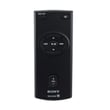
Remote Commander (rm-x400)
In Stock
$25.03
19% OFF Phone Price : $31.03

Qty

Panasonic Handset Char
In Stock
$53.50
Qty

Agri-fab Lawn & Garden Equipment Washer
Part #44008
This item is not returnable
In Stock
$2.74
27% OFF Phone Price : $3.74
Qty
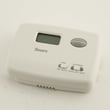
Sears Central Air Conditioner Wall Control Thermostat
In Stock
$34.12
66% OFF Was : $99.77
Qty
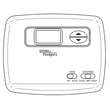
Sears White-rodgers Thermostat
In Stock
$28.00
27% OFF Was : $38.37
Qty
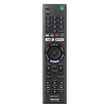
Remote Control(rmt-tx300u) (
In Stock
$22.46
Qty
Common Brother printer error messages
- Access Denied. The printer feature that you want to use is restricted by a function lock. Disable the function lock to use the feature.
- Calibrate. The color calibration function failed. Turn the machine off and wait a few seconds, then turn it on again. Perform the color calibration function using the control panel. If the printer still won't calibrate the color, replace the belt unit.
- Cartridge Error. The toner cartridge isn't installed correctly. Remove the toner cartridge and install it correctly.
- Belt End Soon. The belt is nearly worn out. Install a replacement belt unit.
Top-selling Brother office equipment parts
- Printer toner cartridges. Toner cartridges store the printer ink and distribute the ink during printing.
- Paper feeder. The paper feeder holds blank paper and automatically feed the paper through the machine during printing.
- USB connector port. The USB connector port connects the printer to a computer or tablet using a USB cable.
- Print head. The print head delivers ink to the paper during printing.
Parts & More
Air Compressor
Bottom-Mount Refrigerator
Circular Saw
Dump Cart Attachment
Electric Water Heater
Front-Engine Lawn Tractor
Lawn Sweeper
Line Trimmer
Refrigerator
Side-By-Side Refrigerator
Tool Chest
Treadmill
Wet/Dry Vacuum