Owner’s manual
 Error Codes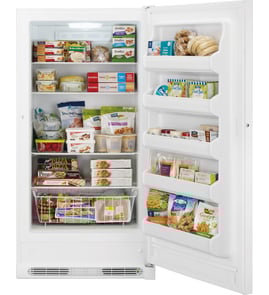



Does Whirlpool make good upright freezers?
Yes. Whirlpool upright freezers, including model WZF34X18DW04, are a solid choice for most homes because they are built for everyday storage, straightforward temperature control, and long-term serviceability with replaceable parts. For model-specific use and care details, follow the WZF34X18DW04 owner's manual.
What “good” means for an upright freezer
A good upright freezer keeps a steady temperature, seals tightly, and circulates cold air evenly so food stays frozen without excessive frost. In real-world use, customers tend to value:
- Usable space with shelves and door bins that help organize food
- Consistent freezing performance (fewer warm spots)
- Reasonable operating noise (fan and compressor sounds)
- Easy maintenance (cleaning, leveling, door alignment)
- Parts availability for common repairs (thermistor, fan, defrost components)
Quick checklist: how to judge your WZF34X18DW04 at home
Use this simple evaluation after the freezer has been running for 24 hours.
| What to check | What you want to see | If it’s not right |
|---|---|---|
| Door seal | Door closes firmly, no gaps | Inspect gasket, clean sealing surfaces |
| Temperature stability | Food stays hard-frozen | Verify settings and airflow, avoid overpacking |
| Frost level | Light, even frost at most | Heavy frost suggests door leak or defrost issue |
| Air circulation | Cold air reaches all shelves | Check for blocked vents, listen for fan |
Parts that commonly affect performance
If your freezer is not holding temperature or is frosting up, these model-compatible parts are often involved:
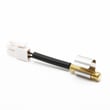
- Refrigerator thermistor WPW10383615 (temperature sensing and control feedback)
- Motor-evap f W11499658 (moves air across the evaporator for even cooling)
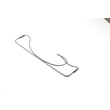
- Refrigerator defrost heater WPW10316428 (helps prevent heavy frost buildup)
Why it matters
A “good” upright freezer is not just about capacity; it is about stable temperatures and a tight door seal. When those basics are right, food quality stays high, energy use stays reasonable, and the freezer is easier to live with year-round.
Last updated: February 2026
How to get rid of freezer frost whirlpool?
On the Whirlpool WZF34X18DW04 upright freezer, frost usually comes from warm, humid air getting inside (most often from a door that is not sealing or not closing). Clear the frost, then focus on improving door closure and airflow so it does not return; see the WZF34X18DW04 owner's manual.
Quick steps to remove existing frost
- Move food to a cooler or another freezer.
- Press and hold TEMP SETTING for 3 seconds to turn off cooling.
- Unplug the freezer (or disconnect power).
- Remove shelves and bins; wash and dry them.
- Wipe interior surfaces dry; restart and allow temperatures to stabilize.
Stop frost from coming back (most common causes)
- Make sure the door closes fully every time; avoid overpacking shelves and door bins.
- Check the door gasket for gaps, folds, or debris; clean the sealing surfaces.
- Level the freezer so the door closes easily; adjust the front brake feet evenly.
- Limit door-open time; organize food so you can grab items quickly.
- Keep proper clearance around the cabinet for air circulation.
What “frost-free” means on this model
This freezer is designed to remove frost automatically by moving air across the cooling coil, melting frost during defrost, and draining water to the drain pan behind the base grille.
| Situation | What you’ll notice | What to do |
|---|---|---|
| Light frost after frequent door openings | Frost on walls or packages | Improve door closure and reduce open time |
| Door not sealing or door pops open | Frost builds quickly | Level unit, inspect gasket, remove obstructions |
| High humidity room | More frost/condensation | Reduce door openings, improve room ventilation |
Why it matters
Excess frost reduces usable storage space, makes the freezer run longer, and can lead to temperature swings that affect food quality.
Last updated: February 2026
How to reset whirlpool standing freezer?
To reset a Whirlpool upright freezer model WZF34X18DW04, disconnect power briefly, then restore power and reset the temperature control settings. This clears many control glitches after a power outage, door left open, or temperature adjustment.
Reset steps (WZF34X18DW04)
- Unplug the freezer from the wall outlet (or switch the circuit breaker OFF).
- Wait 5 minutes.
- Plug back into a grounded 3-prong outlet.
- Reset the control (set your desired temperature again); see WZF34X18DW04 owner's manual.
- Allow 24 hours for temperatures to stabilize after a reset or major setting change.
If the freezer still is not cooling right after a reset
These checks solve the most common “reset didn’t help” situations:
- Confirm the outlet has power (try a lamp or small appliance).
- Make sure the door closes fully and seals all the way around.
- Avoid overpacking; keep air paths open so cold air can circulate.
- Verify the freezer is level and steady; the door should not “pop open.”
- If you hear the fan hitting ice or the freezer is frosting up, plan a manual defrost and inspect airflow.
What a reset does (and does not) do
| Situation | Reset helps? | What to do next |
|---|---|---|
| Control panel acting odd after outage | Yes | Power reset, then set temp again |
| Freezer too warm from door left open | Sometimes | Reset, then wait 24 hours |
| Heavy frost/ice buildup | Usually no | Defrost and check door seal/airflow |
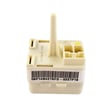
| Clicking, won’t start, no cooling | Sometimes | Check power first; then diagnose start components |
Why it matters
A proper reset restores normal control operation and forces you to re-establish correct temperature settings. It also helps you separate a simple control glitch from issues like poor airflow, a door sealing problem, or a cooling-system start problem.
Last updated: February 2026
Why is my Whirlpool upright freezer not freezing?
If your Whirlpool WZF34X18DW04 upright freezer is running but not freezing, the most common causes are the temperature control being set too warm, Cooling being turned off, poor door sealing, or restricted airflow around the cabinet. Start with the control settings, then check the door and ventilation.
Quick checks first (no tools)
- Press TEMP SETTING to move toward the coldest snowflake; change only one step, then wait 24 hours for temperatures to stabilize.
- Make sure Cooling is On; press and hold TEMP SETTING for 3 seconds to toggle Cooling On/Off.
- Use Fast Freeze before loading unfrozen food; activate it by pressing TEMP SETTING until all snowflakes light up.
- Confirm the door fully closes and nothing inside is blocking it.
- Check the door gasket for gaps and make sure it seals all the way around.
What to check next (common causes)
Control and loading
Your freezer can run but stay too warm if it is set near the least-cold snowflake, if Cooling is Off, or if a large warm load was added.
| Situation | What you’ll notice | What to do |
|---|---|---|
| Control set too warm | Food soft, long run times | Step colder; wait 24 hours |
| Cooling turned Off | Control panel lights off | Hold TEMP SETTING 3 seconds |
| Large warm load | Temp rises after stocking | Use Fast Freeze; add smaller batches |
Airflow and installation
- Keep clearance around the freezer so it can dump heat into the room air.
- Avoid packing items tightly against interior air passages; leave space for air to circulate.
When a part is likely involved
If settings are correct and the door seals well but temperatures still will not reach freezing, a failed temperature sensor or airflow issue is common.
- A bad sensor can misread temperature and prevent proper cooling control; consider testing or replacing the refrigerator thermistor WPW10383615.
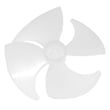
- If you hear the fan motor running but airflow seems weak, inspect the fan area for ice buildup or damage; the refrigerator evaporator fan blade WP2169142 is a common wear item.
Why it matters
A freezer that is not fully freezing can lead to food spoilage and forces the compressor to run longer, increasing energy use. Correct control settings and a tight door seal are the fastest fixes.
For control operation details and troubleshooting steps specific to WZF34X18DW04, use the WZF34X18DW04 owner's manual.
Last updated: February 2026