 Owner’s manual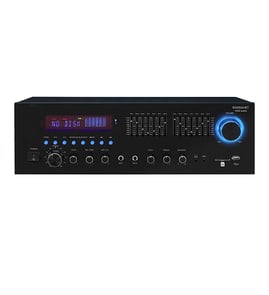

Does onkyo tx-NR609 support 4K?
No. The Onkyo TX-NR609 does not output 4K video; its HDMI video output tops out at HD (up to 1080p). You can still use it with a 4K TV, but route 4K sources directly to the TV and send audio to the receiver.
- Connect 4K streaming devices, game consoles, or 4K Blu-ray players directly to the TV for 4K video
- Use the TV’s optical digital output (or ARC, if your TV and receiver support it) to send audio back to the TX-NR609
- Use the receiver for HDMI switching only for 1080p sources (cable box, older Blu-ray player)
- Let the TV handle any upscaling from 1080p to 4K
| Goal | Best video path | Best audio path |
|---|---|---|
| Keep 4K video | Source to TV | TV to receiver (optical or ARC) |
| Use receiver switching | 1080p sources to receiver, receiver to TV | HDMI to receiver |
| Simplest setup | All sources to TV | One audio return to receiver |
Use the TX-NR609 owner's manual to confirm the exact input/output options and menu settings for your setup.
- HDMI control/ARC settings (if available on your TV and receiver)
- TV digital audio output format (PCM vs Dolby Digital)
- Receiver input assignment for the audio-return connection
Knowing the TX-NR609’s video limit prevents frustrating “no 4K” issues and helps you wire the system so you still get full 4K picture quality while keeping surround sound through the receiver.
Last updated: February 2026
Is the Onkyo TX-NR609 a good receiver?
Yes. The Onkyo TX-NR609 is a solid home theater receiver for many setups because it typically delivers clear surround sound, strong feature coverage for its class, and flexible input switching. For the best experience, correct speaker wiring, ventilation, and setup settings matter as much as the receiver itself.
A receiver is “good” when it matches your room, speakers, and sources. The TX-NR609 is a good fit when you need reliable HDMI switching, multi-channel surround processing, and enough power for typical home listening levels.
Best fit if you want:
- Clean, balanced sound for movies and TV
- Multiple HDMI sources (cable box, game console, streamer)
- Standard surround speaker layouts (common 5.1 or 7.1 setups)
- Straightforward setup with on-screen menus
- A receiver that can be serviced with model-specific diagrams and specs from the owner's manual
These checks tell you whether the receiver will perform well in your system.
- Confirm your speaker impedance and wiring are correct (no stray strands at terminals)
- Make sure the receiver has open airflow on top and sides to prevent overheating
- Use the correct HDMI input assignments for each source
- Run the receiver’s speaker level and distance setup so dialogue stays centered
- If you have dropouts, test with a different HDMI cable and a different input
| What you expect | What to verify on TX-NR609 | Why it matters |
|---|---|---|
| Strong surround performance | Speaker configuration and listening mode | Wrong mode can reduce surround impact |
| Reliable HDMI switching | Input assignment and cable quality | Prevents no-picture or audio dropouts |
| Clean sound at normal volume | Speaker match and ventilation | Avoids distortion and thermal shutdown |
| Easy troubleshooting | Reference the owner's manual | Speeds up setup and diagnostics |
Most “bad receiver” complaints come from setup issues (speaker wiring, HDMI handshakes, or incorrect audio modes), not from the amplifier section itself. Dialing in the TX-NR609 settings and connections is the fastest way to get the clarity and bass performance people expect.
Last updated: February 2026
What year is Onkyo TX-NR609?
The Onkyo TX-NR609 is a 2011 model-year home theater receiver. If you are matching parts or features (HDMI board, network functions, firmware behavior), using the 2011 model year helps ensure you are looking at the correct TX-NR609 version and documentation such as the owner's manual.
Use these checks to confirm you are working with the correct receiver model before ordering parts or troubleshooting:
- Verify the front panel label reads TX-NR609
- Check the rear panel for the model marking near the input/output cluster
- Match the on-screen setup menus to the TX-NR609 layout
- Confirm the serial/model label on the chassis matches TX-NR609
- Use the same model number when searching for boards, fuses, or connectors
Model year affects parts compatibility and troubleshooting because Onkyo often revises internal boards and firmware across model generations.
| What you’re doing | Why “2011” helps | What to use |
|---|---|---|
| Looking up specs and connections | Confirms the correct feature set for TX-NR609 | Owner's manual |
| Troubleshooting power or no-audio issues | Points you to the right wiring and protection circuits | Receiver wiring diagram/schematic in the manual |
| Comparing to similar models (TX-NR509, TX-NR709) | Prevents mixing menus and board layouts | Model label and manual |
For the Onkyo TX-NR609, we recommend using the exact model number when searching for items like a power supply board, HDMI board, speaker terminals, or internal fuses. If you are browsing beyond this model page, search by model number on Sears PartsDirect.
Using the correct year and exact model number reduces wrong-part orders and speeds up troubleshooting, especially for network-connected receivers where board revisions and firmware can change behavior.
Last updated: February 2026