Owner’s manual




How long do Jenn Air wall ovens last?
Most Jenn-Air wall ovens typically last about 15 years with normal use and basic maintenance. For the JMW9527DAS wall oven/microwave combo, keeping the oven clean, protecting the door seal, and replacing wear items (like the oven light) helps you reach that lifespan.
Typical lifespan and what affects it
A wall oven’s service life depends most on heat exposure, cleaning habits, and how hard the door and controls are used.
- Typical lifespan: ~15 years
- Heavy use (daily high-heat cooking): often shorter
- Light to moderate use: often longer
- Self-clean frequency: more self-clean cycles can increase heat stress on components
- Ventilation and cooling: a healthy cooling system helps protect electronics
Maintenance habits that help you get 15+ years
Use these practical habits to reduce heat damage and prevent common failures.
- Follow the cleaning and safety guidance in the JMW9527DAS owner's manual
- Avoid abrasive cleaners on the oven door window and surrounding areas
- Do not force the door open during self-clean when the control shows the door is locked
- Keep racks sliding smoothly; wipe and apply a small amount of vegetable oil to rack supports, then wipe off excess
- Replace a dim or failed oven light promptly to avoid handling the cover repeatedly
Common “wear items” vs. “major repairs”
These are the types of parts that commonly come up over a wall oven’s life.
| Category | Examples | What you may notice |
|---|---|---|
| Wear items | Light bulb, door seal | Dim light, heat leaking, longer preheat |
| Heat management | Cooling fan assembly, high-limit switch | Fan noise changes, overheating symptoms |
| Door hardware | Door hinge, door latch | Door not closing evenly, lock issues |
| Controls/sensing | Temperature sensor, control board | Temperature swings, error conditions |
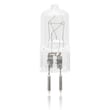
If your oven light is out, this model uses a halogen bulb; the manual calls out bulb part number 74004458, and the matching replacement we list is the range oven light bulb WP74009925.
Why it matters
A wall oven is a high-heat appliance; consistent cleaning, proper self-clean use, and keeping the door sealing correctly reduces heat stress on wiring, sensors, and the control board, which are the most expensive systems to repair.
Last updated: January 2026
How to reset jenn air wall oven?
To reset a Jenn-Air JMW9527DAS wall oven/microwave combo, we recommend doing a full power reset at the breaker: turn the oven circuit breaker(s) OFF for 1 minute, then turn them back ON and start a Bake cycle to confirm normal operation.
Quick reset steps (power reset)
- Turn the wall oven breaker(s) OFF.
- Wait 60 seconds.
- Turn the breaker(s) ON.
- Set the clock if needed.
- Start a Bake cycle and watch the display for about 1 minute.
If the display says “Fault detected”
The control may show messages such as “Fault detected, press power to clear” or “press enter to try again.” Follow the on-screen prompt, then run a short Bake test.
- Press the prompted key (Power, Enter, or Cancel depending on what the display shows).
- Let the oven cool if it was in a high-heat mode (like Self-Clean).
- Retry the same function once.
- If the fault returns, plan for service (the control can disable features until the issue is corrected).
Common reasons a reset helps (and when it will not)
A reset clears many temporary control glitches, but it will not fix a failed part or overheating condition.
| What you notice | Reset may help | What to check next |
|---|---|---|
| Random error or frozen keypad | Yes | Run Bake test; review messages in the JMW9527DAS owner’s manual |
| Cooling fan runs after cooking | Sometimes | This can be normal operation |
| Fault returns quickly | No | Check for overheating, airflow issues, or a failing control/sensor |
| No display and no beeps | Sometimes | Confirm power supply; check modes like Sabbath in the manual |
Why it matters
Resetting the JMW9527DAS the right way helps you confirm whether you are dealing with a one-time control interruption or an ongoing problem that needs troubleshooting, such as a temperature-sensing issue or an overheat protection event.
Last updated: January 2026
Why is my JennAir wall oven not turning on?
If your Jenn-Air JMW9527DAS wall oven will not turn on, the most common causes are a power supply problem (tripped breaker, blown fuse, loose connection) or a control setting such as Control Lockout or Sabbath Mode that disables the display and keys. Start by restoring power and checking those settings in the JMW9527DAS owner's manual.
Quick checks that fix most “dead oven” complaints
- Verify the house breaker for the oven is ON; reset it fully OFF then back ON.
- Check for a blown fuse (if your home uses fuses).
- Confirm the oven is properly connected to the electrical supply.
- Make sure Control Lockout is not enabled.
- Make sure Sabbath Mode is not enabled (this can cause no beeps and no display).
- If the display shows a fault message, press the indicated key to clear it and retry.
What to do based on what you see
| What you notice | Most likely cause | What we recommend |
|---|---|---|
| No display, no beeps | Sabbath Mode enabled or no power | Check Sabbath Mode setting; then check breaker/fuse and power supply |
| Clock or lights work but oven will not heat | Controls not set correctly or power issue | Recheck bake settings; confirm power supply and breaker/fuse |
| Fault message appears | Control detected a fault | Follow the display prompt; if it returns, schedule service |
Parts that can be involved (when power and settings are OK)
If power is good and settings are correct but the oven still will not start, these parts are commonly checked during diagnosis:
- Circuit breaker WP71002286 (if the unit uses an internal breaker)
- Terminal block WPW10245259 (burned or loose connections can interrupt power)
- Wall oven control board WP74009716 (can prevent the oven from powering up or responding)
Why it matters
A wall oven/microwave combo like the JMW9527DAS needs a stable electrical supply and correct control settings to energize the control and heating circuits. Fixing a tripped breaker or disabling Control Lockout or Sabbath Mode restores operation quickly and avoids unnecessary parts replacement.
Last updated: January 2026
Why does my Jenn air oven take so long to preheat?
For the Jenn-Air JMW9527DAS wall oven, normal preheat is about 15 minutes; if it is consistently taking much longer, the oven may be losing heat (door seal issue) or the temperature feedback and safety controls may be interrupting heating. Use the preheat behavior described in the JMW9527DAS owner's manual as your baseline.
What “normal” looks like on this model
The display temperature typically climbs in 1 degree increments until it reaches the set temperature, then the oven beeps and “Preheat” turns off.
- Plan on about 15 minutes to preheat under typical conditions
- Expect longer preheat when starting from a cold kitchen or using very high set temps
- If “Preheat” never clears, suspect a heating or sensing problem
- If preheat is slow only sometimes, suspect airflow or door sealing
Most common causes of slow preheat
These are the issues we see most often with wall ovens when preheat time stretches well past normal.
- Weak or interrupted heating (bake circuit not delivering steady heat)
- Temperature sensing problems (sensor reading incorrectly, wiring connection issues)
- Heat loss at the door (worn gasket, door not closing squarely)
- Cooling fan running excessively (can pull heat away if the oven is overheating or misreading temps)
- High-limit protection opening (overheat protection can cycle power to protect the oven)
Quick checks you can do safely
Turn power off at the breaker before any inspection beyond basic operation.
- Confirm you are using Bake (not Delay or a timed feature that changes start behavior)
- Verify the door closes firmly and evenly; look for gaps or a flattened gasket
- Listen for the cooling fan; constant high-speed fan during preheat points to an overheat or airflow issue
- If food is underbaking too, run a temperature check with an oven thermometer to confirm accuracy
Parts that commonly affect preheat time (and when to consider them)
| Symptom | Likely area | Example part for JMW9527DAS |
|---|---|---|
| Preheat takes much longer than 15 minutes and temps seem off | Temperature sensing | Wall oven temperature sensor WP74008369 |
| Door feels loose or heat escapes around edges | Door sealing/closure | Door seal WP71001970 |
| Fan runs a lot and oven seems to struggle holding heat | Cooling/overheat control | Wall oven cooling fan assembly WP74008383 |
Why it matters
Long preheat times usually mean the oven is not heating efficiently or is not “seeing” temperature correctly. Fixing the root cause helps restore bake performance, reduces energy use, and prevents uneven cooking.
Last updated: January 2026