 Owner’s manual




Are all GE microwave mounting brackets the same?
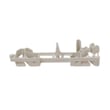
No. GE microwave/hood combos do not all use the same mounting bracket; hole patterns, cabinet fit, and venting layouts vary by model series and generation. For a secure install on GE model JVM1540DN1WW, we recommend following the bracket and hardware guidance in the JVM1540DN1WW owner’s manual and using the bracket designed for your exact unit.
What you can reuse vs. what you should replace
In many over-the-range installs, the wall plate and upper cabinet bolt locations are model-specific. Reusing an older bracket can leave the microwave unsupported or misaligned.
- Reuse only if the replacement microwave is the exact same model (or a confirmed direct replacement) and the bracket matches perfectly
- Replace the bracket if you are changing model numbers, even within GE Spacemaker-style units
- Replace the bracket if venting direction changes (rear, top, or recirculating)
- Replace the bracket if any mounting holes are elongated, bent, or stripped
- Replace the bracket if the microwave does not sit flush or the door alignment changes
Quick compatibility checklist (before you drill)
Use this as a fast go/no-go check.
| Check | If it matches | If it does not match |
|---|---|---|
| Wall plate hole pattern | You may be able to reuse | Use the correct bracket |
| Upper cabinet bolt spacing | Proceed | Do not force alignment |
| Vent outlet location | Proceed | Reconfigure venting and bracket |
| Microwave sits level and flush | Proceed | Stop and correct mounting |
Why it matters
The mounting bracket carries much of the load and sets the microwave’s position over the range (these units are designed for use over ranges up to 36 inches wide). A mismatched bracket can cause vibration, poor door latching, and unsafe support.
Related parts that affect fit and door closing
If the door does not close or latch correctly after an install, inspect the latch and interlock components (do not operate a microwave with door or latch issues).
Last updated: February 2026
What's the average lifespan of a GE microwave?
A GE microwave typically lasts about 8 years. Most units fall in the 5 to 10 year range depending on daily run time, ventilation, and how well the cavity and door-latch system are kept clean. For your GE JVM1540DN1WW microwave/hood combo, following the safety and care guidance in the JVM1540DN1WW owner’s manual helps maximize service life.
Typical lifespan ranges (what we see most often)
- Light to moderate use (a few minutes/day): 8 to 10 years
- Heavy use (multiple cycles/day): 5 to 8 years
- Best-case with excellent care: 10+ years
What shortens microwave life fastest
- Running the microwave empty (this can overheat components and shorten magnetron life)
- Poor airflow from grease buildup around filters and vents
- Slamming the door or operating with a door that does not latch smoothly
- Frequent power surges or sharing an overloaded circuit
Care steps that extend lifespan
- Keep the interior clean and wipe up splatters before they bake on.
- Do not run the unit with no food inside.
- Clean and reinstall grease filters correctly so airflow stays strong.
- Make sure the door closes firmly and the latch feels consistent.
- Use cookware labeled microwave-safe; avoid metal and foil.
Quick “repair or replace” guide
| Symptom | Most common cause | What we recommend |
|---|---|---|
| Runs but does not heat | High-voltage component failure | Use our troubleshooting steps; consider pro service for HV testing |
| Dead, no display | Fuse, door switch, or power issue | Check power supply first; then diagnose interlocks |
| Starts then stops when door moves | Door latch or interlock switch issue | Inspect latch alignment and switch operation |
Why it matters
Microwaves rely on a tightly latched door and proper airflow to operate safely and efficiently. Good habits (especially not running it empty and keeping ventilation clean) reduce heat stress on key components like the magnetron and control board.
If your unit is running but not heating, our why is my microwave not heating guide is a solid next step.
Last updated: February 2026
Why did my GE microwave vent fan come on by itself?
On the GE JVM1540DN1WW microwave/hood combo, the vent fan can run automatically as part of normal operation. It may turn on at low speed while the microwave is cooking to move air and help cool internal components, then shut off after cooking unless you manually selected a fan speed.
What’s normal on this model
The vent fan behavior below is expected for JVM1540DN1WW (and many GE over-the-range microwaves):
- The fan can automatically run at low speed while the microwave is operating.
- If you did not press the Vent Fan pad, it typically turns off after the microwave stops.
- If the fan keeps running after cooking, you can cycle the Vent Fan pad until it turns off.
- The vent fan cannot be turned off while the microwave is running.
For the exact button sequence and feature notes, check the JVM1540DN1WW owner’s manual.
How to tell “auto fan” vs “stuck on”
Use this quick check:
| What you notice | Most likely cause | What to do |
|---|---|---|
| Fan starts only when you cook | Normal automatic cooling/venting | Let it run; it should stop after cooking |
| Fan stays on after cooking | Fan was set to stay on, or unit is still cooling | Press Vent Fan pad until Off |
| Fan runs even when microwave is idle | Heat from the cooktop below, or a control issue | Verify cooktop heat source is off; then try power reset |
Steps we recommend
- Press Vent Fan once (high), again (low), and a third time (off).
- If the fan will not shut off after the microwave is idle, unplug the microwave (or switch off the breaker) for 1 minute, then restore power.
- Confirm the door is closing and latching smoothly; a worn latch or switch lever can cause odd operation. If the door does not feel secure, inspect the microwave latch body WB06X10676 and the micro-switch WB24X830.
Why it matters
The vent fan protects the microwave’s electronics and helps manage heat and steam from cooking. Letting the fan run when it is supposed to prevents overheating and nuisance shutdowns.
Last updated: February 2026
Is there a way to reset a GE microwave?
Yes. For the GE JVM1540DN1WW microwave/hood combo, the most reliable “reset” is a power reset: unplug the microwave (or switch off the breaker) for about 1 minute, then restore power. This clears many control glitches and restores normal operation.
Quick reset options (start here)
- Power reset (recommended): Unplug for 60 seconds, then plug back in.
- Breaker reset: Turn the microwave circuit breaker off for 60 seconds, then on.
- Control lock check: If the keypad seems unresponsive, look for a lock feature in the JVM1540DN1WW owner’s manual.
- Door reset: Open and firmly close the door; the door must latch securely for the microwave to run.
- Clock re-entry: After power is restored, re-set the clock and try a simple 30-second cook test.
If it still will not run, check these common causes
A microwave that “has power” but will not start often has a door-latch or interlock issue.
- Make sure the door closes smoothly and fully latches.
- Inspect the latch area for cracks or looseness.
- If the door feels sloppy or the hooks do not align, the latch parts may be worn.
- If the unit is dead after a reset, a thermal cut-off or internal fuse issue is possible.
Parts that commonly relate to door and start problems
| Symptom | What to check | Example part for JVM1540DN1WW |
|---|---|---|
| Won’t start, acts like door is open | Door interlock switch and latch mechanism | Micro-switch WB24X830 |
| Door won’t latch firmly | Latch body and latch lever | Microwave latch body WB06X10676 |
| Randomly stops or goes dead when hot | Thermal cut-off protection | Therm-hood WB27X1127 |
Why it matters
The door interlock system is a safety circuit; if the control does not “see” the door latched, the microwave will not run. Resetting power can clear a control error, but it will not fix a worn latch or failed interlock switch.
Good to know before servicing
- Disconnect power before removing any panels.
- High-voltage components inside a microwave can retain a dangerous charge even when unplugged; use a qualified technician for internal electrical testing.
Last updated: February 2026
What are common problems with GE profile microwaves?
Common problems we see in GE Profile microwaves (including over-the-range models like GE JVM1540DN1WW) are no heat, a dead display or unresponsive keypad, turntable issues, door-latch or interlock faults, and sparking or arcing. Many symptoms trace back to door interlock parts, high-voltage components, or simple use and cleaning issues described in the JVM1540DN1WW owner’s manual.
Most common symptoms and what they usually point to
- Runs but does not heat: high-voltage diode, capacitor, or magnetron problems; also check for abnormal venting or overheating conditions.
- Starts then stops, or will not start: door interlock switch or latch alignment issues.
- Turntable not rotating: coupler or support problems; do not operate without the turntable and support installed.
- Sparking or arcing: food splatter, metal contact, or damaged interior surfaces; stop using until the cause is corrected.
- Moisture, steam, or vent fan behavior that seems odd: some steam around the door and the vent fan running during cooking can be normal.
Model-specific parts that commonly relate to these issues
If your symptom matches, these are frequently involved on JVM1540DN1WW:
| Symptom | Likely area | Example part for this model |
|---|---|---|
| Won’t start or stops when door moves | Door interlock system | Micro-switch WB24X830 |
| Door won’t latch smoothly | Latch mechanism | Microwave latch body WB06X10676 |
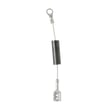
| No heat | High-voltage circuit | H.v. diode WB27X10597 |
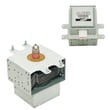
| No heat, loud hum, or intermittent heating | High-voltage circuit | Microwave magnetron WB27X10939 |
Quick checks we recommend before replacing parts
- Confirm the door closes firmly and evenly; do not slam it.
- Unplug the microwave for 2 minutes, then restore power (simple control reset).
- Clean the control panel with a damp cloth only; avoid sprays and abrasives.
- Verify the turntable and support are seated correctly before cooking.
- If heating liquids, follow safe stirring and standing-time steps to reduce superheating risk.
Why it matters
Microwave door interlock and high-voltage components control both operation and safety. Correct diagnosis prevents repeat failures, protects the control board, and helps avoid damage from overheating, arcing, or improper cleaning.
Last updated: February 2026
Is it worth repairing a GE microwave?
Yes; repairing a GE microwave is worth it when the problem is a common, lower-cost failure (especially on an over-the-range unit like GE JVM1540DN1WW). Replacement makes more sense when the repair involves major high-voltage or main electronic parts and the total cost nears the price of a new microwave. Use the JVM1540DN1WW owner's manual for safety guidance and basic operating checks.
Quick repair vs. replace checklist
- Repair when the unit is newer and the symptom points to a single, accessible part.
- Repair when the issue is door/interlock related, lighting, turntable, or vent fan.
- Replace when the unit has a no-heat condition tied to high-voltage components.
- Replace when the control panel or power board is failing and parts plus labor add up fast.
- Stop using the microwave if the door does not latch securely; address the door/latch first.
Common symptoms and example parts for this model
| Symptom | What it usually points to | Example part |
|---|---|---|
| Won’t run with door closed | Door interlock switch issue | Micro-switch WB24X830 |
| Door won’t latch smoothly | Latch alignment/body wear | Microwave latch body WB06X10676 |
| Runs but does not heat | High-voltage diode or related HV circuit | H.v. diode WB27X10597 |
| No heat after diagnosis | Magnetron failure | Microwave magnetron WB27X10939 |
Why it matters
On an over-the-range microwave/hood combo, removal and reinstallation time adds cost. Also, the manual stresses safe operation and avoiding use if the unit is damaged; that is especially important around door interlocks and high-voltage heating components.
Practical decision rule
| If your total repair cost is… | We recommend… |
|---|---|
| Under about 50% of a comparable new OTR microwave (installed) | Repair |
| Around 50% or more (installed) | Replace |
Last updated: February 2026


