Installation guide
 Owner’s manual
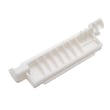

What does f97 mean on my GE oven?
On the GE JKP85BA3BB wall oven/microwave combo, an F97 message is treated as a lower-oven function error code. Start by clearing the code, letting the oven cool for 1 hour, then retrying; if it returns, reset power and plan a cooling-fan circuit diagnosis using the JKP85BA3BB owner's manual.
- Press CLEAR/OFF to stop the beeping and clear the display.
- Leave the oven door closed and allow the oven to cool for 1 hour.
- Try BAKE again and watch for the code returning.
- If F97 returns, turn off power at the breaker for at least 30 seconds, then restore power.
- If the code returns again, focus troubleshooting on the lower oven cooling fan and its safety controls.
F97 commonly points to the lower oven not seeing the expected cooling airflow. That can be caused by a stalled fan, blocked airflow, or a temperature safety device opening.
Common causes to check:
- Cooling fan blade obstructed by debris or insulation
- Fan motor not running, running slowly, or noisy
- Loose wiring connection at the fan or control
- Over-temperature condition from restricted venting
- A safety device opening, such as a limit switch or high-limit thermostat
If the fan runs intermittently, runs only after a long delay, or never runs during/after baking, these model-listed parts are common suspects:
| Symptom | What it points to | Example part for JKP85BA3BB |
|---|---|---|
| Fan never runs | Fan motor or power feed issue | Fan WB26K5072 |
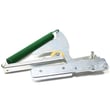
| Fan runs but oven still faults | Temperature safety device opening | Wall oven cooling fan limit switch WB24K5033 |
| Oven overheats or shuts down | Over-temp protection tripping | Wall oven high-limit thermostat WB24K5049 |
The lower oven cooling fan protects the control area from overheating. If airflow is low, the oven can shut down with an F-code to prevent heat damage and unsafe temperatures.
Last updated: January 2026
Where is the model number on a GE wall oven?
On the GE JKP85BA3BB wall oven/microwave combo, we find the model and serial number label inside the upper oven on the left side. Open the upper oven door and look along the left interior frame area for the rating label.
- Turn the oven light on so the label is easier to read.
- Open the upper oven door (not the microwave door).
- Look on the left side of the upper oven opening, along the front frame.
- Write down both the model number and serial number.
- Use the full model number when ordering parts or checking fit.
| Label item | What it’s used for |
|---|---|
| Model number (JKP85BA3BB) | Matching the correct parts diagrams and replacement parts |
| Serial number | Identifying production details for service and support |
| Electrical ratings | Confirming power requirements during troubleshooting |
We use the model number to match the exact GE parts and diagrams for your cooking center. Even small model variations can change which door switch, thermostat, or control component fits.
For the official location note and record-keeping section, see the JKP85BA3BB owner’s manual.
Last updated: January 2026
What is the average lifespan of JKP85BA3BB?
A GE microwave/double oven combo like model JKP85BA3BB typically lasts 15 years with normal household use. Lifespan depends most on heat exposure, ventilation, door seal condition, and keeping the cooling fan path clear; consistent overheating shortens life fastest.
- Cooling and airflow: blocked vents or a failing fan can overheat controls.
- Door sealing and latching: heat leaks and uneven cooking strain components.
- Self-clean use: frequent high-heat cycles accelerate wear on thermostats and wiring.
- Electrical supply: loose connections at the junction box can cause intermittent failures.
- Microwave door interlocks: worn switches can stop the microwave from running.
Use the care and operating guidance in the JKP85BA3BB owner’s manual.
- Keep intake and exhaust areas clear of grease and dust.
- Avoid slamming the oven or microwave doors; close them firmly.
- Replace a torn or flattened oven gasket promptly.
- If the unit runs hot, verify the cooling fan runs during and after baking.
- Use cookware that fits; overcrowding increases heat cycling.
| Symptom | Most common area | What we recommend |
|---|---|---|
| Oven won’t heat or heats unevenly | Heating circuit | Check the bake element and wiring connections |
| Oven overheats or shuts down | High-limit protection | Inspect the high-limit thermostat and cooling airflow |
| Microwave won’t start | Door safety circuit | Test/replace the interlock switch |
| Fan runs constantly or not at all | Cooling fan circuit | Inspect the fan motor and limit switch |
Model-specific examples of parts that often relate to these symptoms include the wall oven bake element WB44T10016, wall oven high-limit thermostat WB24K5049, and microwave door interlock switch WB24X830.
Knowing the typical 15-year lifespan helps you decide whether to repair or replace. If your JKP85BA3BB is near that age and showing heat, fan, or door-interlock issues, targeted part replacement can restore safe, reliable operation.
Last updated: March 2026